

You’ve likely noticed a small red dot or a number perched on an app icon on your phone—a little nudge to check that there’s something new waiting. These visual cues, known as app icon badges, do more than just notify you; they’re strategically designed to drive engagement. By quietly encouraging users to open apps, icon badges have become a staple in mobile design, guiding our attention without making a sound.
These badges seem simple, but their impact is impressive. With studies showing up to an 88% increase in app open rates for apps using badges, it’s clear they tap into something powerful. Here, we’ll explore how app icon badges work, why they’re effective, and how mobile marketers can use them to build stronger user connections.
What Are App Icon Badges, and Why Do They Matter?
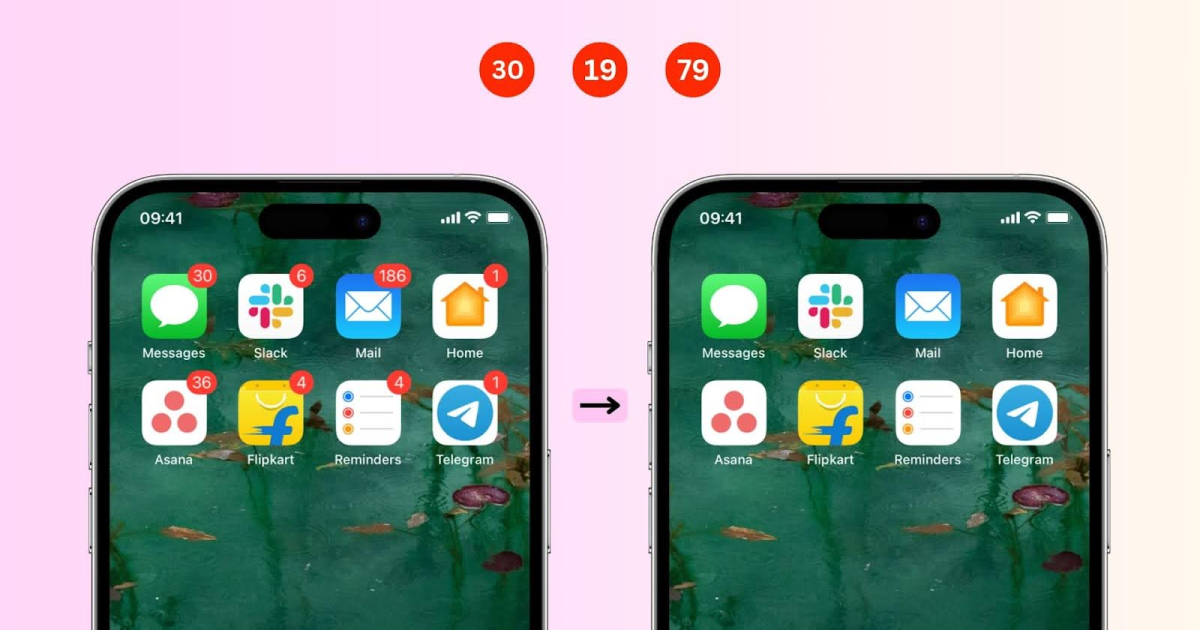
In simple terms, app icon badges are small visual indicators that appear on an app icon to signify that there are unread notifications or updates. They typically show as a colored dot, number, or icon on the corner of the app. These badges serve as non-intrusive reminders for users, indicating that there’s something to check without a full push notification. If you’ve wondered, “What is this notification dot?” or “What does this icon badge mean?” this is it—a subtle signal that encourages user interaction.
For mobile marketers, app icon badges offer an effective engagement strategy. Studies have shown that apps using these badges experience up to 88% higher open rates than those without, tapping into user curiosity without the need for an interruptive message. This is especially useful on platforms where users may decline push notifications, like iOS, where opt-in rates are lower than Android.
Why Are App Icon Badges Important for User Engagement?
1. Non-Intrusive Alerts
Unlike push notifications, which can be disruptive, badges in notification form sit quietly on the app’s icon. This gentle nudge keeps users informed and engaged without interruption. For instance, a notification dot on app icon allows users to engage on their terms, which can be crucial in maintaining a positive user experience.
2. Taps into Curiosity and Task Completion
App icon badges leverage the Zeigarnik Effect, a psychological principle stating that people remember incomplete tasks better than completed ones. When users see an icon badge indicating unread notifications, they feel compelled to “resolve” the issue by checking the app.
3. Minimizes Notification Overload
In a world where the average U.S. smartphone user receives 46 push notifications per day, many users experience notification fatigue. Apps can reduce overload by enabling notifications on app icons rather than sending constant push notifications. In fact, a single push notification weekly can lead 10% of users to disable notifications, while frequent notifications result in a 40% opt-out rate. App icon badges act as an effective alternative, providing subtle engagement cues.
How Are App Icon Badges Used in Different Apps?
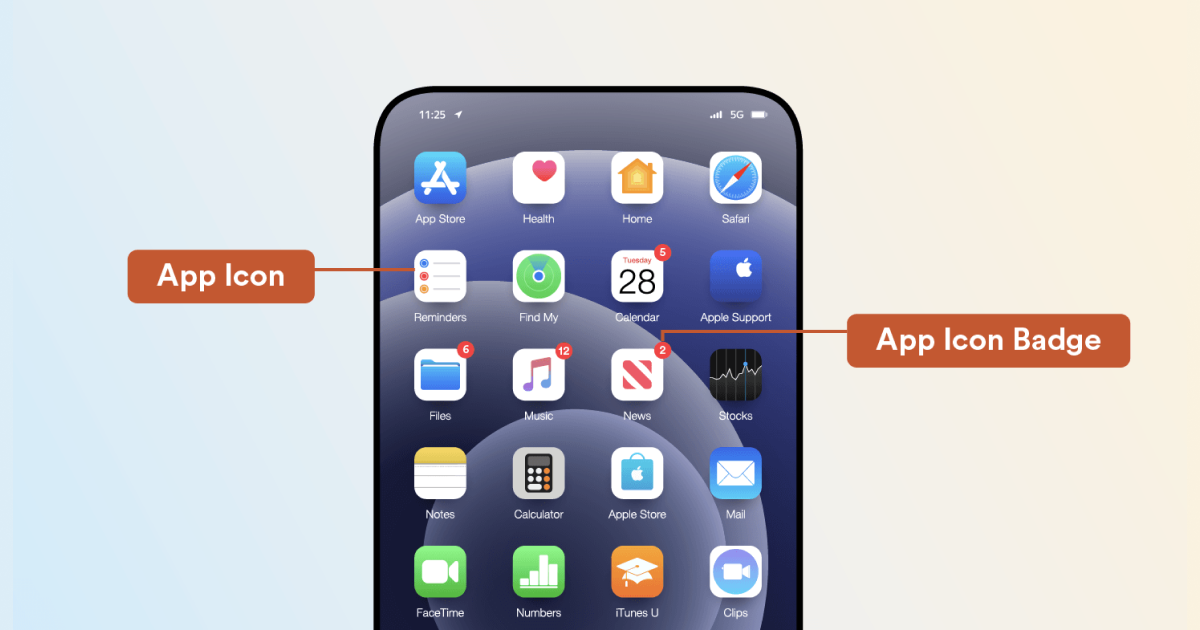
Different types of apps use badges to improve engagement, often based on the content type within the app. Here’s how app icon badges are used across industries:
- Messaging Apps: Apps like WhatsApp use badges to show unread messages, so the user can see the meaning of an allowed notification badge without opening the app.
- Social Media Apps: Platforms like Instagram notify users of new likes or comments using an allow count badge meaning feature, which increases the urge to check updates.
- E-commerce Apps: Platforms like Amazon alert users to cart reminders or order updates. Seeing an app icon badge, meaning new updates encourages users to interact.
- Utility Apps: Apps like Google Calendar and To-Do use badges to indicate pending tasks, while the notification dot on the app icon keeps users on track with deadlines.
- Gaming Apps: Games like Clash of Clans use badges to indicate replenished lives or in-game events, boosting retention.
Financial Apps: Apps like PayPal use badges for transaction alerts, reminding users to check in on their finances.How Do App Icon Badges Differ from Push Notifications?
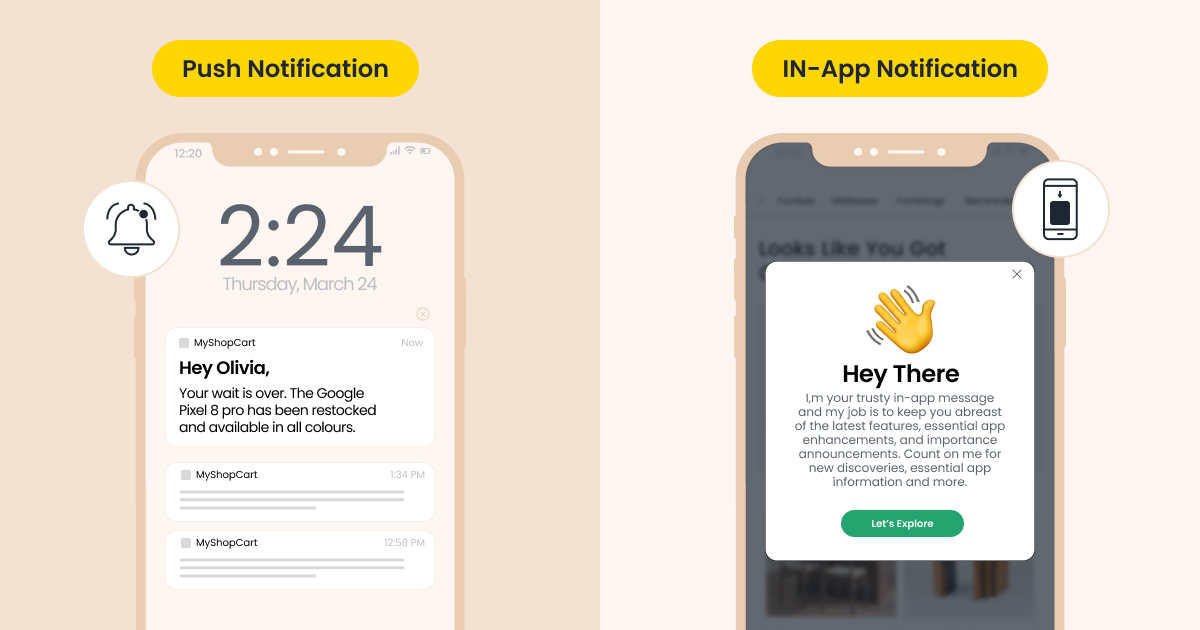
While notification badges vary by app, their main function is to serve as subtle reminders rather than loud notifications. Push notifications demand immediate attention, making them effective for time-sensitive actions. App icon badges, on the other hand, act as a “soft” call to action. Given that push notification opt-in rates average 81% on Android but only 51% on iOS, app icon badges offer a way to keep iOS users engaged without needing push permissions.
Fun Fact: Users can disable badges if they find them distracting by adjusting their badge meaning in phone settings while still keeping other notifications active.
Best Practices for Using App Icon Badges Effectively
To make the most of app icon badges in a mobile marketing strategy, here are a few best practices:
1. Pair with Push Notifications
Badges and push notifications often work well together. For example, a push notification for a sale can trigger a notification on app icon, which stays visible even if the user dismisses the push.2. Limit Badge Count
Avoid overwhelming users with high badge counts. By keeping badge numbers low, you reduce “notification fatigue” and keep users engaged.3. Customize Badge Triggers Based on User Behavior
Personalizing badges in notification form can make them more effective. For example, if a user frequently checks messages but ignores promotions, prioritize badge triggers for messages.4. Ensure Badges Clear After Action
Once a user opens the app, make sure badges reset. Keeping badges active after an action is completed can lead to frustration, so reset the notification on app icon once the notification is acknowledged.
-
Ready to boost engagement with app icon badges?
App icon badges provide an easy, non-intrusive way to drive user engagement by subtly encouraging users to check in with your app. They allow users to decide when to engage and help build retention by gently nudging them without the constant ping of push notifications.
Consider adding badges as part of your strategy to increase retention, boost open rates, and enhance user experience. Learn how to show notification numbers on the app icon in Android or adjust settings on iOS to optimize your app’s interaction points.
FAQ: Common questions about app icon badges
1. What is the purpose of app icon badges?
App icon badges indicate unread notifications or updates on an app, acting as a visual cue for users.2. What is the notification dot and why does it appear on my app icon?
A notification dot is a type of app icon badge, indicating there’s something new within the app, such as a message or alert.3. How do I enable or disable app icon badges?
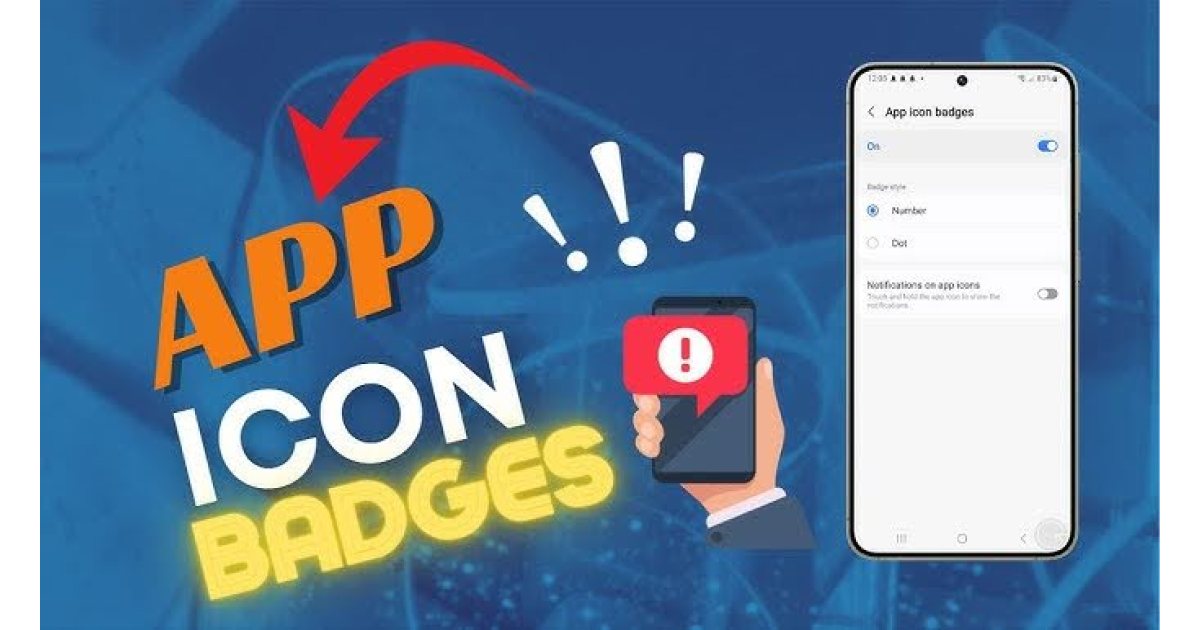
On iPhone, go to Settings > Notifications, select the app, and toggle “Badges.” For Android, go to Settings > Notifications, find the app, and select “Show Home Screen Icon Badge.”4. What is app icon badges meaning versus a push notification?
While app icon badges subtly indicate updates, push notifications actively alert the user with sound or vibration, typically demanding attention.5. Can app icon badges reduce notification fatigue?
Yes, because they don’t interrupt users. App icon badges allow users to engage on their terms, reducing the risk of notification overload.6. Can I still get push notifications if I turn off badges?
Yes, disabling app icon badges does not impact push notifications; they are controlled separately.7. Why do some apps use numbers, and others only dots?
The choice of a number or dot depends on the app’s purpose. A numbered badge usually represents specific notifications, while a dot signals general updates.