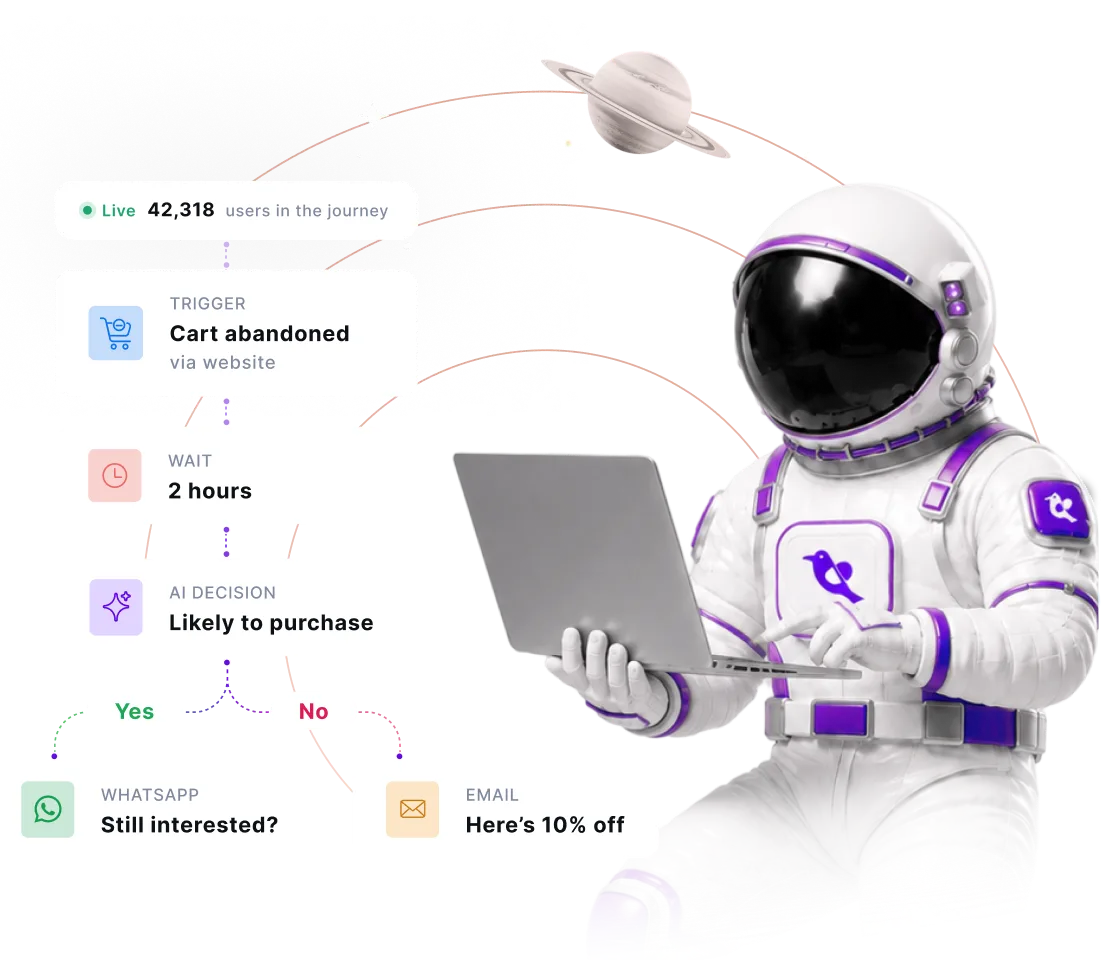
Edit it while it’s running. Run parallel instances for the same user. Trigger it from a price drop instead of a click. The journey moves with the user, not around them.
Emma orders three times in one afternoon. Most tools can only track one. Contextual Journeys runs all three in parallel.
Edit live journeys: no pause, no versioning, no sunset
Most tools make you stop a journey to change it, or they quietly spin up a new version. Only WebEngage allows you to edit a journey while it’s running. Every user, old and new, follows the updated flow the moment you publish.
Back in stock at 2am. Messaged user by 2:01.
Trigger journeys from any business event, system update, or API call, not just user actions. Relays automatically match events to the right users, like linking a price drop directly to its wishlisters, without needing segment lookups.
What can WebEngage Automation unlock for your role?
Find what converts, fix what doesn't
Build multi-step, cross-channel journeys on a drag-and-drop canvas, without engineering help.
Edit a running journey live so users already in the flow get the improved logic immediately
Trigger a fresh journey for every order or cart with Contextual Journeys, not just once per user.
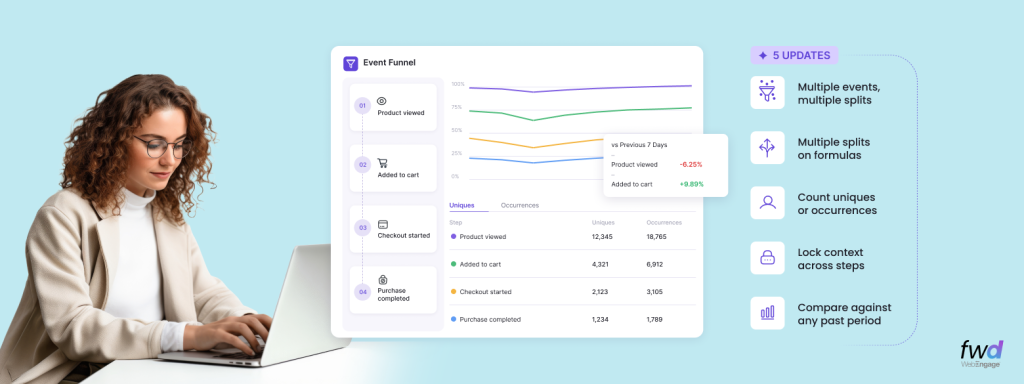
Analytics Digest – Introducing Multi-splits in Event Analytics, Choose Between Uniques/Occurrences In Funnels, Hold Property Constant In Funnels & Compare Funnels Across Time Periods
WebEngage is rapidly becoming the de-facto Analytics toolkit for its customers across product and growth teams. As our usage grows…
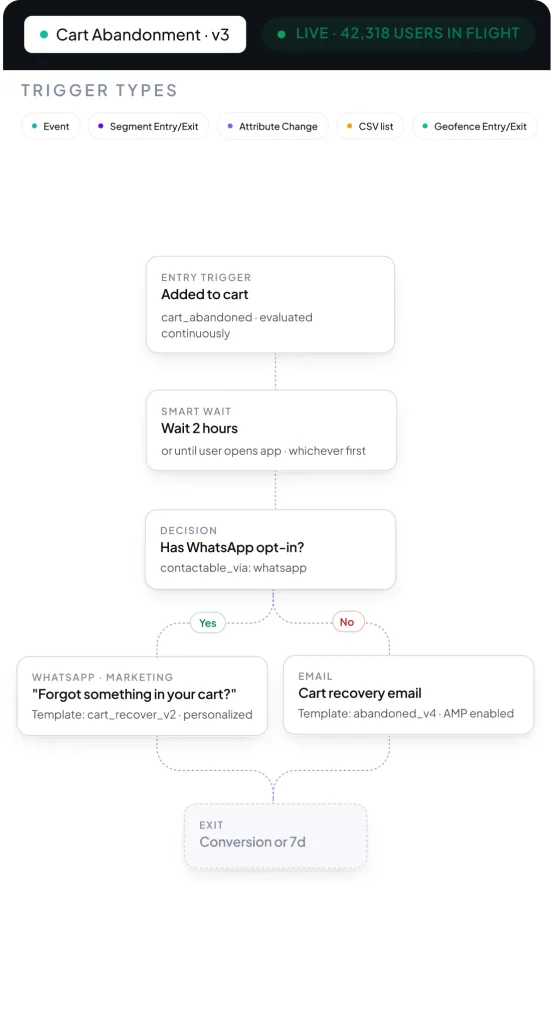
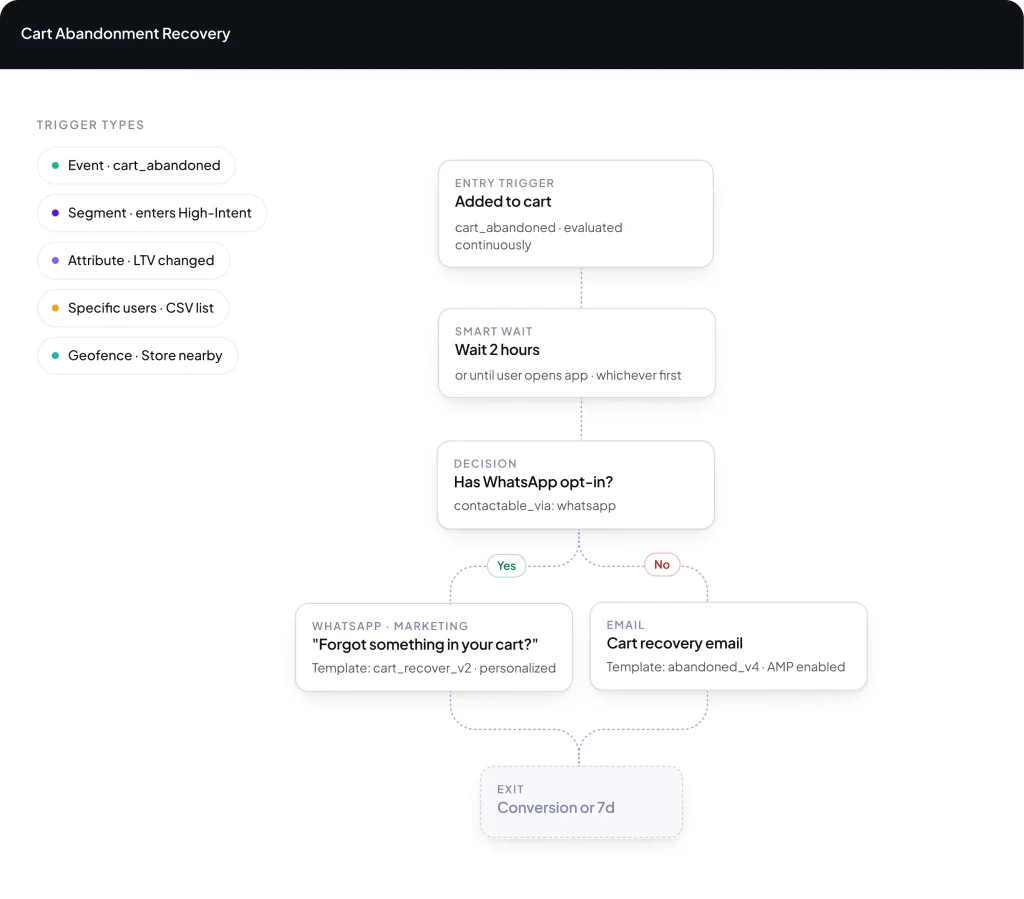
A wait doesn’t have to mean two hours for everyone. Hold until they open the app. Hold until Friday. Hold until they’re awake in their timezone. The journey aligns to the user’s rhythm, not the calendar.
Four wait blocks
By duration, until a date, until a specific time window, or until the user does something.
Send Intelligently (STO)
Your 9am is someone’s dead zone. Switch this on and each person gets the message at the hour they’ve historically opened, read, or tapped. Worked out per person, per channel, from their own history.
DND hours
Suppress sends during a user’s quiet hours, applied per user in their own timezone.
Drag an email block onto the canvas. Drop a WhatsApp next to it. Branch to SMS for the unreachable users. Every node sees the same profile, the same events, the same merge tags. The channel becomes a setting, not a silo.
Nine channels on one canvas
Email, SMS, Push, In-app, On-site, Web Push, WhatsApp, Web In-line, App In-line, every channel is a draggable node. No separate builder, no separate audience.
Branch on what happened after the send
Delivered, opened, clicked, bounced, dismissed, or never seen. Every send block offers the outcomes its channel can actually report, and any of them can start its own branch.
Is user reachable
A condition block that splits the journey based on whether the user is reachable on a specific channel right now, so you can fall back gracefully.
Check best channel
Some of your users open every email. Some haven’t in a year but read WhatsApp within the minute. Instead of picking one channel for everyone, let the journey read each person’s history and send down the one they respond to.
A journey can start from anything.
Five different entry triggers: pick one, or layer them. An event the user performed, a segment they entered or exited, a change in a user attribute, a CSV list you upload, or a geofence they crossed. Different users can enter through different doors and share the rest of the flow.
Occurrence of Event
Start the journey when a user performs a specific event, filtered further by event attributes combined with AND/OR logic.
At any point you can check something about the person, such as, are they in this segment, have they done this yet, what’s their plan worth, can we even reach them here, and send yes down one path, no down another. The journey stops being one line and starts being a decision tree.
Is In Segment / List
Branch the journey based on whether the user is currently inside a Live Segment or a static List. Useful for ending the journey for some users, or sending a different path.
Branch on the value of a User Attribute: equal to, greater than, less than, contains, and so on. Compare against literal values or other attributes.
Where the journey is measured.
You can see who opened and who clicked. Neither answers the question you actually get asked: did this make us money? Pick the action that counts as success: a purchase, a renewal, a signup, and the journey reports how many people did it. One number for the whole flow, not nine numbers for nine messages.
One Conversion Event per journey
Pick the action that defines success, for instance, checkout_completed, subscription_purchased, course_started. Filter further by Event Attributes if you only want a specific kind of conversion to count.
Someone who buys an hour after your message probably bought because of it. Someone who buys three weeks later probably didn’t. Set the window in hours or days, and anything outside it doesn’t count toward the journey.
Revenue tracking, automatic
If the Conversion Event is mapped as a Revenue Event, monetary value rolls up into the journey’s total Revenue alongside the conversion count.