
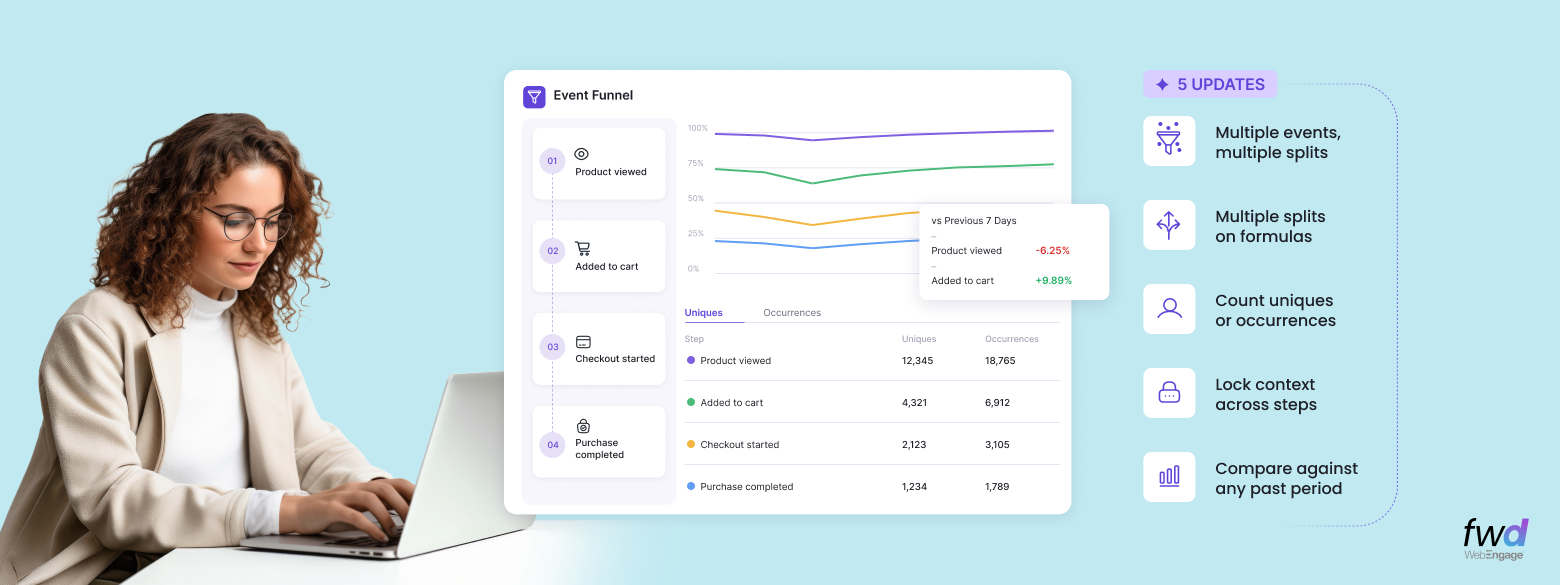
WebEngage is rapidly becoming the de-facto Analytics toolkit for its customers across product and growth teams. As our usage grows deeper, we stay committed to building more depth across all our Analytics modules. This post is a digest of 5 major capabilities we are rolling out across our Event Analytics and Funnels modules.
1. Multi-splits, multi-events – see it all in one Event Analytics viewport!
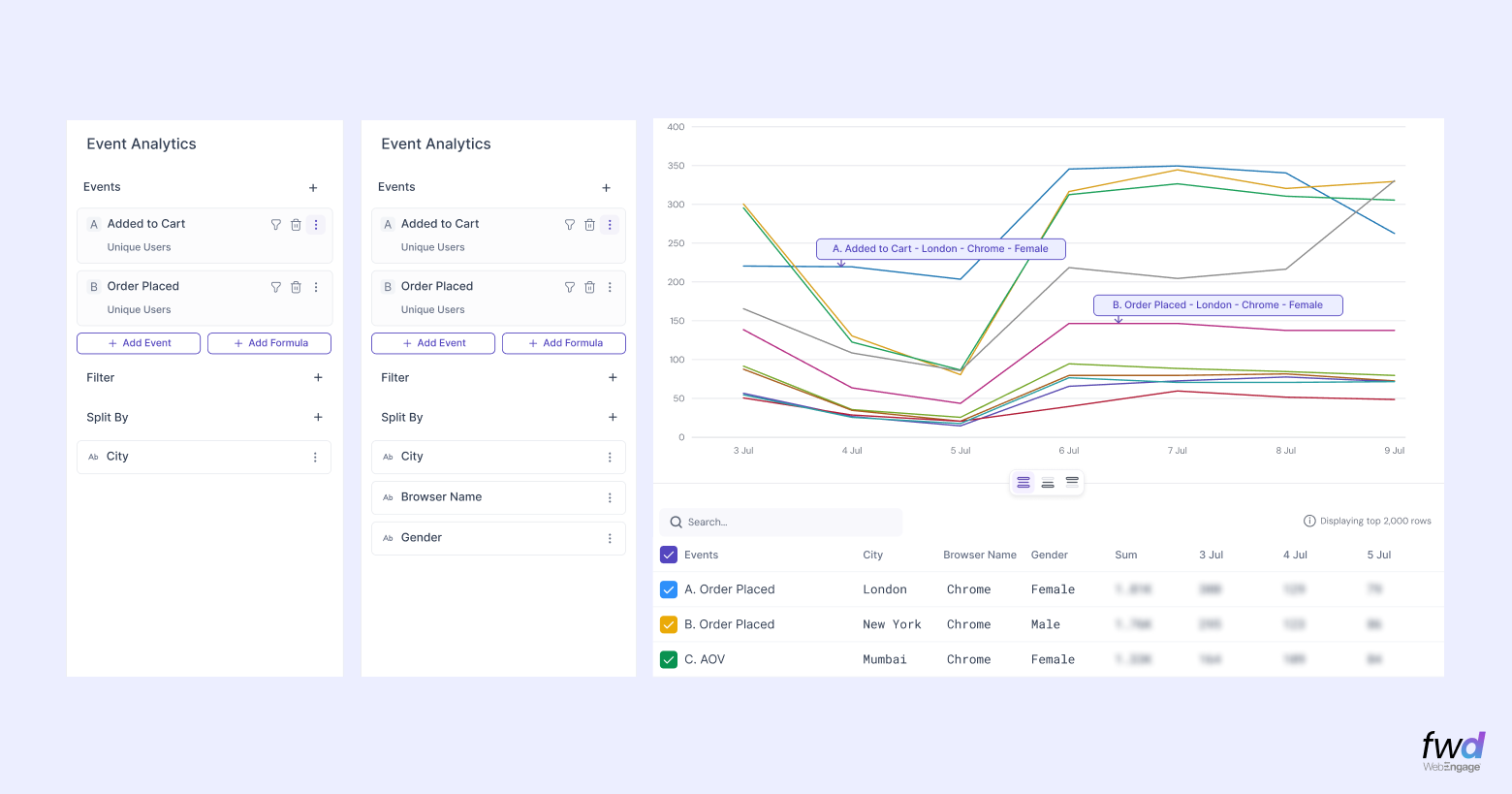
While using our Event Analytics module, you can now add multiple events and splits across multiple attributes – all presented in the same view. Say you are comparing users who viewed your product with those who added it to their cart.
You can split both these events by city, gender, browser, or any other attribute in the same viewport. With the visualisation presented you’d be able to infer instantly that women using Chrome in London view the product more often but add it to their carts less frequently than women using Chrome in New York (in the example shown below).
2. Use these capabilities on your computed metrics too!
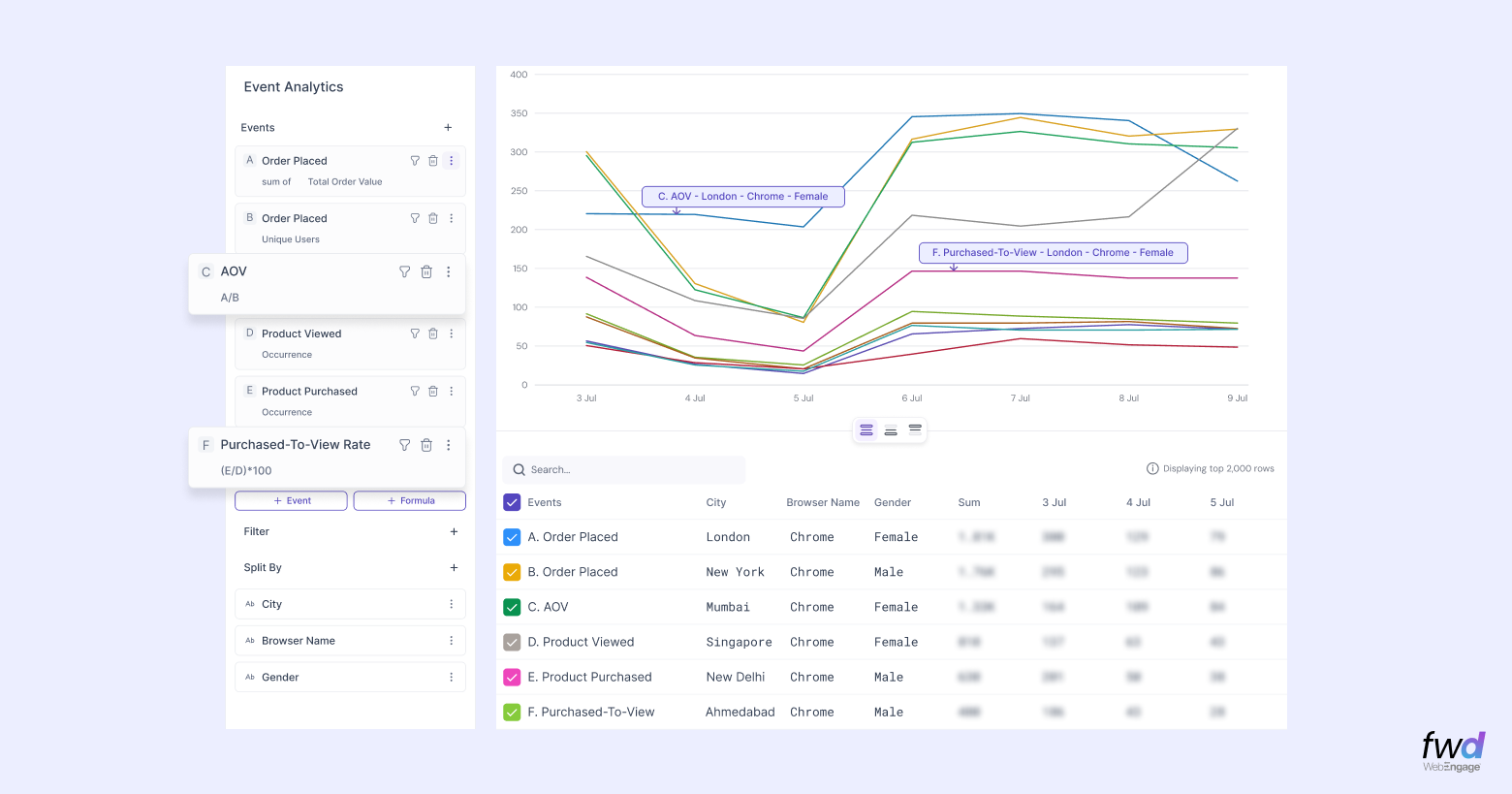
Multi-level splits now work with formulas, letting you calculate a metric and break it down across several dimensions in the same Event Analytics viewport. For example, use the formula (Product Purchased ÷ Product Viewed) to calculate Purchase-to-View Rate, or (Total Order Value ÷ Unique Users) to calculate Average Order Value (AOV).
And, then you can split these results by attributes of your choice. Magical! In this example below, you can see the calculated metrics broken down by city, browser, and gender to compare performance across different audiences.
3. Choose between Uniques or Occurrences while analysing your funnels
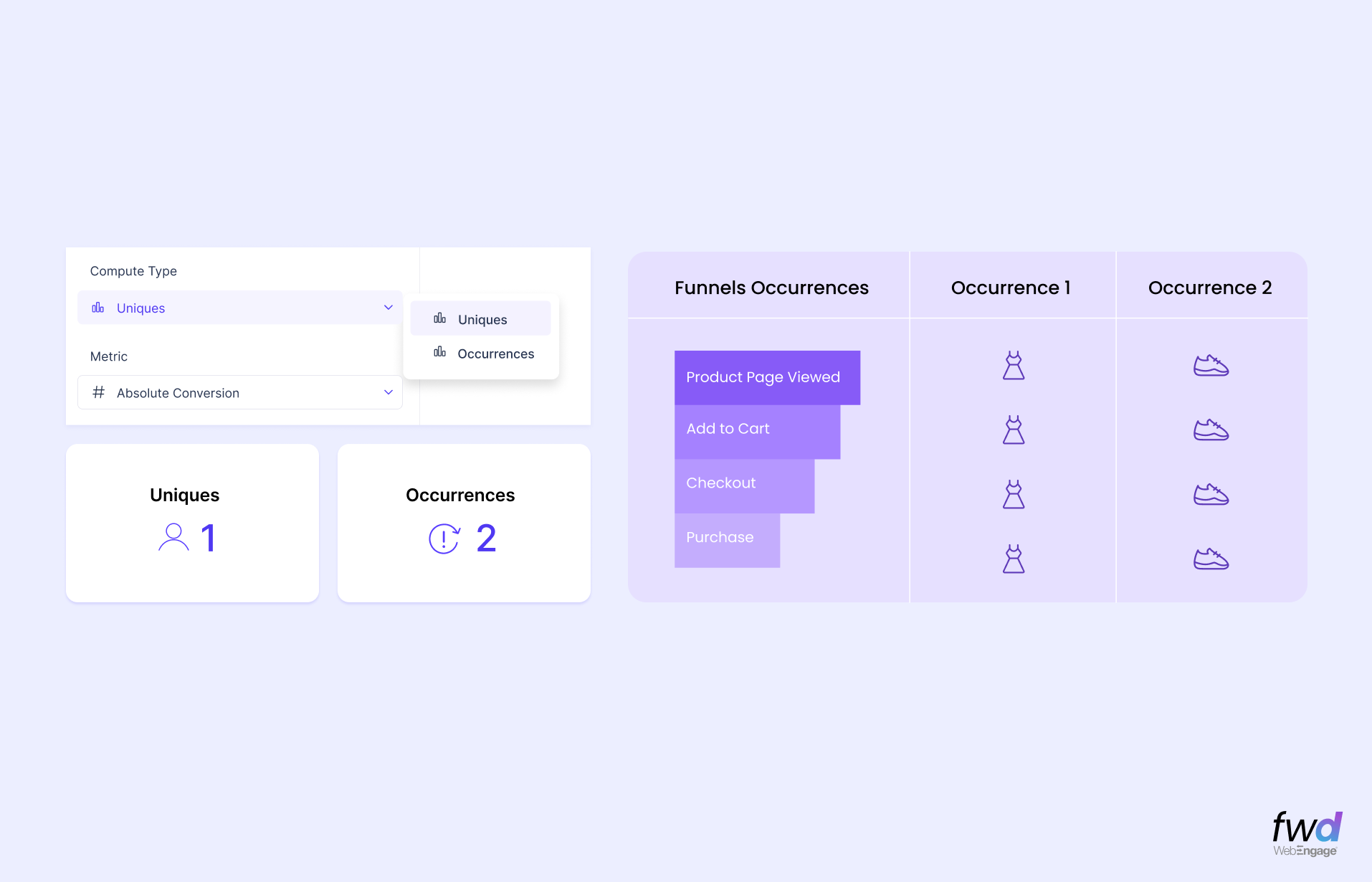
While analysing your Funnels, you can now switch seamlessly between Uniques or Occurrences depending on the question you are trying to find an answer for. Uniques answers how many people went through the funnel.
Each user is counted once, even if they repeat the journey. Occurrences answers how many times the funnel journey happened. Every journey is counted, including repeat journeys by the same user.
4. Introducing Context Awareness in Funnels – hold property constant
A quick check – did you know that when you look at event based funnel in any tool, there’s no context carried forward at each step? Well, say you have a funnel Product Viewed -> Added To Card -> Product Purchased.
Any user who does all these three events in that sequence is a “converted” user. No matter which product they dealt with at each step of the funnel. See the illustration below -this journey follows the expected sequence; except the product at every step was different: watch → earphones → headphones.
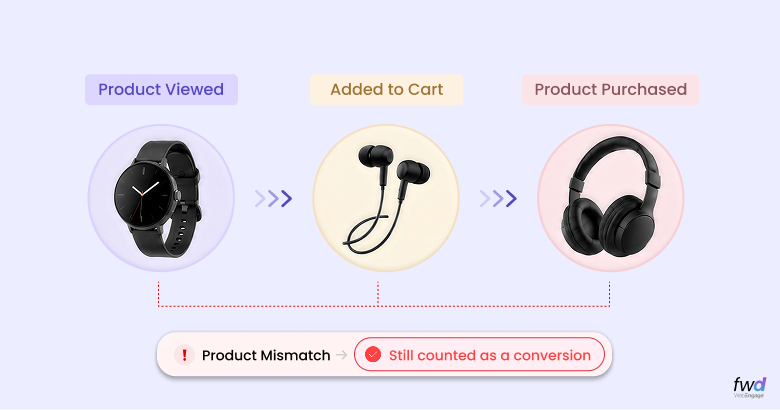
Does this bother you? If yes, suffer no more! With our Context-Aware Funnels, you can hold a specific attribute constant across your funnel steps. If an attribute such as “Product ID” is held constant, the funnel records a conversion only if the same product appears at every step.
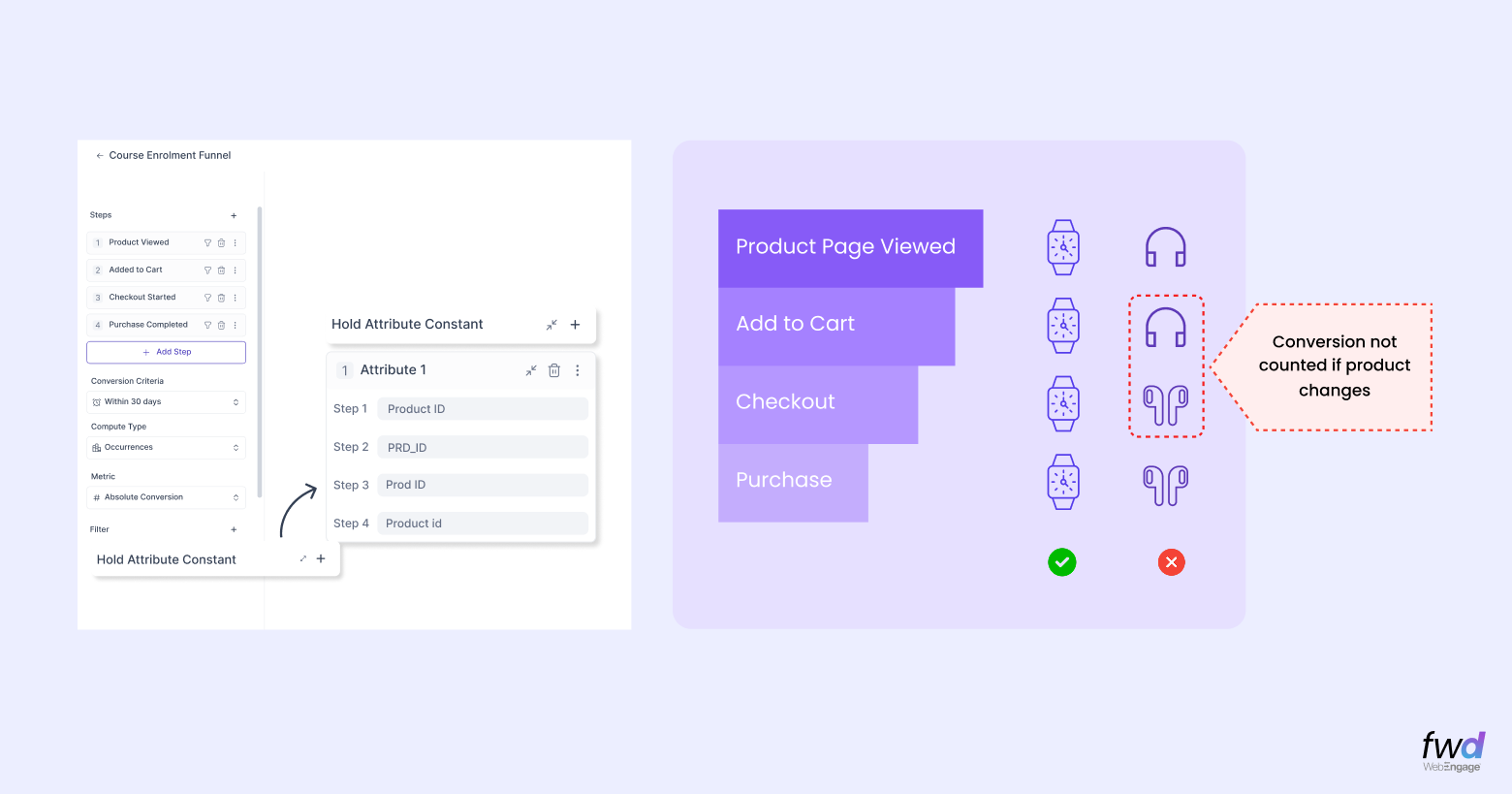
THE BEST PART? You can hold up to three attributes constant across a funnel, even when their property names differ between events!
5. Instant comparison in Funnels with respect to time periods
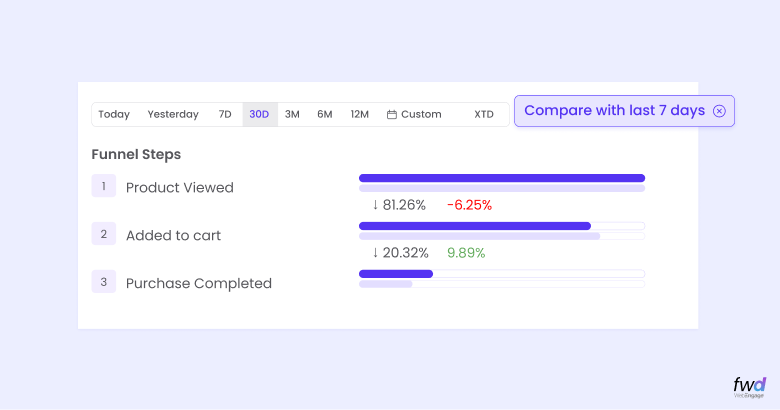
Knowing that 5% of users completed a funnel does not tell you whether performance improved or declined. You need something to measure it against. And that’s exactly what your funnels are capable of doing now.
They let you compare the selected period against a previous period of choice (7 days, a month, or longer) in the same view. In the example shown below, “Product Viewed” fell by 6.25% while “Added to Cart” improved by 9.89% compared to the last 7 days.
That gives you a clear view of where the performance shifted, without having to rebuild the funnel for another date range.
Liked these? We know 🙂
Check out all the recent additions to our Analytics & Reporting Modules.
Learn more about these in our upcoming webinar
In this session, we intend to do a quick refresher on our Event Analytics and Funnel modules and take you through these new additions. We will answer questions on how to effectively use the capabilities. This webinar is a customer exclusive.
Save the date: Aug 20th, 2026
Register for our Advanced Analytics Webinar →