
Since our inception, we have been driven by one core mission – to make rapid growth experiments a walk in the park for growth practitioners using WebEngage everyday. Thoughtfully crafted Customer Journeys are the key to growth. And, therein lies one big bottleneck – how do you experiment with something as complex as a Journey in a live enviroment?
Different tools in our category do this differently. While some would deny you the privilege outright leaving you with no choice but to stop/sunset an existing Journey and create a new one. Others who claim to let you do “edits in a live Journey”, actually create newer versions which is no different than sunsetting the exiting Journey and creating a new one – current users in your Journey will never get to benefit from the improved logic that you are about to incorporate in your newer version. We decided to change that and implement what’s been on our wishlist for a long time – say hello to Customer Journey Live Editing in WebEngage!
WebEngage Journeys are now LIVE EDITABLE 🤘
Don’t pause. Don’t sunset. Don’t create forced versions. Just edit LIVE with WebEngage! Leave the complexity of managing seamless transition of the current users in your Journey to newer paths created, to us. Here’s a quick video explaining how live editing of a Journey works…
What’s new?
Here’s a quick rundown on how the customer journey live editing feature works..
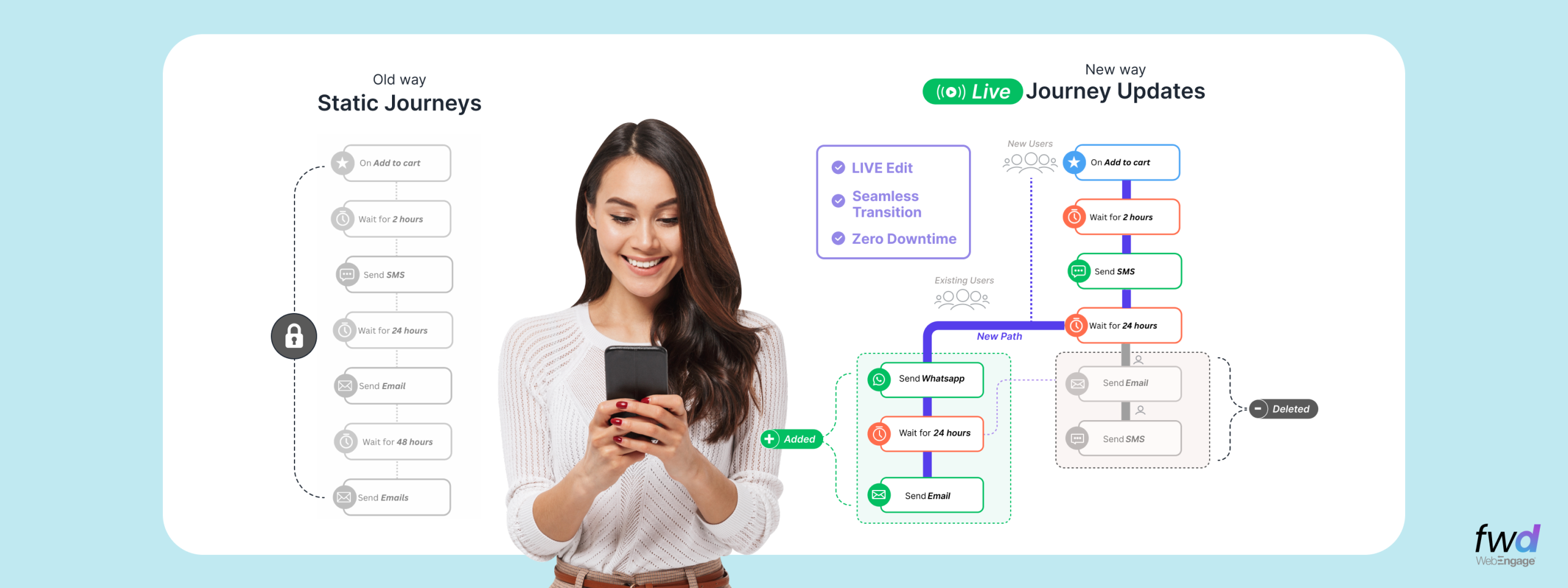
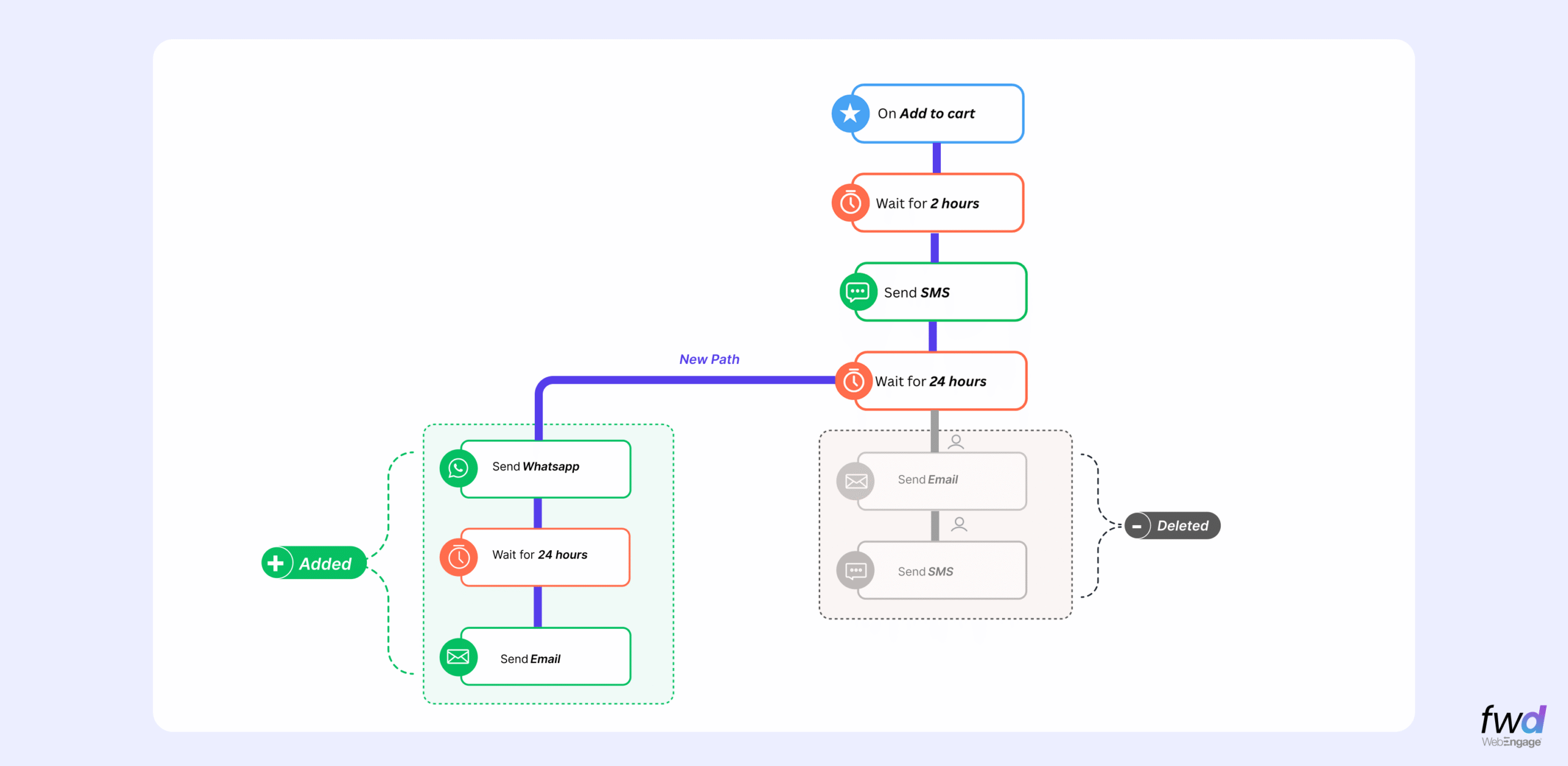
- On the fly edits – add/remove nodes, rebuild paths, update logic – while the journey stays live
- Push updates instantly or schedule for later – choose to make the changes effective immediately or on a later date
- Users (new ones entering the Journey and existing ones in the Journey) take the updated path as applicable – every user on an archived connector automatically transitions to the new active path in real-time
- Reporting stays consistent – you don’t need to juggle between “version-1/version-2” to measure performance of your Journeys. You get the continuity of metrics/reports with your live edits in WebEngage and split metrics by versions
- Clear visual cues on what changed – archived nodes/paths turn grey and active paths stay bold. You’d always know what was changed and what is live.
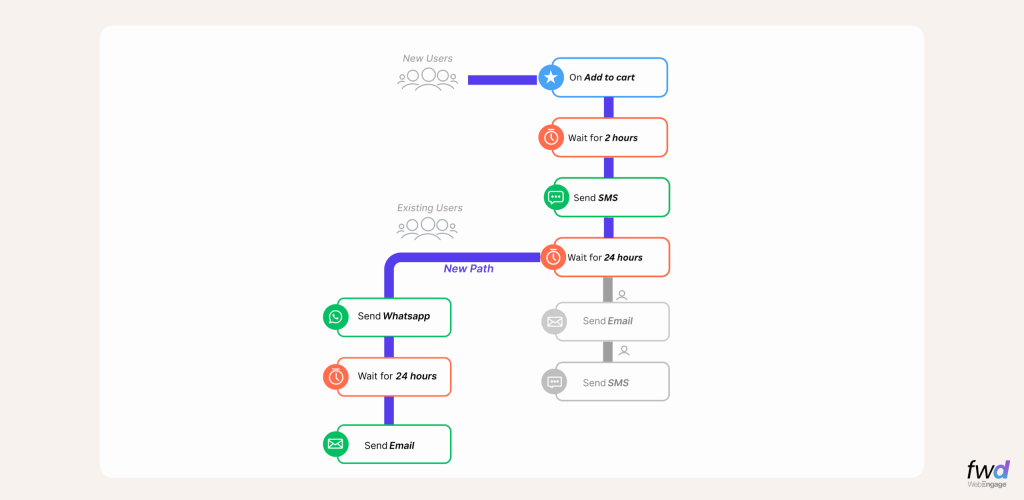
Experiment on your active Customer Journeys with our live editing feature without having to stop/sunset your existing Journey or create a new versions every time.
Only on WebEngage!
Because great ideas need to be painted a great canvas 🙂
This feature is now available for general use. Please talk to your Account Manager to get this feature activated for your account.