
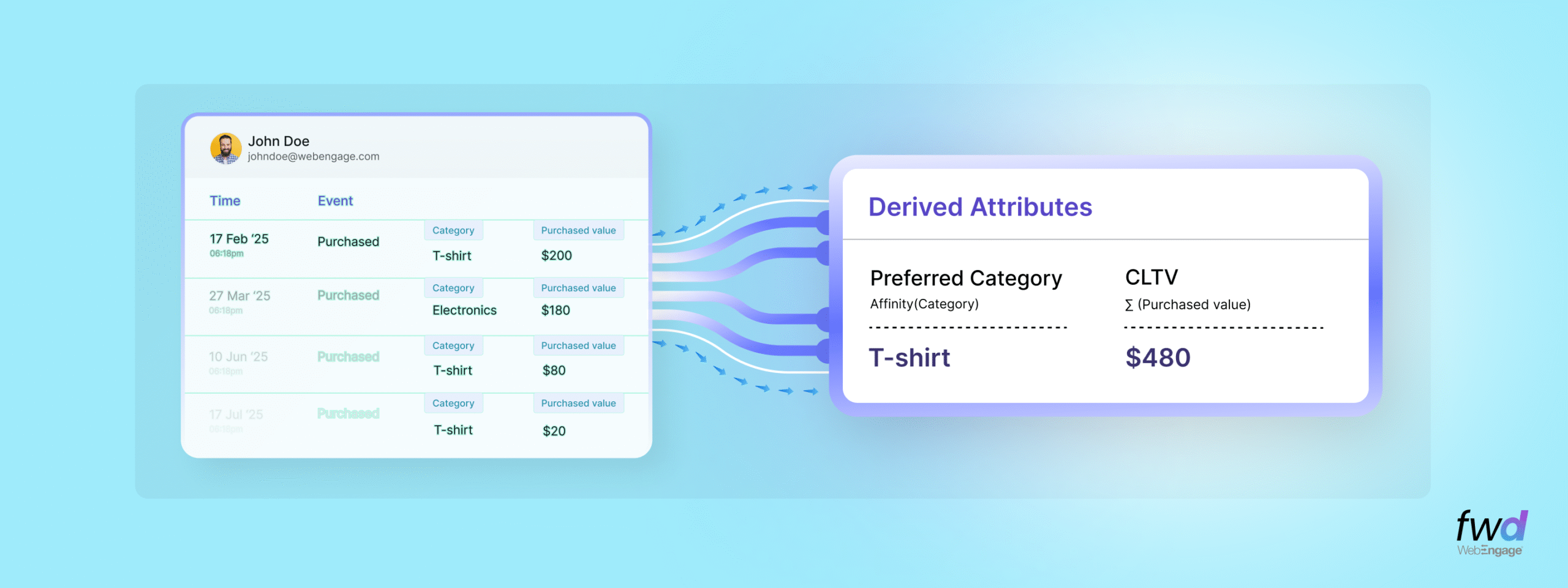
WebEngage has delivered many machine learning based capabilities in the last 5 years that relied on attribute derivations as the core infrastructure component. We created new features using this pipeline and stored the outcomes in the form of derived attributes in your user profiles – which periodically refresh themselves with new data and facts at a user level. These new attributes not only enrich your user profiles stored in WebEngage, but also give you a new ammunition to execute your CLM strategy.
Lead generation based businesses swear by our Engagement Score feature, for example. Also, you have enjoyed our Intelligent Attributes (such as best channel for a user, best time to send campaign to a user etc) for smarter and effective execution in your user journeys. Oh, how can I forget our latest hot-selling cake – the Affinity() function for intent based segmentation.
Today, I am glad to share with you that we are opening up the Derived Attributes pipeline for you to create ANY kind of derivation you need on your data and store them as attributes in the profile! You could further use these attributes for better segmentation and personalisation in your campaigns. After all, navigating through the maze of Data & ETL pipelines shouldn’t be stopping you from intelligent execution. Not in 2026 🙂
Let me pose a few leading questions first…
- You know a user made 3 purchases in the last 30 days. But is that good? Are they a high-value customer or just average? Is that a high repeat behaviour?
- You see a users adding products to their cart or wishlist many times. But, they don’t always end up buying. Some would never buy. What’s a good “card abandonment rate” at a user level? Is that even a thing? 🙂 How do you separate these user clusters using such a rate? Would you engage with such users differently if you could segment them differently?
- You have newly acquired users browsing through multiple categories of products on your app in the first 7 days of them installing the app. Would you be able to run highly effective D1-D7 campaigns if you knew which category of your products they are the “most interested” in?
If you get the drift, the rest of this post and feature is dedicated to you!
What Are Derived Attributes?
Derived Attributes are a realtime DIY data pipeline in WebEngage that allow you to create auto refreshing user attributes based on existing events (user actions) and user data (your first party data stored in user profiles). Think of them as smart, dynamic attributes without the hassles of creating and maintaining a compute pipeline.
Unlike standard attributes that you pass via SDKs, APIs or Other Integrations, Derived Attributes are created, computed and stored directly from within the DIY WebEngage Dashboard,. It uses your existing data as the foundation.
How It Works?
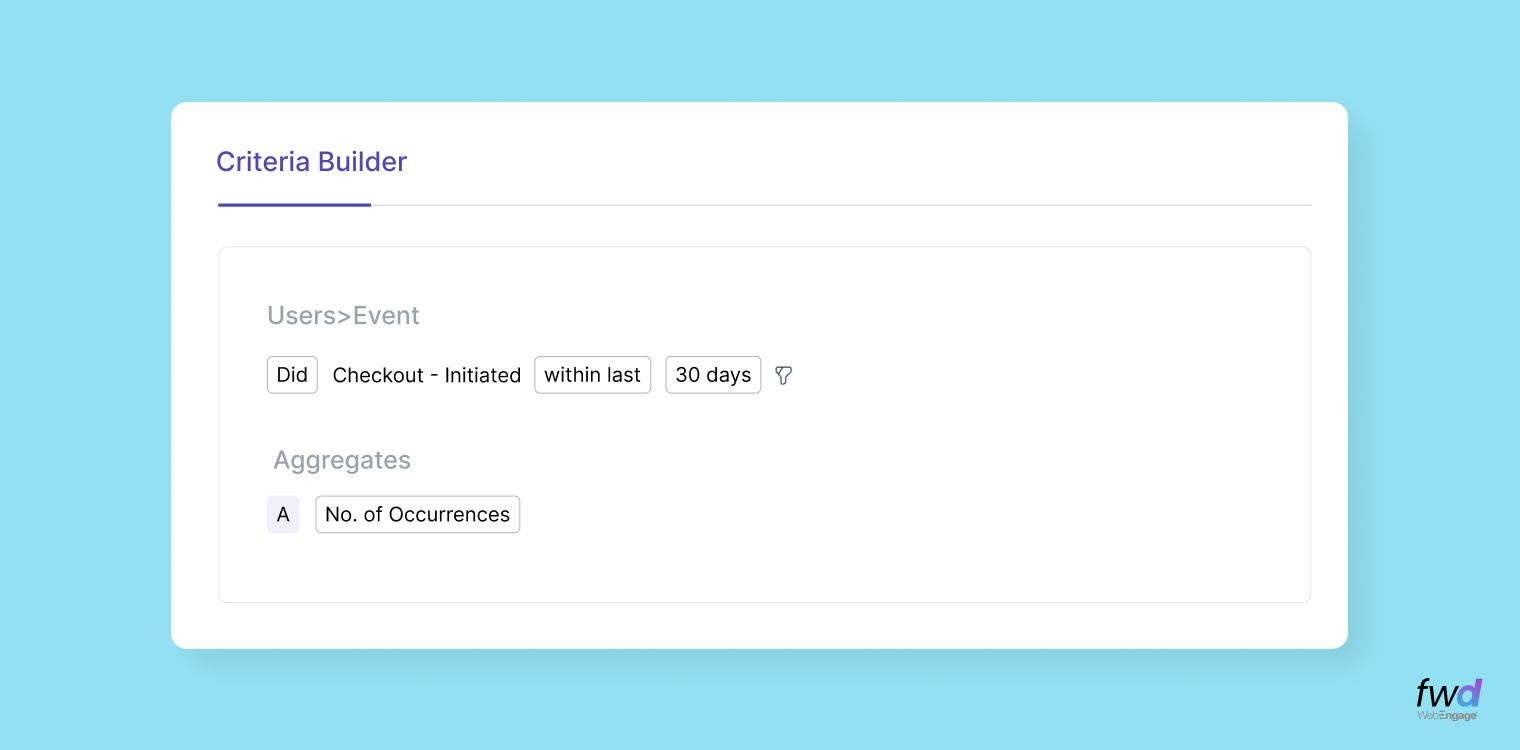
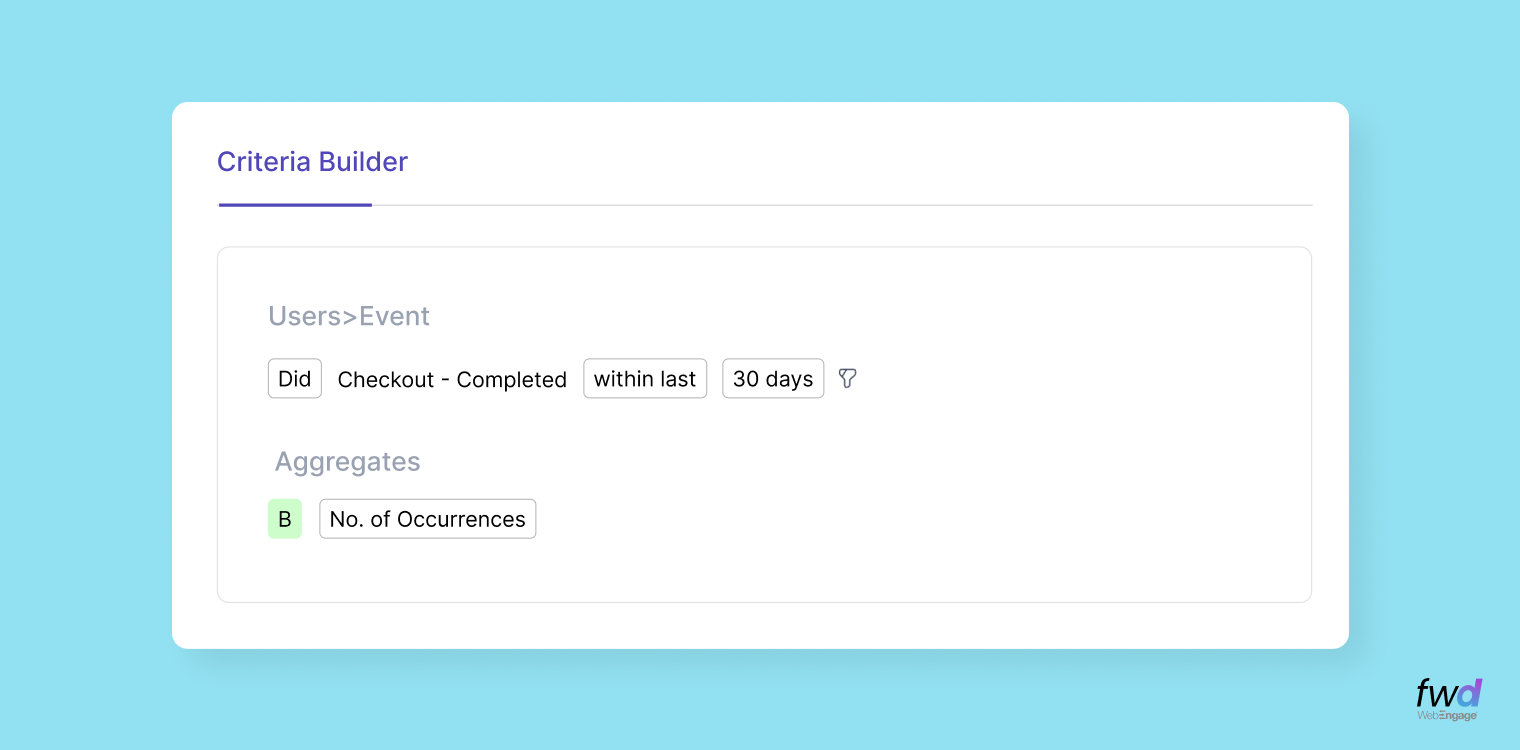
Let’s say you want to calculate a Cart Abandonment Rate for each user. Using the Derived Attribute feature, you’d be able to help break this ratio down to the right numerator and denominator for its computation. In this case it’s the ratio of how many times a user initiates checkout versus how many times they actually complete it. Below is a step-by-step guide to do it in 3 simple steps.
Step 1: Count of “checkout initiations”
Step 2: Count of “completed checkouts”
Step 3: Apply arithmetic operations
Subtract B from A to get the number of abandoned carts, then divide by A to get the rate: (A − B) / A.
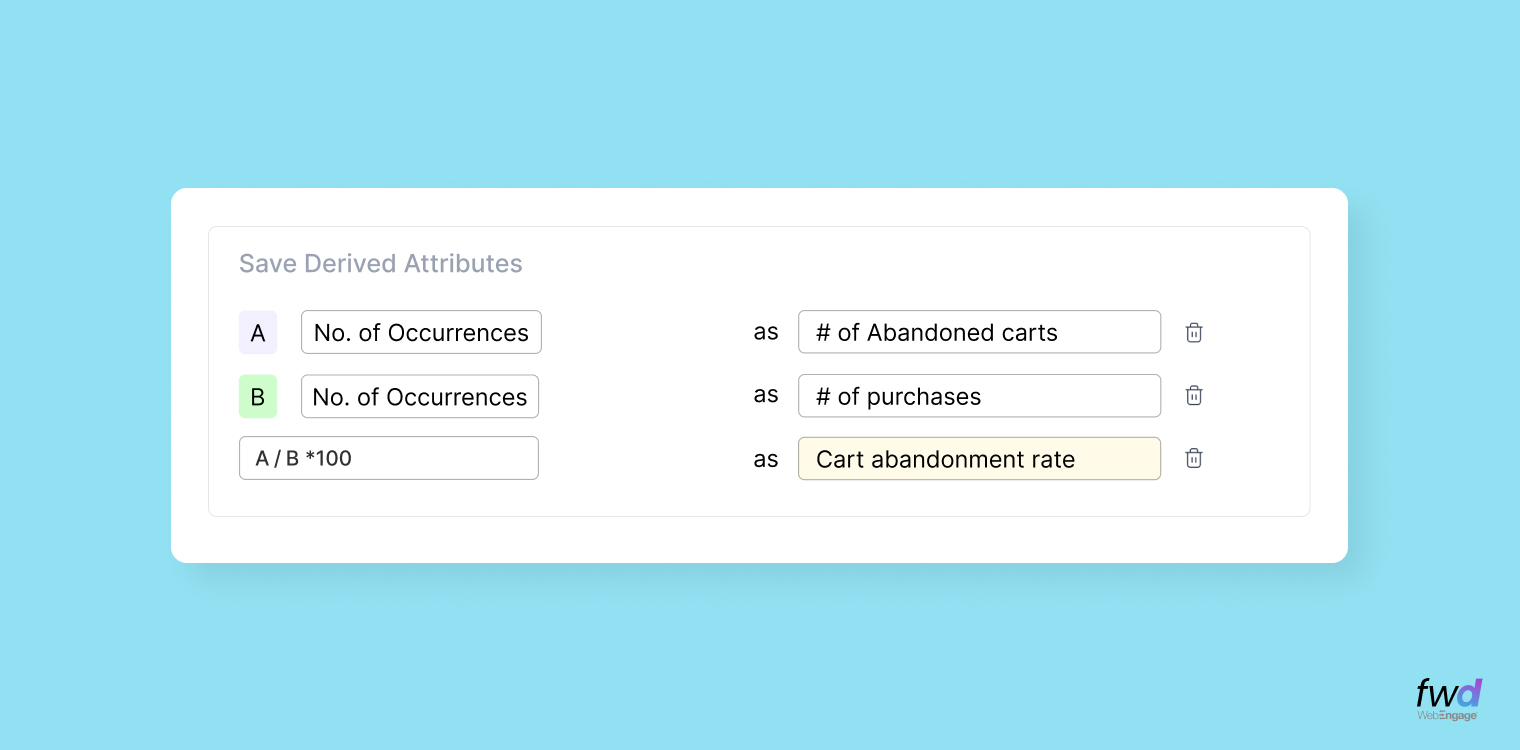
That’s it! WebEngage will automatically calculate and update this metric for every user and store in their user profiles. More on this in the next section.
Aggregation & Arithmetic Operations – Unleashing The Power Within!
Now that you have seen the basic capability in action, here’s a quick run down on the power we have built within to let you do more with this brand new compute pipeline..
Aggregate event data into meaningful metrics
Derived Attributes give you 6 powerful aggregation methods to extract insights from event data. Here’s what each one does, along with examples..
| Method | What It Computes | Examples |
|---|---|---|
| Sum | Total of a numeric attribute across all event occurrences | Total spend, total points earned |
| Average | Mean value of a numeric attribute across all occurrences | Average order value, avg session duration |
| Max | Highest value of a numeric attribute ever recorded | Largest single purchase, highest score |
| Min | Lowest value of a numeric attribute ever recorded | Smallest order, lowest session time |
| Count | Number of times a specific event has occurred | Total purchases, number of app opens |
| Affinity | Most frequently occurring value in a non-numeric attribute | Favorite product category, most visited page |
Apply arithmetic operations on computed metrics
Now that you’ve created aggregations, you can use them in expressions using arithmetic operators to create metrics that are useful to you.
- Addition (+)
- Subtraction (-)
- Multiplication (*)
- Division (/)
| Metric | Formula | What it tells you |
|---|---|---|
| Cart Abandonment Rate | (Count of ‘Add to Cart’ events − Count of ‘Purchase Completed’ events)/Count of Add to Cart events | % of cart additions that don’t convert |
| Purchase Frequency | Count of ‘Purchase Completed’ events/Days since first purchase | How often a user buys from you |
| Category Spend Share | Sum of ‘Cart value’ where category = ‘Fashion’/Sum of total cart value× 100 | % spend in a particular category e.g., Fashion Spend Ratio, Electronics Spend Ratio |
| Engagement Growth Rate | Count of (Sessions this month – Sessions last month)/Sessions last month× 100 | Whether user activity is increasing or decreasing |
| In-app Purchase Rate | Count of ‘In-App Purchase’ events/Count of ‘App opens’× 100 | % of app sessions that result in a purchase |
Bring Attributes From Your Data Lake Or Warehouse to WebEngage
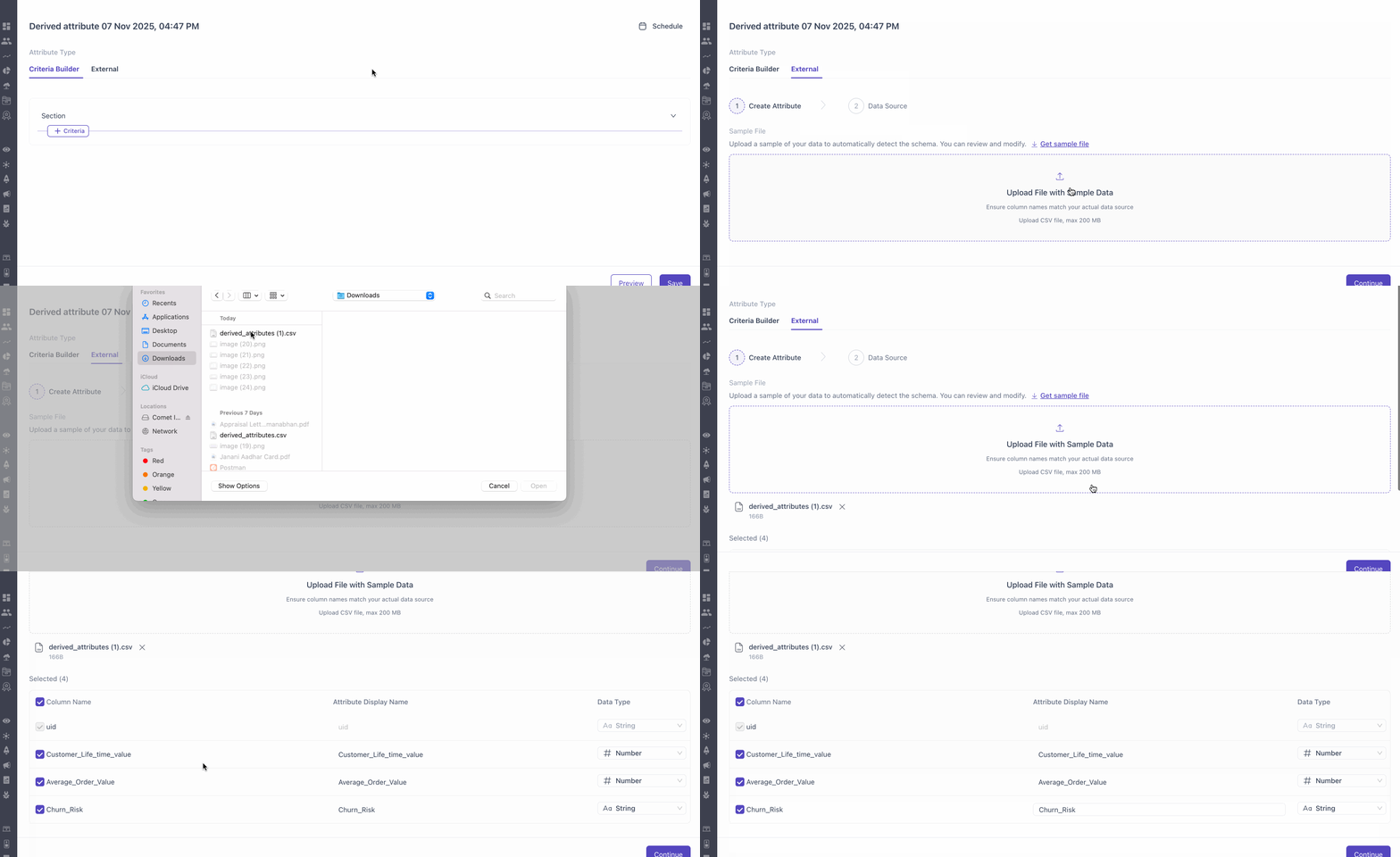
If you prefer using your current attribute pipeline maintained within your own data lake or warehouse, you can now bring them in WebEngage too! Our integrations team will work with you to set up the pipeline should you wish to use this approach instead.
Using Derived Attributes
Once created, Derived Attributes are stored at a user profile level and can be used across these capabilities…
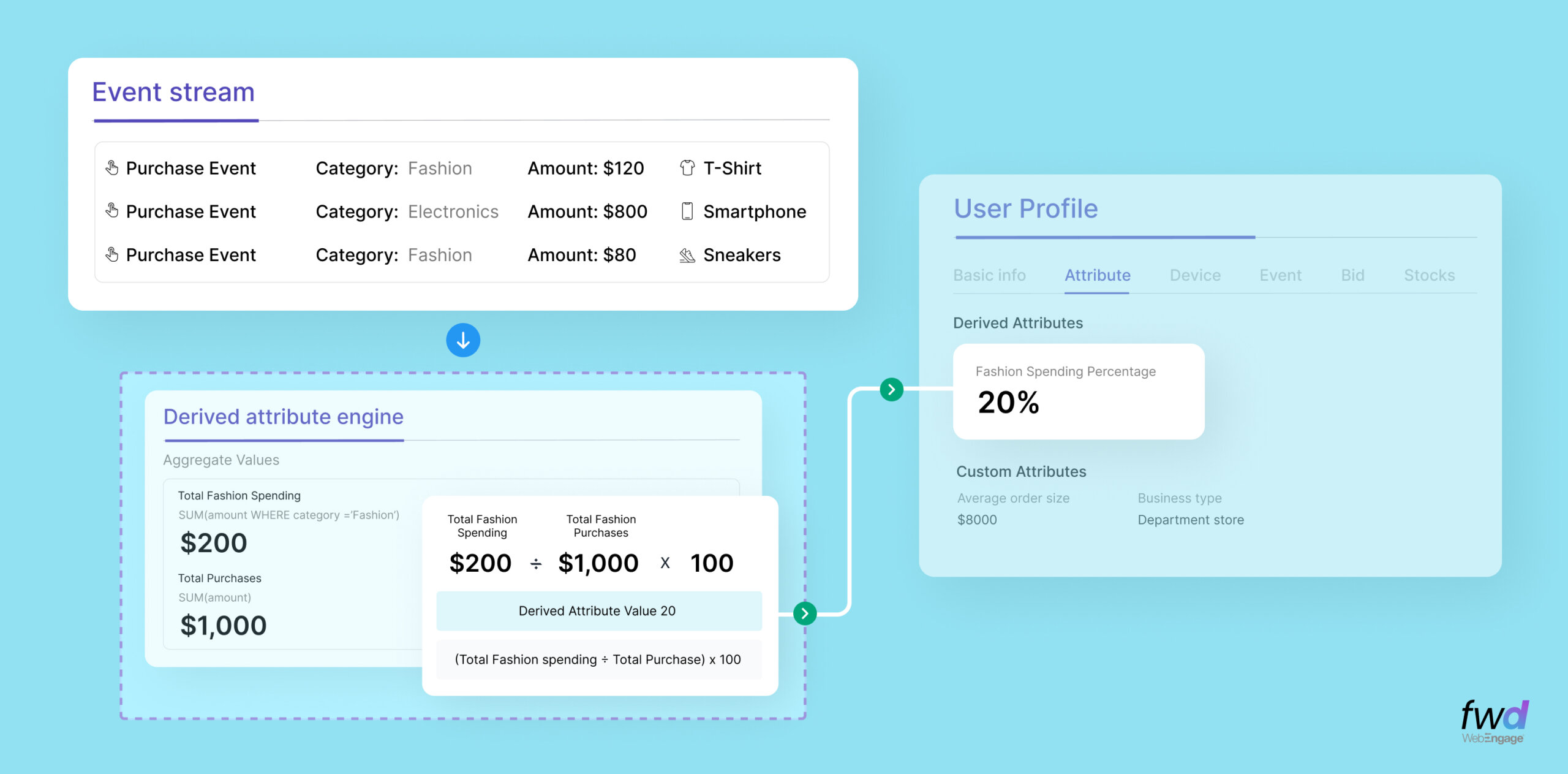
1. 360 User Profiles – Say Hello To Profile Enrichment In WebEngage CDP
You can view the calculated metric for any user, say ‘Category Spend Share‘, right on their user profile under the Attribute section. All your Derived Attributes are computed and stored at a user level in the manner shown below.
2. Segmentation – Use Derived Attributes
While creating a Segment, you can use rules that use these Derived Attributes.
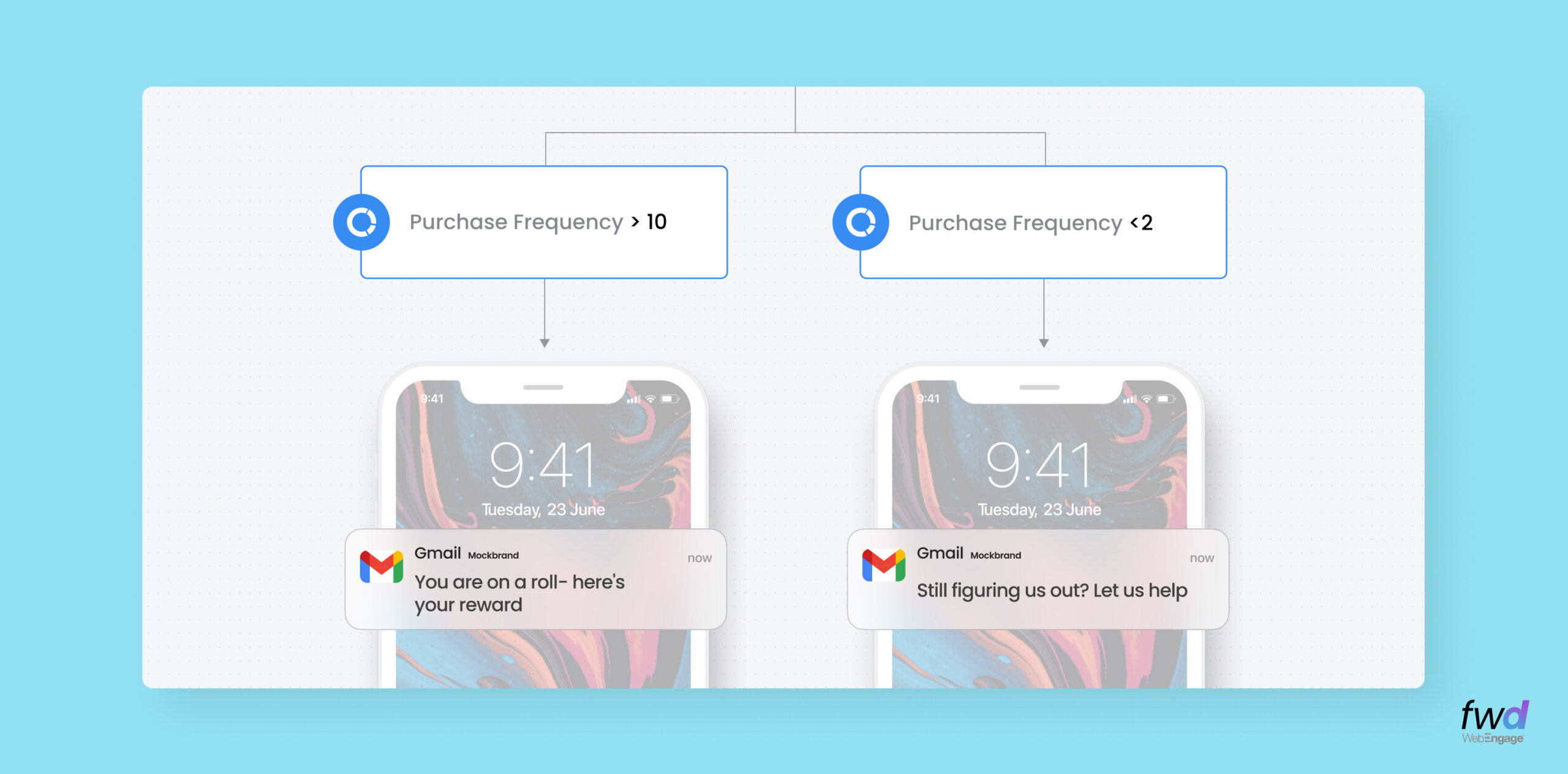
3. Personalization – Context & Compute Create Magic!
Are you familiar with WebEngage Collections? If not, please go through this link first. Collections are a bunch of context-aware recommendation algorithms in WebEngage. You can use these to serve the highest quality recommendations to your users based on their behaviour and demographic data.
Now, you can add Derived Attributes in the mix too, to make these recommendations even more relevant. In the example shown below, you are seeing a Collection (read Recommendations) in which two users get to see a different catalog of movies based on their “Favourite Genre“; which, in turn, is a Derived Attribute that uses the Affinity of ‘Genre’ from ‘Movie Watched‘ events for computation. Magical!!! 🪄
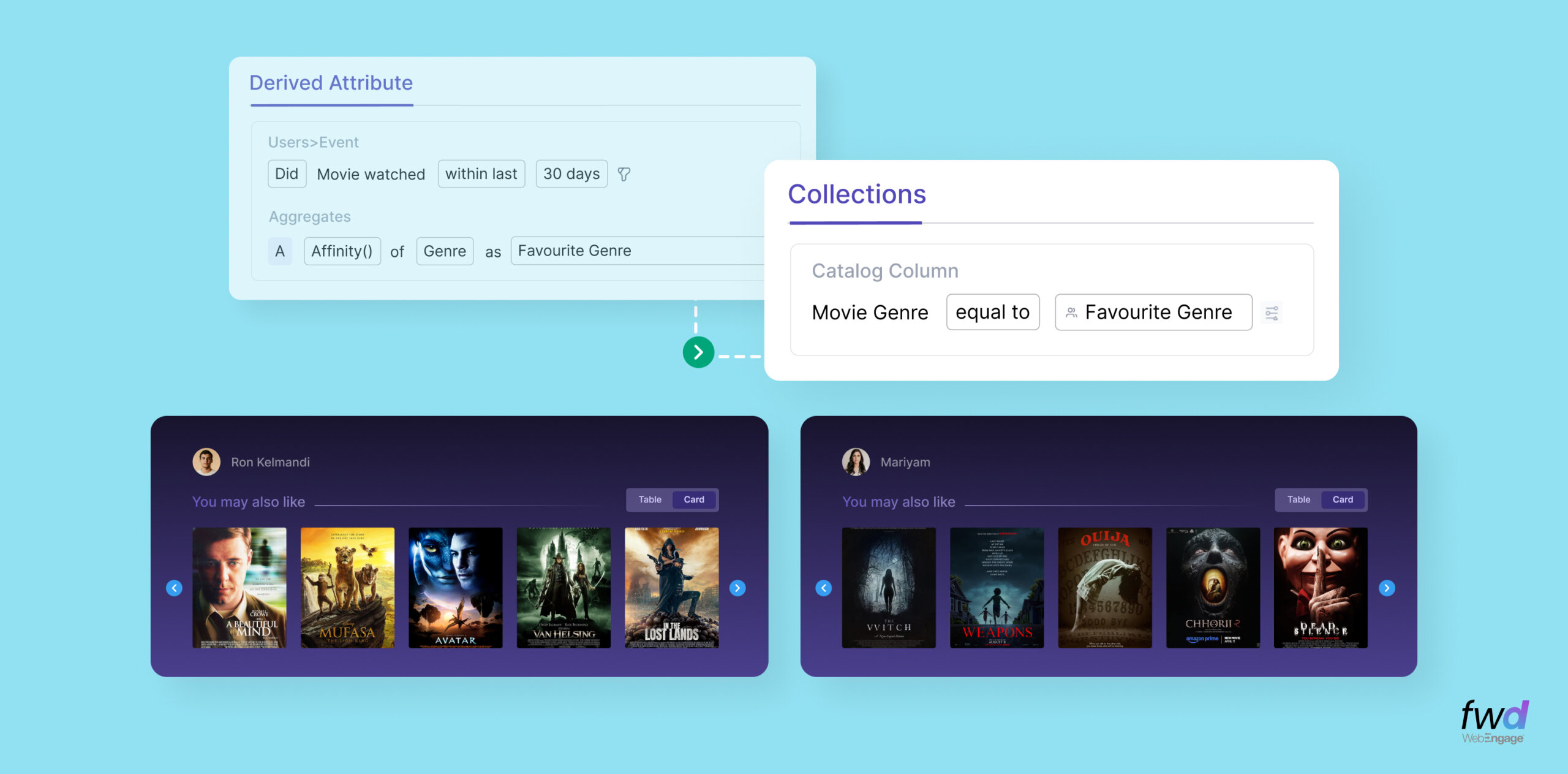
Derived Attributes bridge the gap between raw data and instantly actionable data. No more manual calculations, no more external processing, no more stale metrics. Your user profiles are now way more enriched than ever before and reflect real-time aggregations. With this, we are taking 1:1 Decisioning “personal”. More on that later.
Have you experienced the brand new WebEngage Segmentation Engine?
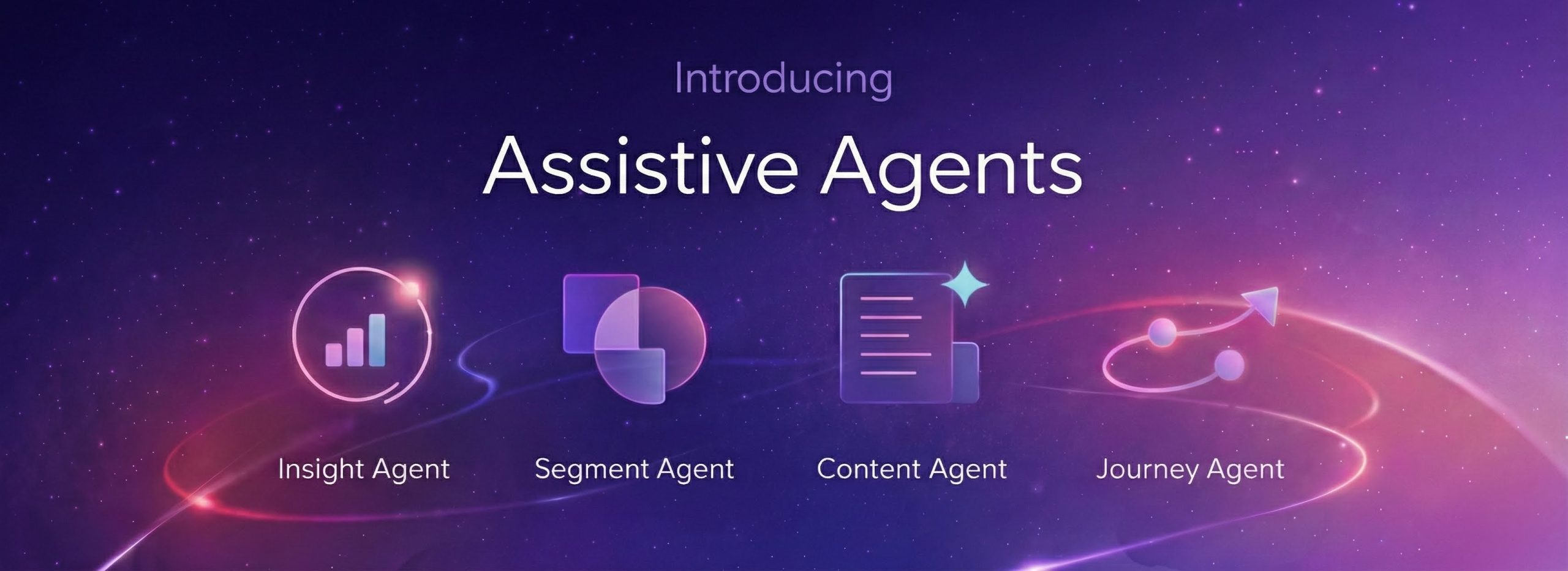
Coupled with a flexible criteria builder, the brand new Affinity() function and an iconic new user experience, WebEngage Segmentation now unlocks campaign activation like never before. With our Segment AI Agent, you don’t need to build these segments manually either. Just chat with our Segment Agent and you are good to go!
Check out our revamped Segmentation experience →
Should you wish to learn more about Derived Attributes, I recommend this one for your leisure reading – A comprehensive guide to Derived Attributes in WebEngage
Please connect with your account manager or growth consultant to get this feature activated for your account.