
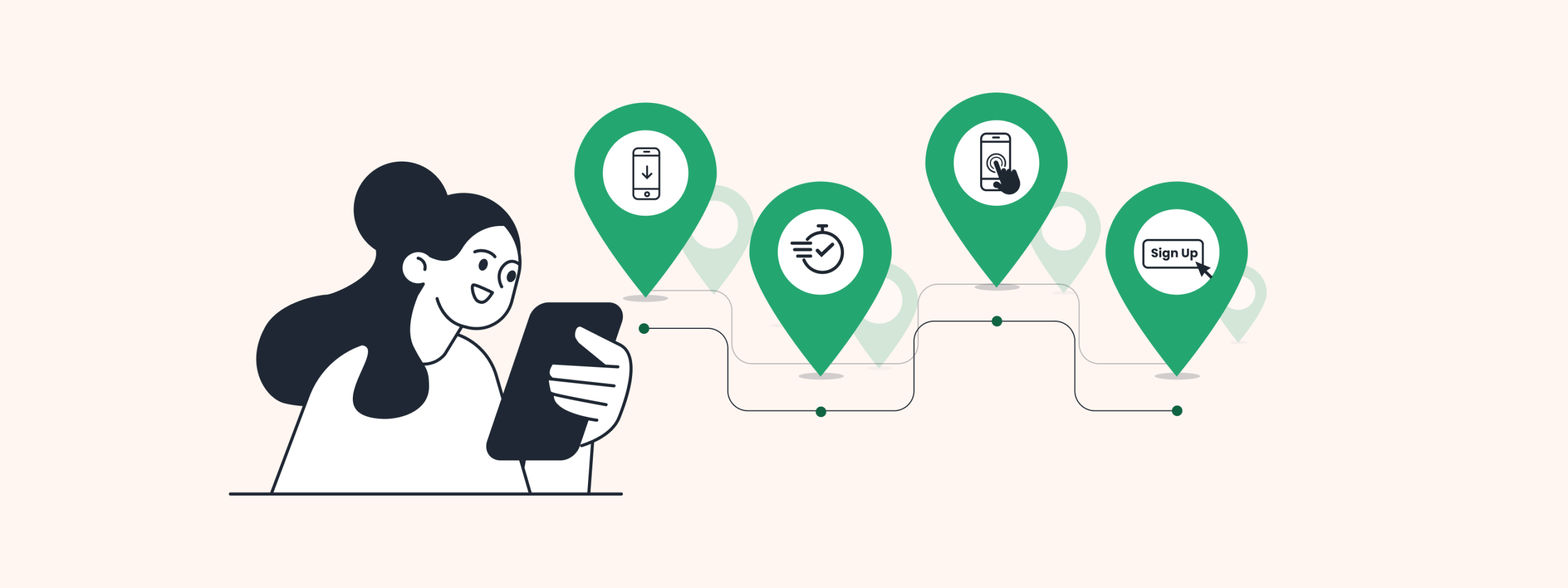
Understanding user behavior is crucial for businesses striving to optimize their products and services. While funnels provide insights into predefined steps, Paths offer a more exploratory approach, shedding light on the diverse routes users take.
User Paths provide a dynamic visual representation of how users navigate a product or service. By analyzing these Paths, businesses can gain valuable insights into user behavior and make informed decisions to enhance user experience and drive conversions. Check out our blog — Introducing Paths, to learn how to leverage Path analysis and understand how users interact with your platform.
Read on to discover our latest enhancements in Paths, which will help you delve deeper into your data, uncovering valuable insights across various industries.
Splitting Paths by Attributes
This enhancement allows you to split events by attributes, enabling a more granular analysis of user Paths. Each
attribute split is treated as a separate event, offering a comprehensive view of user behavior.
Note-
1. This option will not be available for “Others” & “Drop offs”. The split will happen at all steps in the flow.
2. Only one event can be split. To add the split to another event, you would need to remove the current split.
Splitting by attributes on the dashboard:
1. Simply right-click on the event and select ‘split by attribute’.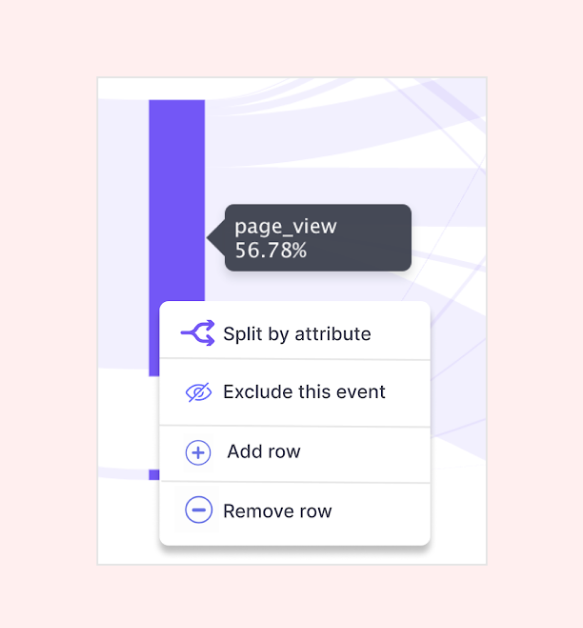
2. Specify the event and its attribute where the split is needed.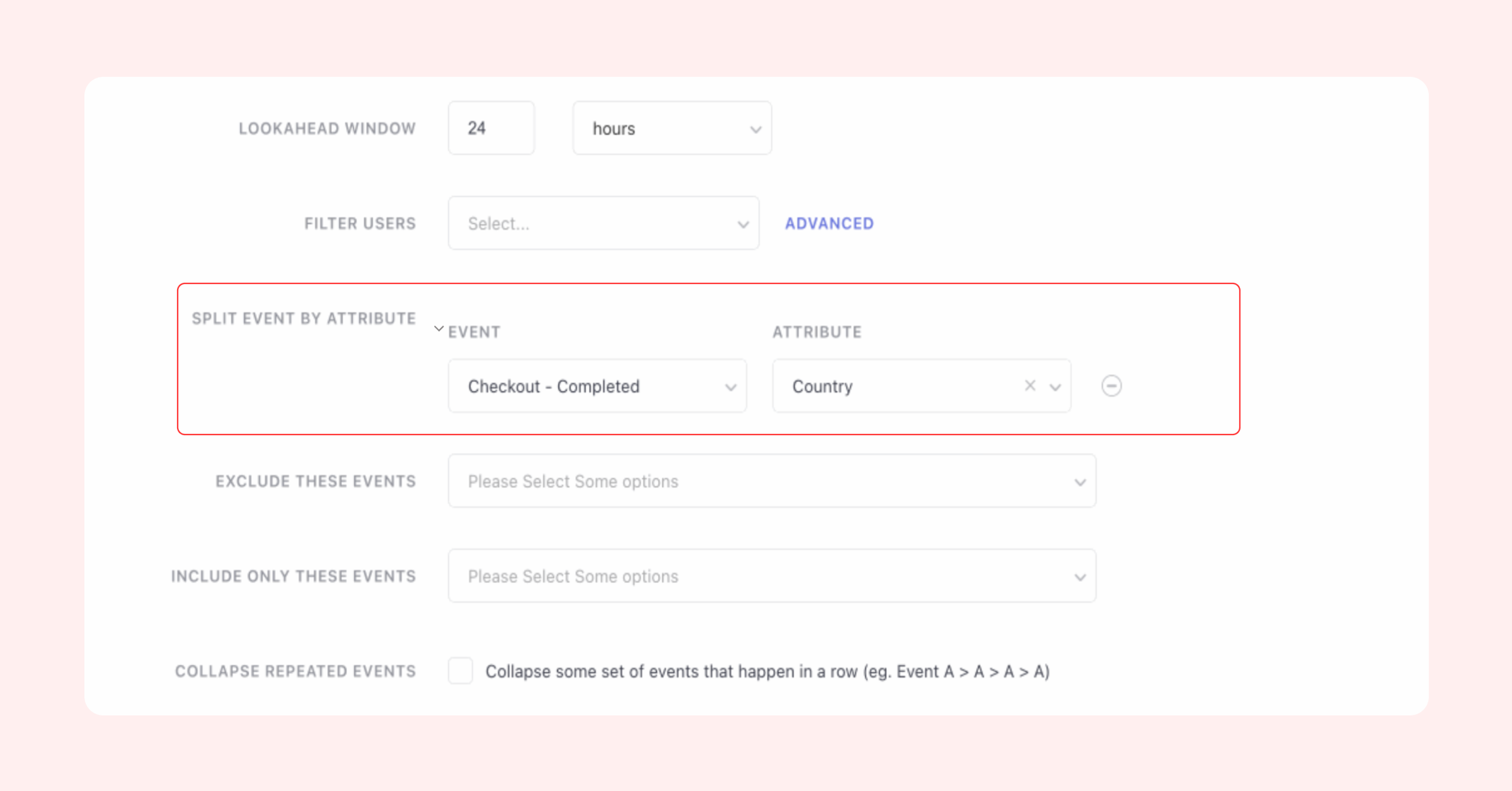
Choose from the following attributes to split your Path:
- Location (City, Country)
- Technology (Browser Name, OS Name, Device Manufacturer, Device Model, Carrier, App Version, App ID, Platform, SDK Version)
- UTM (Channel, Campaign Name, Campaign Source, Campaign Medium)
- Screen (Page URL, Screen Name)
- Engagement (Campaign ID, Journey ID)
- Custom (all the custom attributes attached to the custom event selected as the anchor event)
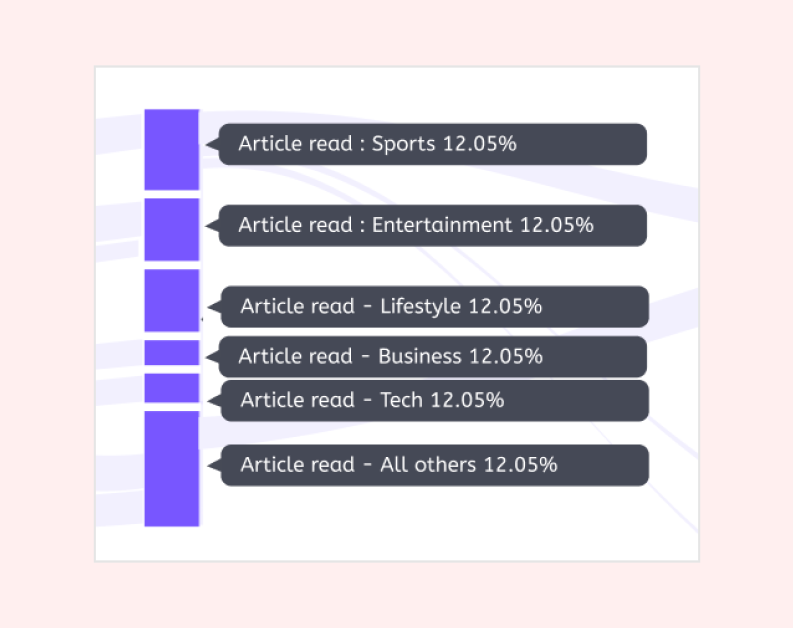
What does the split Path look like?
Use cases
E-commerce: Understand Product Engagement
Split events by product categories, brands, or user demographics to identify patterns in product engagement. For example, an apparel brand can split events by gender to analyze the Paths leading to purchases for men’s and women’s clothing separately.
Education: Personalize Learning Journeys
For educational platforms, splitting events by course categories, difficulty levels, or student demographics allows for personalized learning journeys. Educators can pinpoint the most effective Paths to course completion and tailor content to suit the diverse needs of learners.
Finance: Analyze Transaction Patterns
Split events by transaction types, customer segments, or geographic regions to gain insights into transaction patterns. For example, analyzing Paths leading to account closures helps identify pain points in the customer journey and address them proactively.
Healthcare: Optimize Patient Experiences
Healthcare providers can split events by patient demographics, medical conditions, or treatment pathways to optimize patient experiences. By analyzing Paths leading to appointment bookings, healthcare organizations can uncover areas for improvement in their landing pages.
Advanced Filters: Segment/List
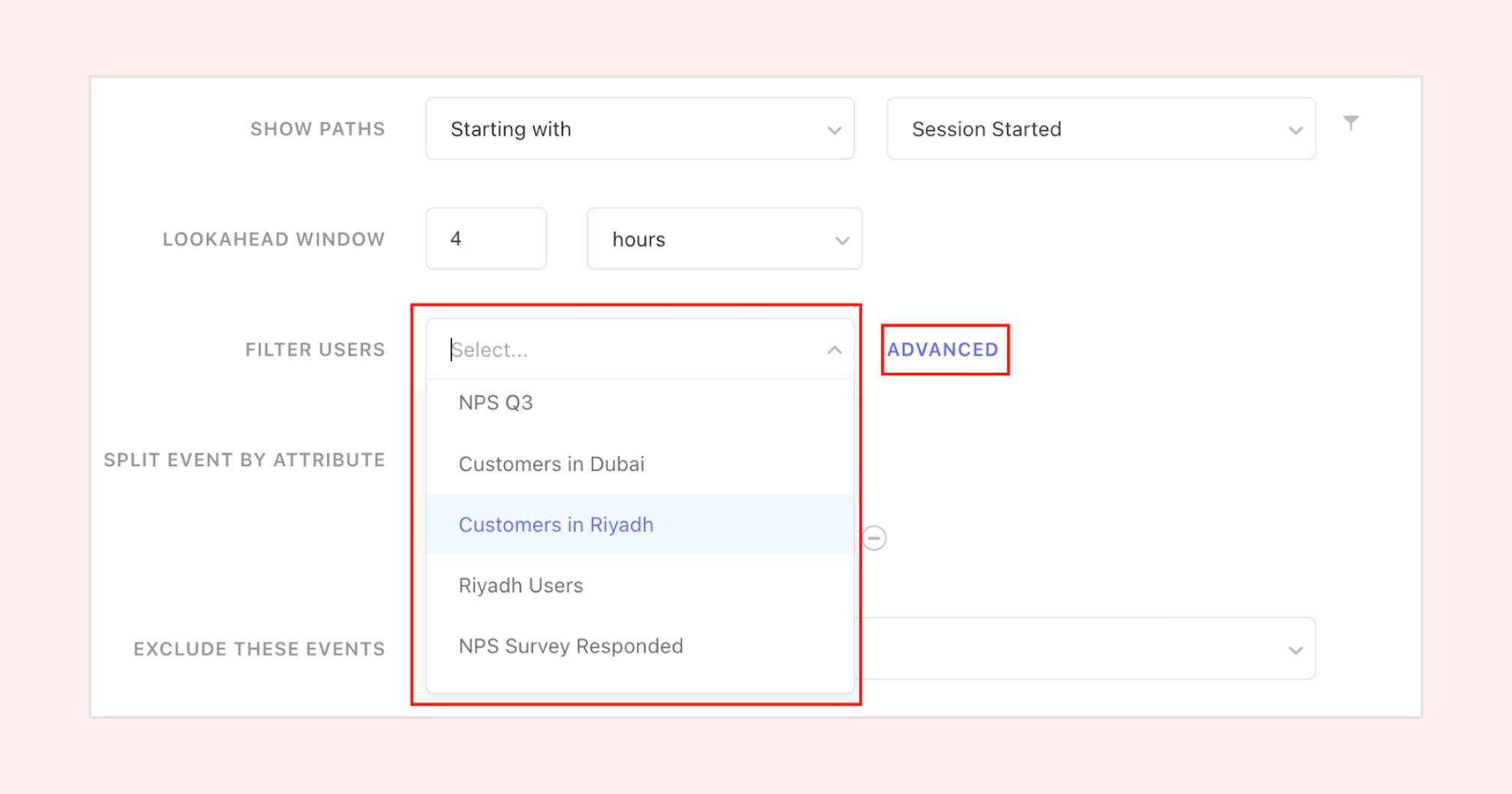
Now you can perform Path analysis on specific segments/lists created by you; advanced filters enhance the analysis by focusing on specific user groups. If you’ve invested time in creating segments or lists, utilize them to conduct a detailed Path analysis. Leverage this analysis to comprehend how specific user groups interact with your platform.
On the dashboard:
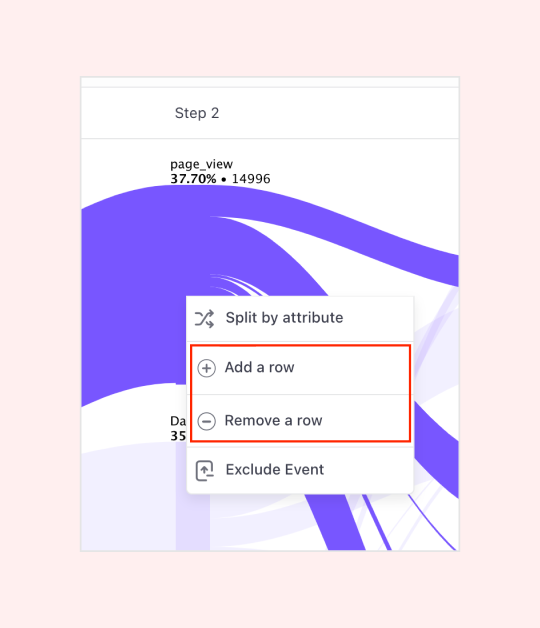
Add/Remove rows
To discover uncommon Paths taken by some users, it’s necessary to zoom out by increasing the number of rows. Adding rows enables the discovery of niche Paths taken by your users.
By default, you will see only 5 events to start with, but have a maximum limit of adding 20 rows to the Path.
On the dashboard:
Conclusion
Path analysis is a powerful feature for businesses, especially product managers, to understand and optimize the Path users take before/after performing a specific, desired action. Our Path enhancements will add value by providing businesses a more granular analysis of the routes taken by their users.
For more information on creating and analyzing Paths, refer to our knowledge base or reach out to your Customer Success Manager. Have a question? Ask away at product@webengage.com!