

We are elated to announce our brand new addition to the Survey product. Now, you can implement branching logic in your survey forms which allows you to make your questionnaire interactive and contextual, based on responses by an end user.
Here’s a mobile buying guide which uses the branching feature. You can try different combinations to see how the questionnaire and recommended product changes (restart button on the right corner).

Survey branching lets you build logic that enables skipping or inclusion of certain questions and sub-questions based on responses by users. Thus, it avoids the problem of asking redundant questions. It also helps present logically relevant set of questions based on responses. E.g. to a query “Do you play online games?“, if the response is “Yes”, then, subsequent questions related to online games like “Which one do you like better? Sports simulation or Strategy games?” would be more appropriate to ask. Else, the survey could branch out to other questions or simply terminate. Branching makes implementing all this a piece of cake.
Below are some interesting use-cases on how you can use branching for running full page surveys using a survey URL (we call these as “Surveys via a dedicated URL“):
- Insurance/Home loan EMI calculator – this is a must have for BFSI companies who focus on online customer acquisition. With branch enabled surveys, you can build your own custom logic to make an interactive EMI calculator depending upon user input data.
- Buying guide for gadgets and electronic appliances, for e-commerce companies – the “Mobile Buying Guide” by FindYogi, which you saw above, is a perfect example of this.
- Pricing plan selector for SaaS companies – pretty much all SaaS companies have a tiered pricing structure. Users might find it difficult to choose a plan. With the ability to branch out based on responses, you can create an amazing pricing plan selector.
- Property buying guide for online real estate companies – a fully interactive finder, which allows you to present a human face by asking logically relevant questions!
- Tour package selector for tour & travel companies – ask questions about special interests (adventure, wildlife etc), food preferences, expense levels etc to suggest a tailor made holiday package. At the end of it, add a link to book the holiday straightaway!
Below are some interesting use-cases on how branching can be put to some great use with our on-site surveys (we call these “mini surveys via the WebEngage widget”):
- Customer satisfaction surveys post purchase – the kind of insights your marketing and product teams can gather from customers making a purchase is amazing. Here’s an example. Our customer satisfaction surveys on order-confirmation pages (for e-commerce companies) have an average response rate of more than 20%! Oh yes! Give it a try, you’d love it.
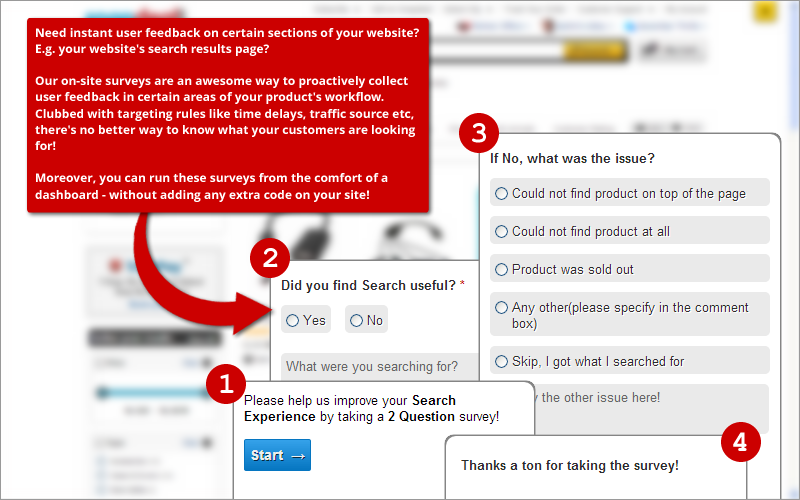
- Missing product surveys – on your search results page, or, your catalog page, you can pop a survey after, say, 30 seconds (time delay targeting, as we call it) which enables you to seek user feedback on whether the search results were up to mark or not. Here’s an example. There’s no better way of building a catalog that your users really want!
- Demographic surveys to profile your site visitors – when was the last time Google Analytics told you “who” your site visitors really are? No, they just cannot. The only way to find that out is to ask your users. Here’s an example. Imagine the kind of content personalization you can do, when you have this data!
- Measure your Net Promoter Score and seek instant feedback from pissed off users – oh, did you not know that we support NPS question type? Yes, we do. Here’s an example. With branching, you can now instantly seek feedback from users who are passives or detractors for your brand. Did we mention that this data (the survey responses) can be instantly pushed into your CRM/Email/Call/SMS pipeline using WebHooks? Yes!
- Surveys for product management teams to prioritize features – how many times do you get stuck with the question of what to build now versus what to build later? We face it all the time. There’s no better way to do it than to ask your customers about what they want. Here’s an example. With survey branching you can go deeper into each of those options to get a sense of what your users seek from your product.
Let us walk you through, in a few steps, on what does it take to create a survey with branching enabled. The case in point is the Mobile Buying Guide survey you saw above.
Step 1. Build your survey
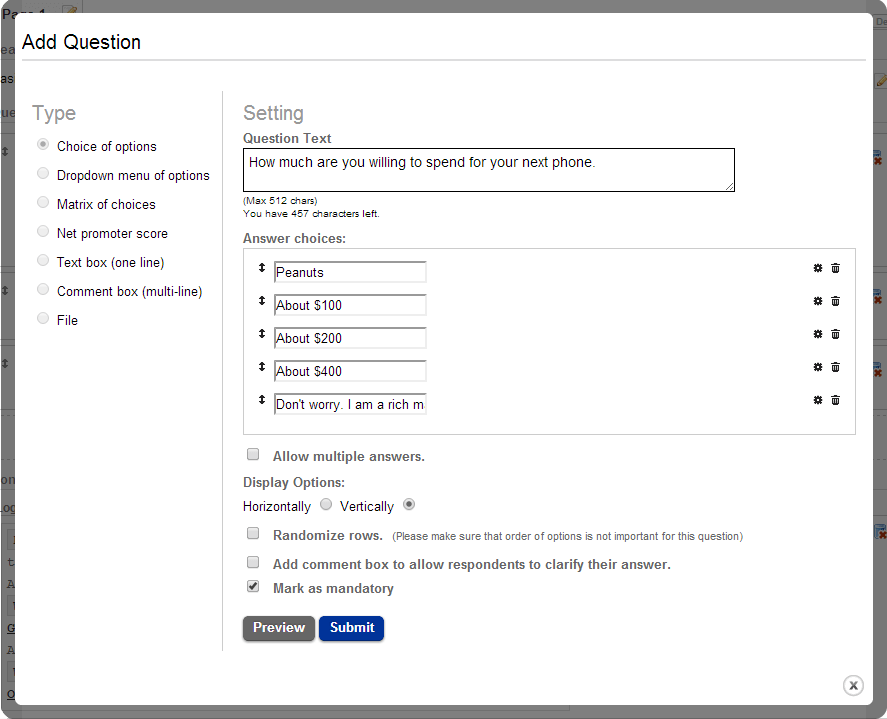
Building a survey involves 2 steps – adding pages and then adding questions to these pages. The screenshots underneath illustrate how to do these.
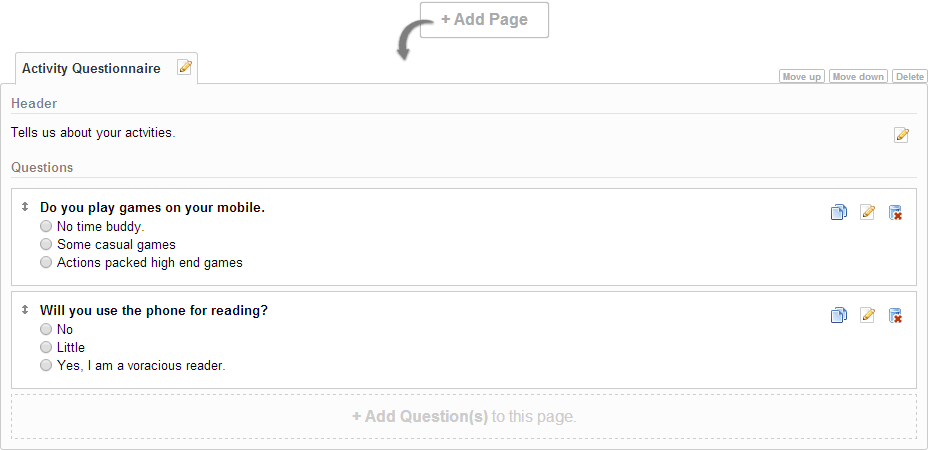
Step 2. Building destination pages
We call these “Thank You” pages. You can build any number of these pages and label them. Depending upon responses to questions in pages above and your branching logic, a survey will terminate on a particular “thank you” page as pre-configured by you. We support rich HTML markup in these pages as illustrated below.
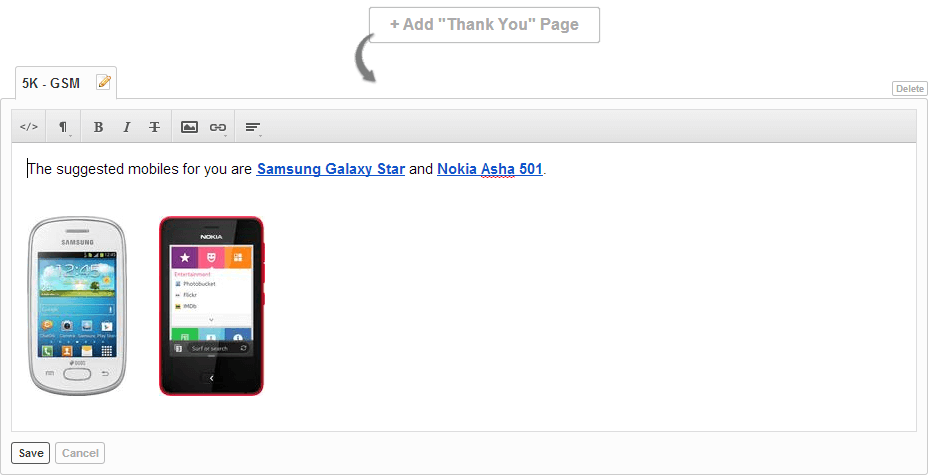
Step 3. Build Branching Logic
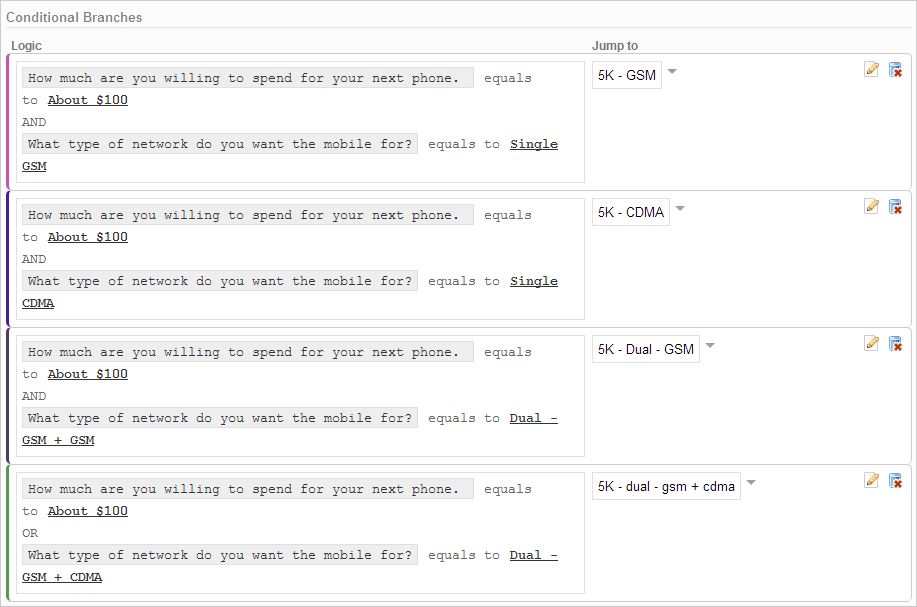
Now that you have your survey questionnaire and destination pages ready, you can link these logically. We have page logic and question logic that allow you to build a survey flow based on user’s response. Underneath is an illustration of how we let you build this logic and how it gets displayed to you visually, as well as textually.
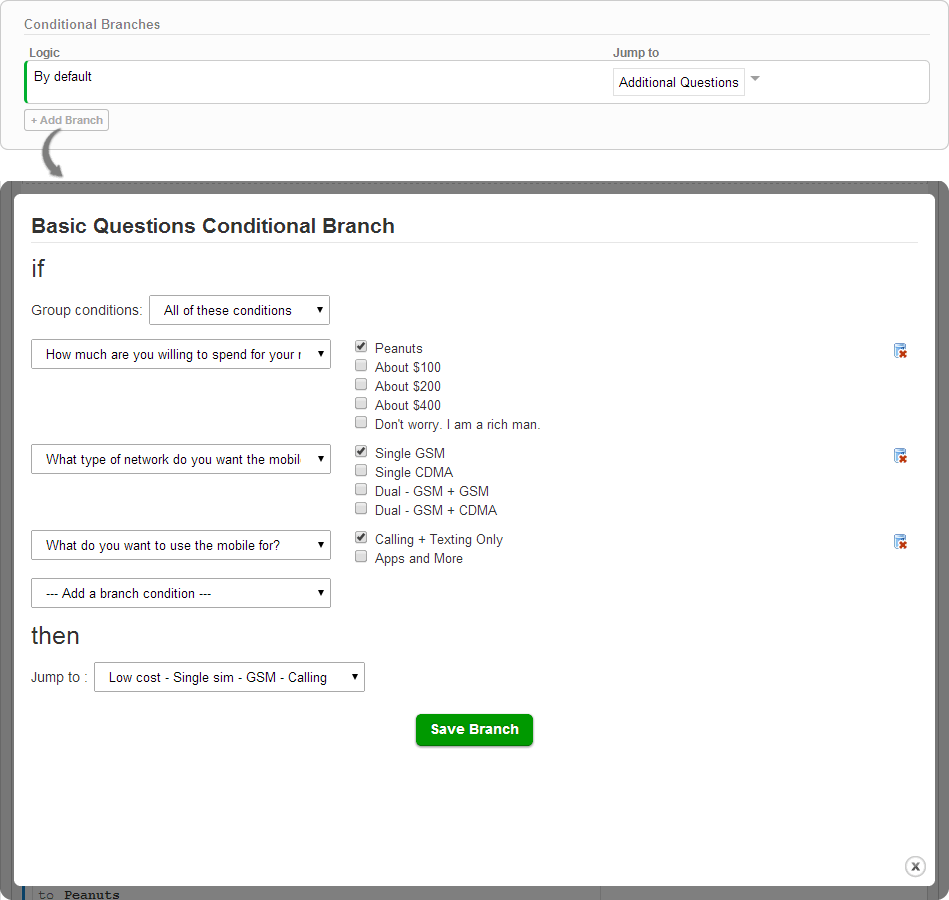
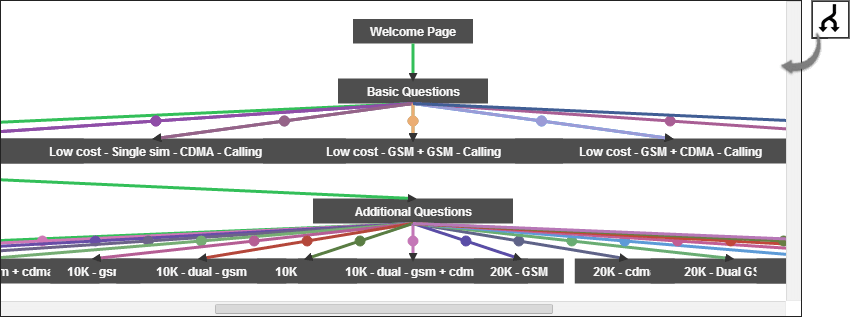
That’s pretty much it! Once you have collected some responses, our analytics and reporting modules will amaze you further more with the visualizations. If you are our new Premium or Enterprise plan customer, this feature is already activated in your account. If you are not a WebEngage user yet, do give us a try – we offer 14 day FREE full feature trial on all our plans, sign up today – livewebengage.com/pricing
Thanks for a patient read. We hope you’d like this new addition. We’d love to get your feedback.