
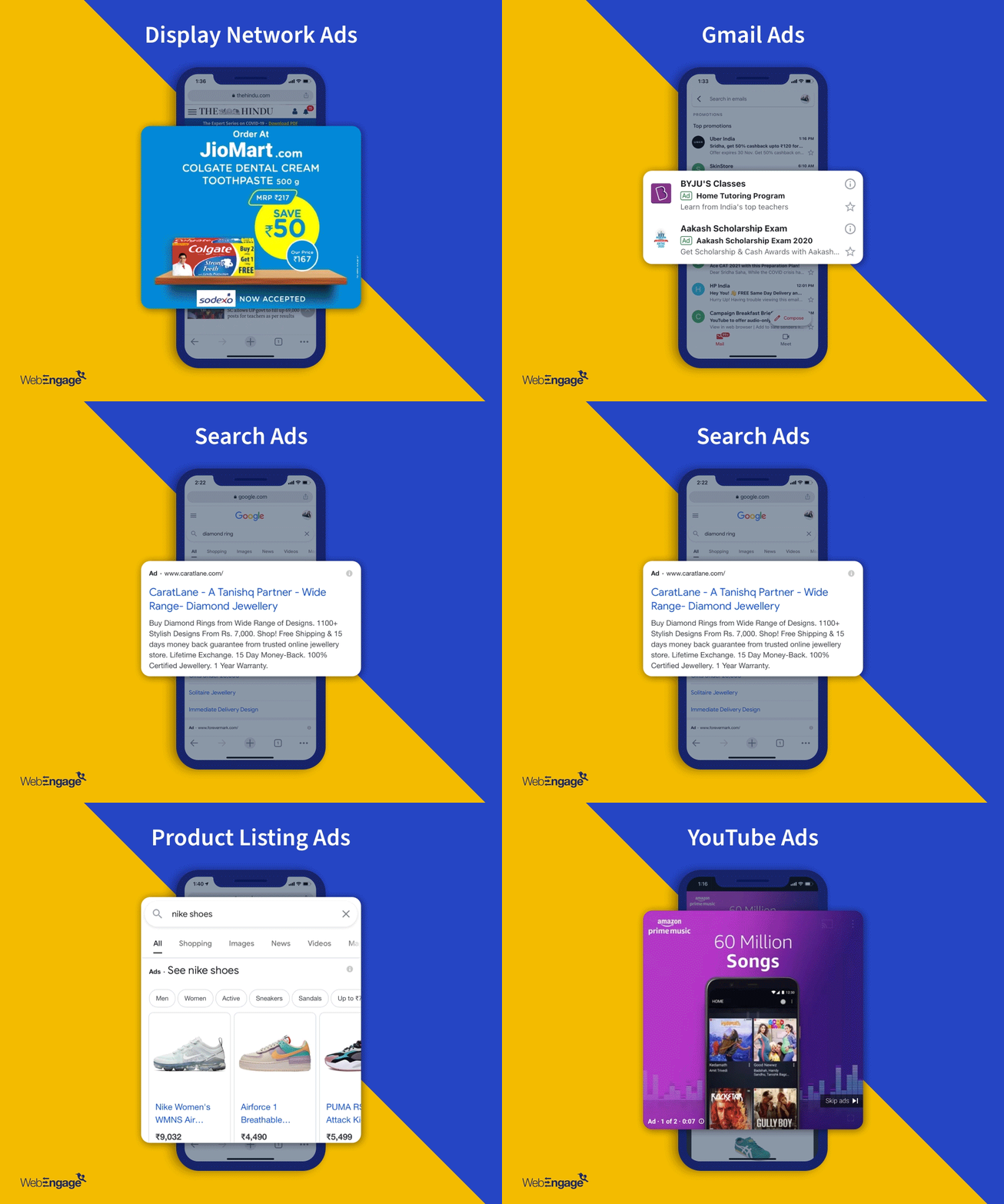
The Google Ads integration with WebEngage brings you the opportunity to export audiences (list of users) from WebEngage segments to Google Ads to create more personalized campaigns across the Google Search Network, Shopping, YouTube, Display, and Gmail.
Overview
Since the integration with Facebook, we have been as excited as you are about launching the integration for Google Ads. While Google Ads allows remarketing via Remarketing lists for search ads (RLSA) and standard remarketing, the advertisers are still restricted to campaigns based on actions like, whether a user has previously visited specific pages of their website (or app).
With WebEngage integration, advertisers can now curate their campaigns at a more granular level and target more qualified users in the user journey. This facilitates efficient usage of ad spends, better conversion rates, and ultimately, a better ROI.
For instance, let’s say you run an e-commerce business. You will have scores of data useful for targeting different user behavior such as cart abandoners, frequent buyers, or highest-spending customers. Now, you can easily get these data points via WebEngage, and not via Google. But if you integrate your Google Ads account with WebEngage, you will be able to target the right set of audience via Google and benefit from its massive reach, which earlier was not possible.
How is it done?
You should first add one or more Google Ad accounts on WebEngage. Once done, you can simply create a segment on WebEngage, or use a pre-existing segment and export it to Google to your chosen Google Ad account.
To find out how you can integrate your WebEngage account with Google Ads, read our documentation here.
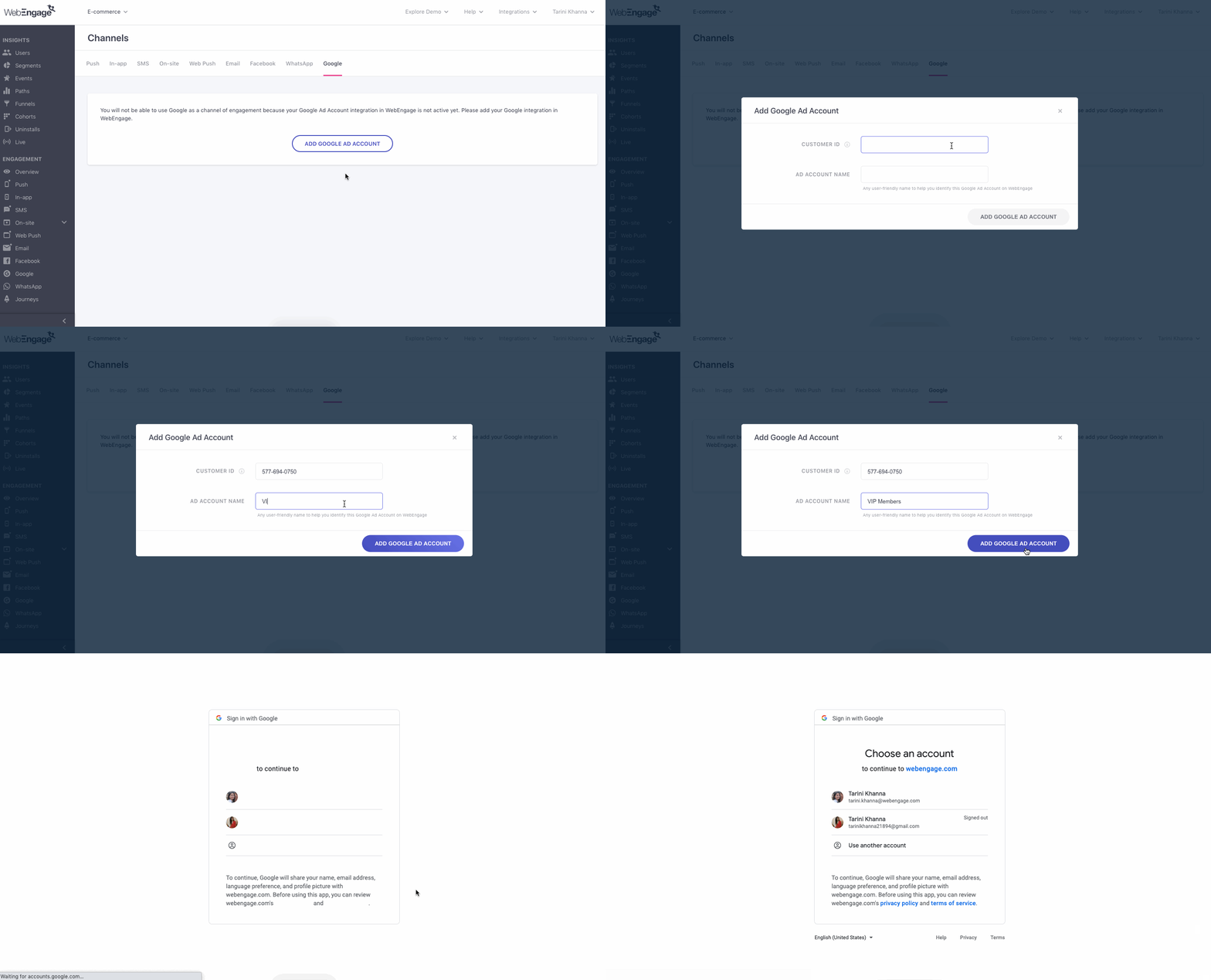
You can also choose to sync your WebEngage segment to Google Ads as a one-time activity or on a recurring basis (where syncing can happen daily, weekly, or monthly as per your set preference). Recurring syncing would mean that the audience of your Google Ads account will refresh itself to get updated to the latest one from WebEngage, at predefined intervals. Recurring is recommended if you want your ads to be modified as per the actions users take on your platform. This helps you create more precise campaigns for your target audience.
Winning strategies for using WebEngage segments for Google Ads
Here are some winning strategies to help you grow your business with WebEngage integration for Google Ads:
- Show ads only to users who are most likely to convert
- Upsell to converted users or recommend related products
- Get the freedom to bid on more generic terms, but only for the most qualified users
- Exclude users who have already performed the conversion event
- Bring back inactive users to improve retention
- Maximize your margins by targeting discount sensitive users
- Increase your reach by targeting your audience in their preferred languages
1. Show ads only to users who are most likely to convert
Use segments to create a list of users who have completed some initial action but didn’t follow through to the final conversion (purchase, booking, subscription, etc). So, this audience can be sent to Google to have your search ads shown only to them. This means your budget will last a lot longer than on standard search ads because now only a limited set of “qualified” audiences will see your ads.
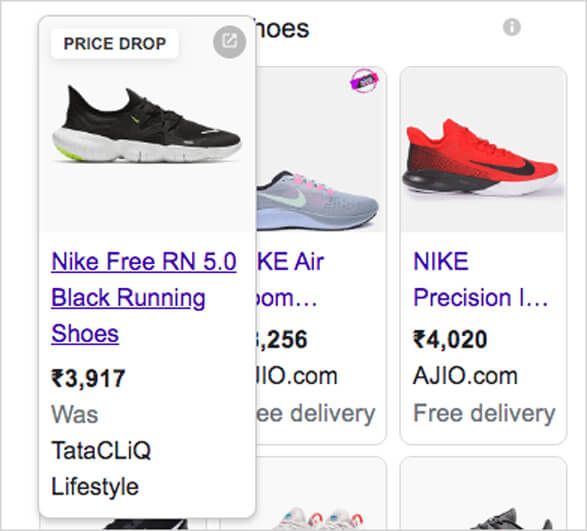
Let’s say you run an E-commerce company. You know a few of your users have been eyeing a particular Nike sports shoe for the longest time now on your platform. These users are probably the most likely to purchase it in the nearest future. Hence, you can directly export this segment of users who have previously shown interest and show them relevant Nike sports shoes ads (with a discounted rate) on Google.
2. Upsell to converted users or recommend related products
Users who already have done one or more transactions with your business are likely to purchase related products again in the future. This targeted approach also helps you justify advertising on high converting but low profit-margin products.
For example, if you run an automobile company, you might not put out an ad on an automobile’s accessories because they might be low-revenue products. But you can show the ads to a particular set of users who have already completed a purchase of a car from your store recently. Such users are potentially more likely to complete a purchase for the car accessory too.
3. Get the freedom to bid on more generic terms, but only for the most qualified users
Using highly targeted WebEngage segments as an audience for your ads, you can reduce the risk of bidding on more generic keywords.
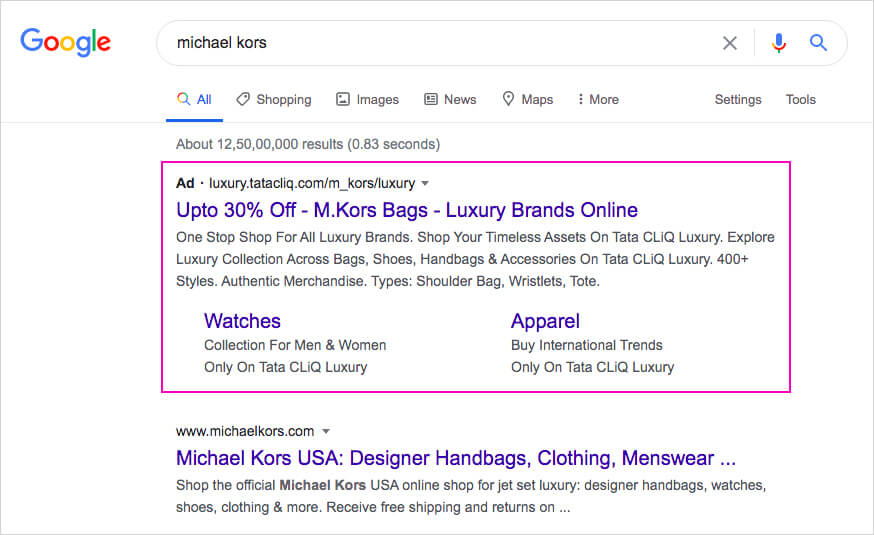
For example, a retail store that sells Michael Kors bags, but not their watches, might avoid bidding on the term “Michael Kors” because it’s too broad and could be for someone looking for anything related to Michael Kors – from watches to bags or anything. With WebEngage, you can create a list of users who have already shown interest in the Michael Kors bags – by either visiting the retail store, or visiting the Michael Kors page on their website, or previously engaged with marketing campaigns related to the same brand (but haven’t made a purchase). The ad will only trigger for these qualified users, thereby helping you make the most of your ad-spends.
4. Exclude users who have already performed the conversion event
Exclusions are useful while bidding on a brand name or core keywords, where bids usually go very high. Firstly, because you would not want to show these top-of-the-funnel ads to customers as they might be irrelevant to them. Secondly, you might instead try to upsell to them with more targeted ads and justify your budget. To do this, create a segment of users who signed up, purchased a product, or performed some conversion event on your platform. You can then export the segment to Google with recurring sync (daily syncs) to prevent advertising to users that have already converted.

5. Bring back inactive users to improve retention
WebEngage captures the data of your users who have remained inactive for some time, and even customers who are on the verge of churning. Create a segment for this particular set of users to send them customized messages for retaining them. You can push out a Google ad to these users on a significant product launch or about their unused loyalty points or time-sensitive campaigns so that they act promptly.

6. Maximize your margins by targeting discount sensitive users
WebEngage combines data from all your sources to understand user behavior and preferences better. Reveal discount messages only to discount-sensitive buyers, knowing their affinity toward discount rates.

7. Increase your reach by targeting your audience in their preferred languages
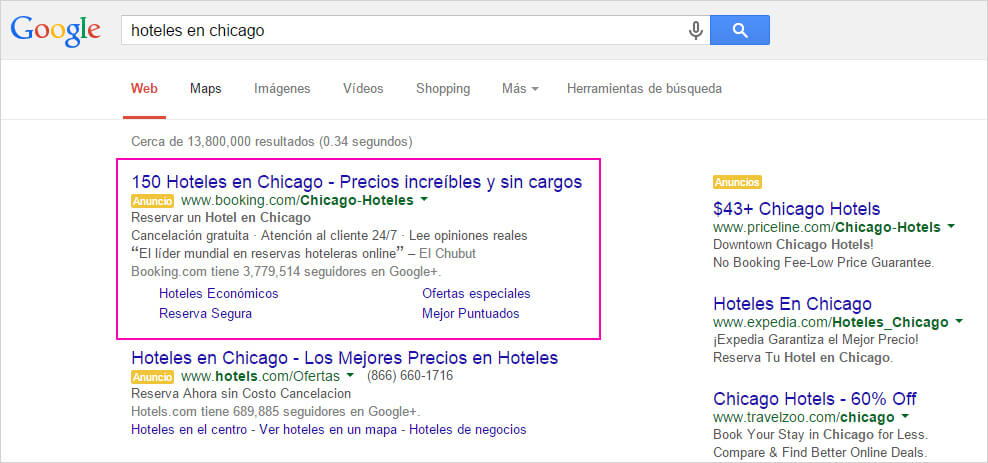
Google positively promotes vernacular advertising. Now, with WebEngage, segments can be created based on location, language preferences, and time-zones. This would give the utmost personalized feel to your ads, and help your audience relate to your ads like never before!
And there is, of course, a lot more you can do with this new feature!
We have currently made it available to our clients on a request basis only. If you wish to use this feature soon, get in touch with your Account Manager for early access. Try this out and let us know if you liked using it for your business.
Have any questions or need more clarity on how you can use Google Ads as a part of your multi-channel marketing strategy? Ask away! We are here to help.
Or even better if you would request a demo to learn more about this amazing feature.
FAQs
1) How many Google Ad accounts can I add on WebEngage?
You can integrate as many Google Ad accounts as you want with WebEngage. While exporting the segment to Google Ads each time, you will be asked to choose the account you want to export the segment to run the ad.
2) What is the smallest WebEngage segment size I would need to run a Google Ad?
As per the rules of Google Ads, one has to have an audience size of 100 to run a campaign. Hence, if you send a segment size lower than that, you would not be able to run your campaign on Google.
3) Can I target anonymous users using this?
Yes, WebEngage segments allow you to target your anonymous users as well. You can create a segment of these users and export it to your Google Ads account. They would get mapped on the basis of their advertising ID, and you can target them.