
Published on July 15, 2013

[Announcement] WebEngage Integrates With Google Analytics

Table of Contents

WebEngage, now, integrates with Google Analytics.
What does it mean for you, the customer?
Simply put, more insights.

With GA integration enabled in your dashboard, we track a whole bunch of events for each of the three products and push them inside your existing GA account. These are events like feedback submissions, survey submissions, notification clicks etc. Just navigate to Standard Reports > Content > Events inside GA, and …

  • find out how many people submitted feedback, who they were (email), where they came from (GA demography etc).
  • find out how many people responded to or closed your surveys – what their responses were and slice/dice with GA data (demography, traffic source, etc).
  • find out how many people clicked on the call-to-action links/button in your push notifications
While all the data above can be pulled as reports from our dashboard, there was a pressing demand from customers to make it available inside GA for a holistic view. And, we obliged 🙂

How do I get to use this feature?
Like all things inside WebEngage, just at the click of a button! Go to Dashboard > Settings > Widget Integration > GA Integration and turn it ON (image below). For the technical kind, we simply use GA’s _trackEvent method on your webpage’s _gaq object. No funny business this! 🙂
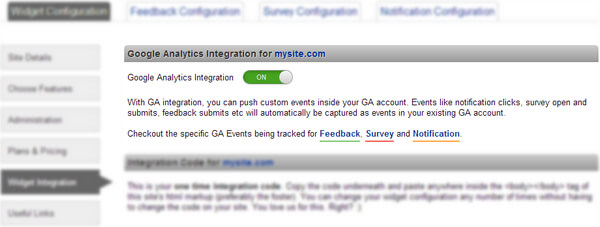
Turning ON Google Analytics integration from the dashboard

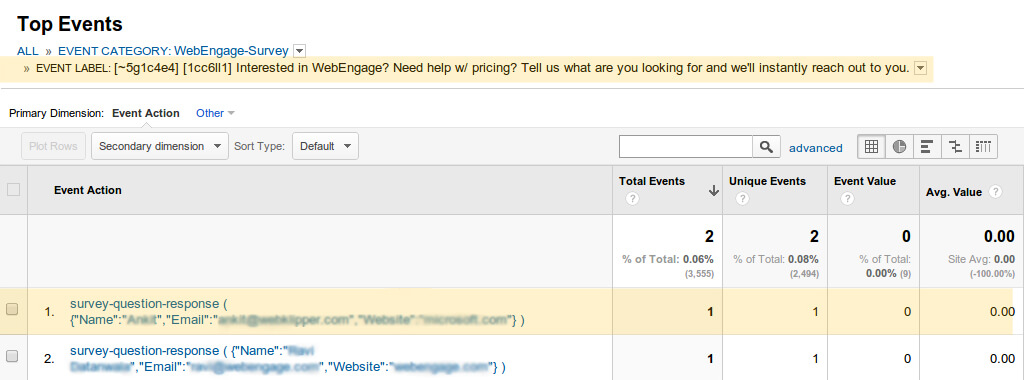
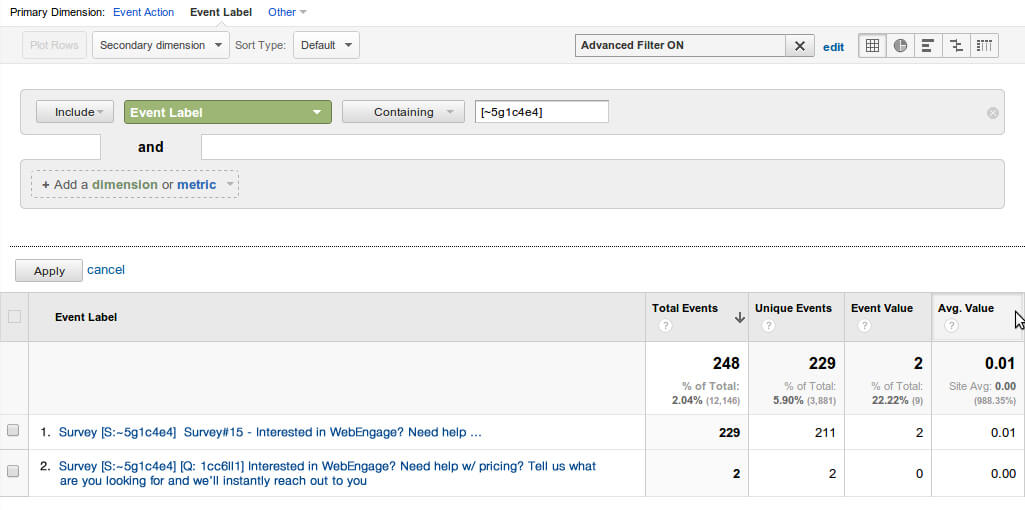
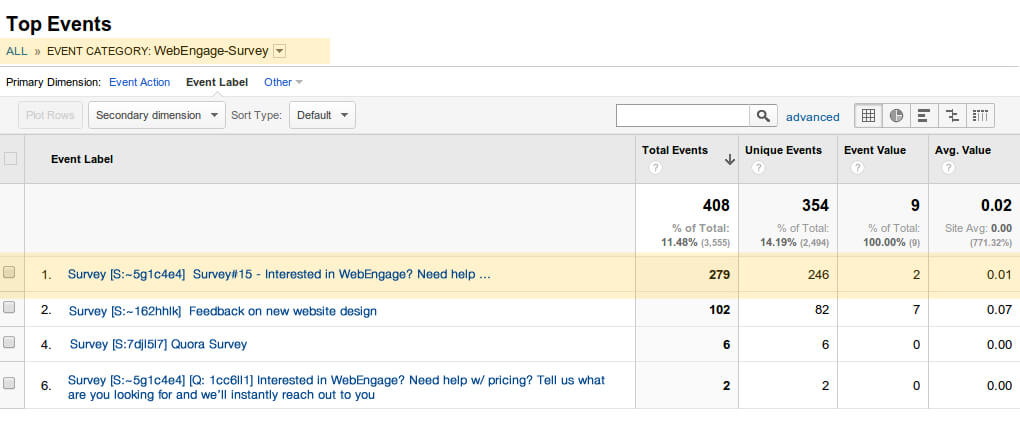
Here’s a sample of how WebEngage Survey data will look like, in your GA account
Underneath are some images (read the captions) to give you a sense of events and corresponding data that you get to see in your GA account for the survey product:
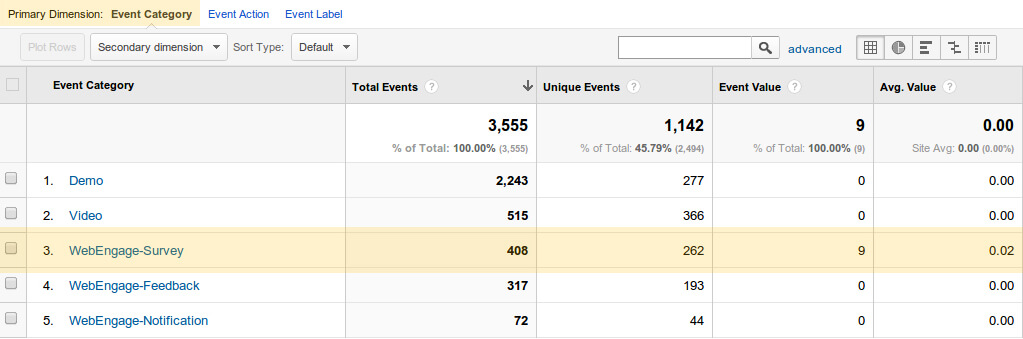
Top-level categories for all the three WebEngage products
Category “WebEngage-Survey” > Event Labels are your WebEngage surveys (click to enlarge)
Event Actions contains all questions and their corresponding responses (click to enlarge)
Categories, Labels, Actions, etc can be further filtered depending on GA metric (click to enlarge)

Here’s more dope on GA integration for Feedback, Survey, and Notification products. Hope you liked what you saw. Once you start using the integration, please share your feedback on this one – we intend to make this feature extensible so that you can choose to push more WebEngage related data inside GA; a better understanding of your use-case will help.

Important Note: This feature is only available for new Premium (sign-ups as per the new plan) and all Enterprise plan customers. You’ll need to upgrade to use this feature if it shows as disabled in your account.

Akhil Goyal

Related Articles

Funnel Analytics Reimagined – Introducing Multi-Event Steps, Comparisons, Splits And A Refreshingly Cool UX

Manoj Chawda

November 28, 2025

Event Analytics Upgrades – Split, Compare And Add Formulas To Your Analysis

Amit Shinde

October 17, 2025

Get new articles
in your inbox.

platform

Platform

ZeroPII

No personal data stored.

AI-Powered

Atlas

AI-powered customer engagement suite.

Capabilities

CDPx

Your schema, your engagement rules

Analytics

Deeper analytics, sharper decisions

Segmentation

Precise user segmentation, simplified

Automation

Automate workflows, orchestrate growth

Personalization

Smarter web and app personalization

Recommendations

Context-aware recommendations that sell

channels

Mobile

Web

Email

Whatsapp

Digital Advertising

SMS

RCS

Solutions

Travel & Hospitality

Healthcare

Automotive

Insurance

E-commerce and Retail

Resources

Product Releases

Ebooks

Blogs

Newsroom

Webinars

EngageMint

Impact Stories

Glossary

FEATURED

Introducing Entity Relationship Visualizer – Manage Relationships Between Your CDPx Data Objects In A Visual Interface

Slice Deeper: Multi-Dimensional Metrics and Smarter Funnels​

Products

Platform

ZeroPIITM, AtlasTM

Capabilities

CDPxTM, Analytics, Segmentation & more

Channels

Mobile, Email, WhatsApp, SMS & more

Solutions

BLACK

Resources