



Product Releases

What’s new on WebEngage?

Explore the latest feature rollouts, product enhancements, SDK updates, UI/UX improvements and other critical updates designed to make your goals more achievable and your journey with WebEngage smoother than ever!

Release Categories

On-site Overlays Now Have A DIY Editor & CDP Data Sync Feature

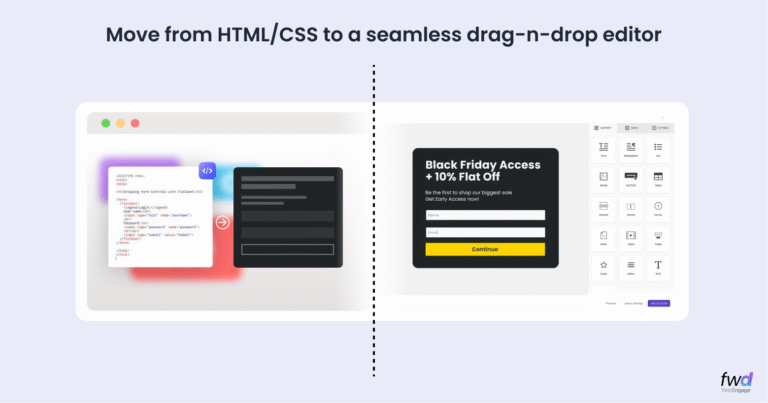
Website Overlays DIY Before After

If you have used our widely popular Web Personalization product suite, you have most likely asked for these enhancements in some form..

  1. Make the editor more DIY to create ultra rich looking nudges and overlays
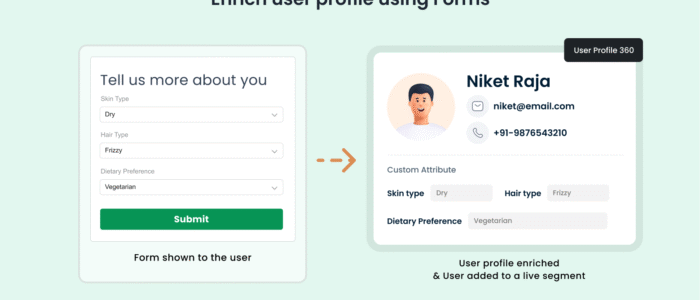
  2. Provide a way to directly enrich CDP User Profile of the user engaging with your overlay using data collected (for overlays with forms) from them in realtime

Well, we obliged 🙂

The core of our new release is the Drag-and-Drop Editor. You no longer need to know HTML or CSS to build beautiful, branded overlays. Simply drag elements like headers, images, buttons, and timers directly onto the canvas. What you see is exactly what your visitors will get.

With our Form Support, you can drag input fields directly into your notifications. Capture emails, phone numbers, or even zero-party data like product preferences (e.g., “What skin type are you?”). This data isn’t just stored; it enriches the user profile in real-time, fueling your downstream personalization strategies.

Introducing Contextual Journeys on WebEngage

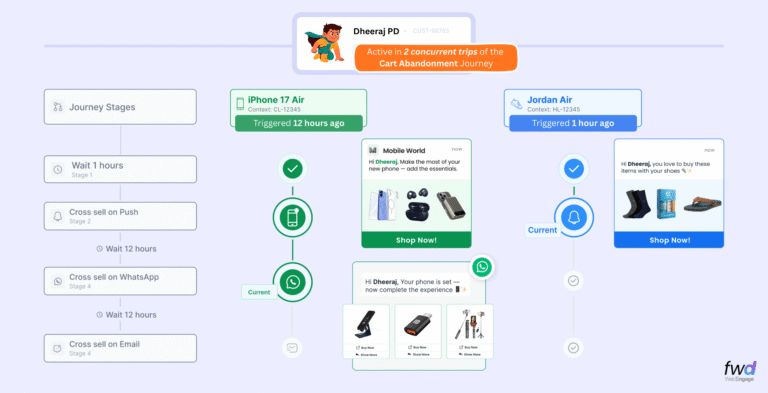
Meet Contextual Journeys, a first-of-its-kind capability that lets you run multiple, parallel journeys for the same user, each tied to its own context like a loan, policy, product, or category.

While traditional journey builders force all user behavior into a single path, Contextual Journeys reflect how customers actually behave, enabling separate renewal journeys per policy, repayment nudges per loan, and category-specific browsing or cart journeys in e-commerce, all running simultaneously for the same user.

This results in sharper personalization, timely nudges, and journeys that finally scale with real-world customer complexity, only on WebEngage.

Introducing CDPx – A New Era In Composable CDP

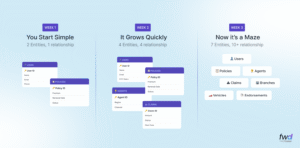
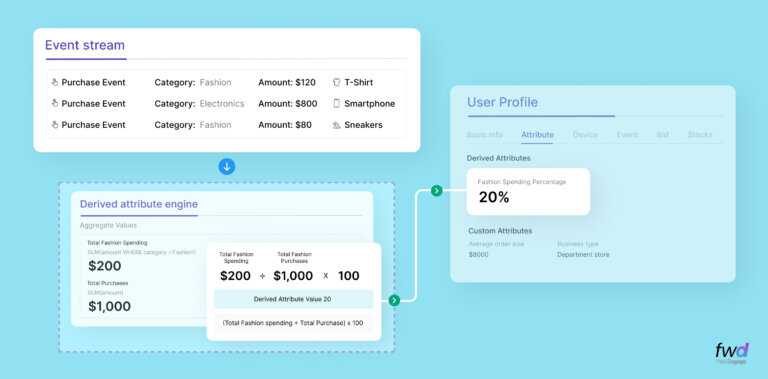
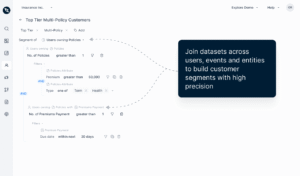
Most CDPs stop at users and events. Real businesses do not. They operate around objects like policies, loans, devices, subscriptions, or courses, each with its own lifecycle and logic. CDPx extends WebEngage’s CDP to model these real-world objects natively, connect them to users and events, and enable truly contextual engagement at scale.

What’s New

  • Custom Entities Create and manage real business objects such as Policies, Loans, Devices, or Courses directly inside WebEngage.
  • Lifecycle Awareness Entities can hold states like Active, Lapsed, Due, or Overdue, allowing campaigns to react as records change over time.
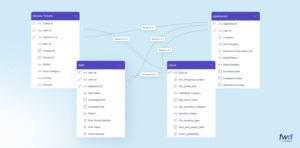
  • References Link Entities to Users, Events, and other Entities
  • Segmentation Enhancements Build user segments using entity data, for example users with more than two active policies. You can also segment entities themselves, such as all policies expiring in the next 15 days.
  • Personalization Use entity attributes directly in campaigns.
  • Entity Navigation Entities appear as tabs on the main menu and inside user profiles, showing linked records like a user’s policies with related claims nested inside.


How It Works

  • Create an Entity Define the entity details and configure entity schema.
  • Set Data Source Choose between static uploads or dynamic sync with configurable auto-refresh.
  • Manage References Connect entities to users, events, or other entities to build relational models.
  • Use in Segments and Campaigns Filter users or entities, personalize messages, and trigger journeys based on entity attributes and lifecycle states.

Why It Matters

You no longer need to force complex objects into flat user attributes or misuse events as storage. Workarounds and fragmented dashboards are reduced significantly. One user can hold multiple policies, devices, or loans without messaging conflicts. Customers get clearer, more relevant communication through digests and lifecycle-aware campaigns.

Edit a Live Journey

Don’t stop. Don’t sunset. Just edit live

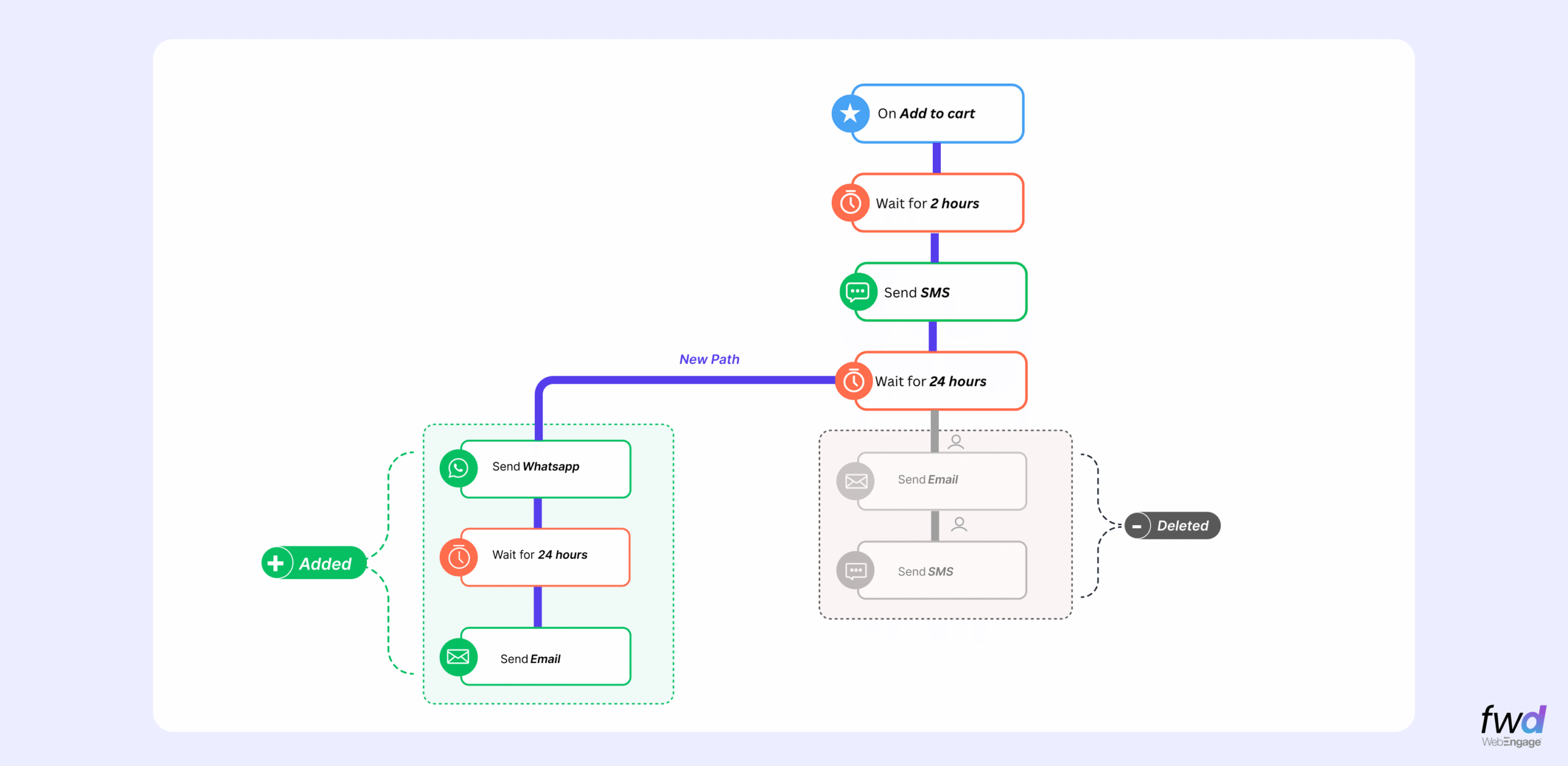
You can now edit live journeys in real time—without pausing or restarting them. This ensures smoother operations, uninterrupted experiences, and consolidated reporting.

Why this matter?
Want to try a new engagement strategy? Test it live, no restart needed.
Found a connector pointing the wrong way mid-campaign? Fix it instantly.
Forgot to add a critical step like an SMS? Add it without disruption.

How We’re Different?
Unlike competitors who use journey versioning—where users are locked into the version they entered—Live Journey Editing lets users transition to the updated path as soon as changes are published.

Start editing Journeys today and enjoy seamless, flexible customer journeys!

Smarter Recommendation Setup with New Templates

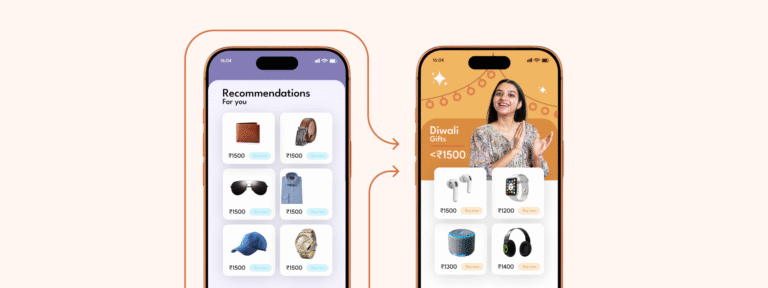
Choosing the right recommendation strategy is now easier and more intuitive. With the introduction of visual templates, you can quickly get started with pre-built options tailored for common strategies like Top Items, Relevant Products, Personalised Suggestions, and Collections. Each template is designed to help you set up powerful recommendation logic with minimal effort. Prefer building from the ground up? Use the Create Your Own option to define your own strategy using custom events, user behavior, and logic—giving you full flexibility and control.


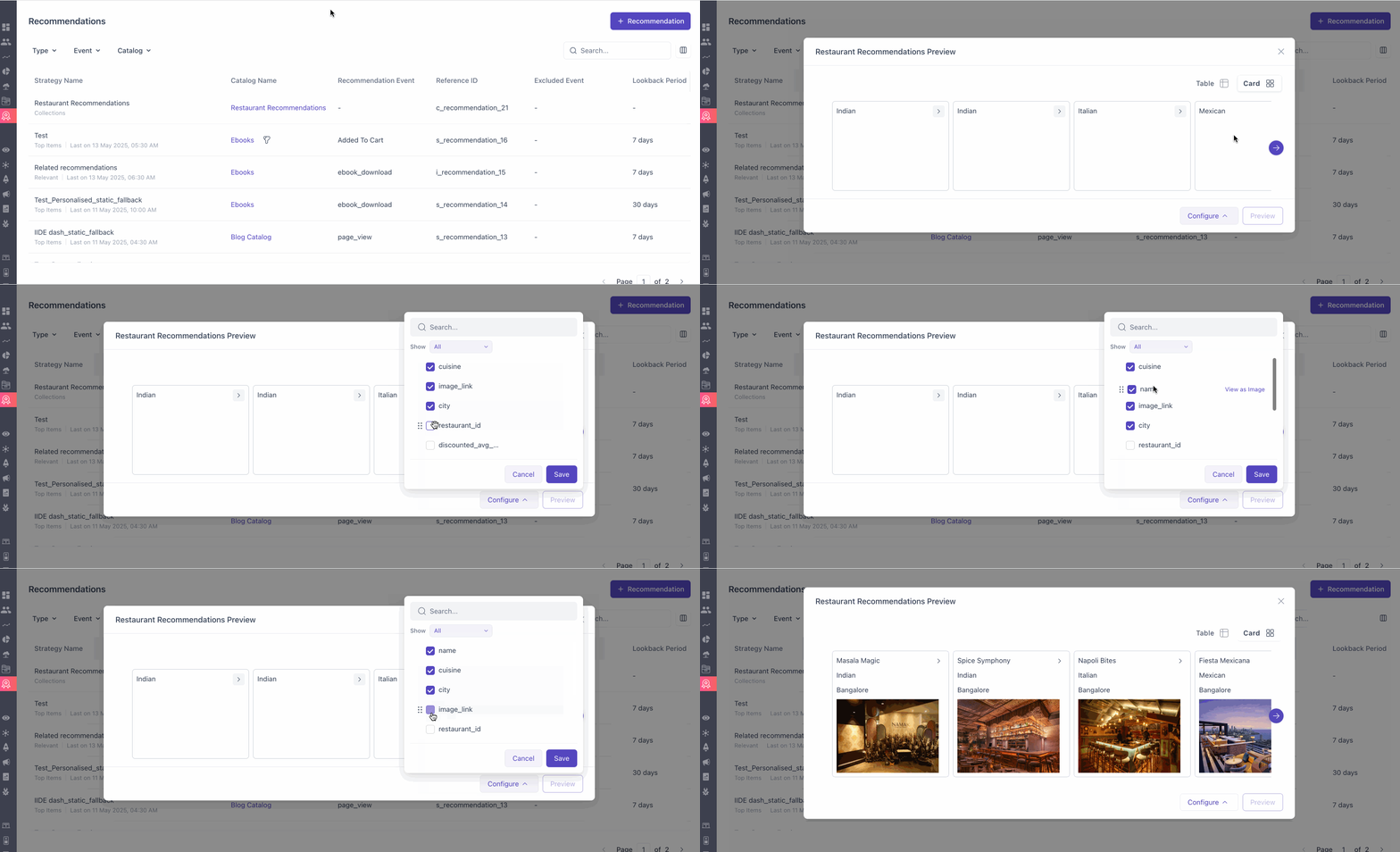
New Card View for Recommendation Previews

Easily visualize how your users will experience product recommendations with the new Card View feature. This drag-and-drop layout lets you configure the arrangement of recommendation cards just the way you want them to appear. You can map specific catalog fields as image links, giving you full control over how visuals are displayed. Each card is expandable, allowing you to view important metadata like the strategy type, recommendation source (primary or fallback), and reference ID for tracking. Your configurations are saved locally per recommendation in the browser cache, so you can revisit and tweak layouts without starting from scratch.
Note: Since these settings are stored locally, clearing your browser cache will reset your saved card layouts.

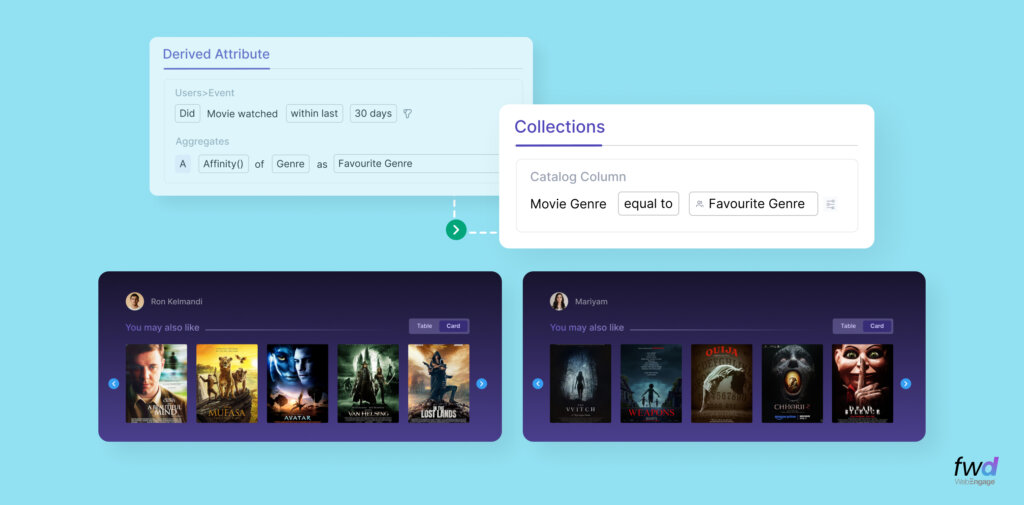
Collections: Personalized Recommendations Made Easy

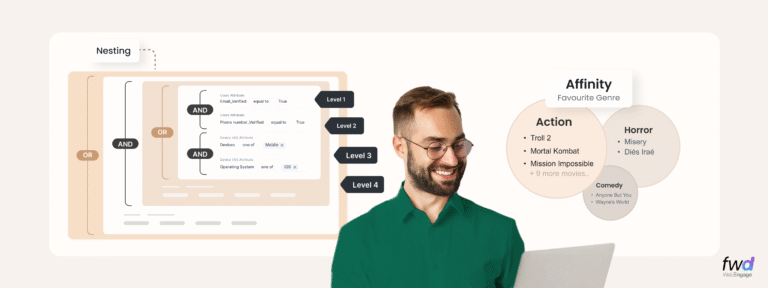
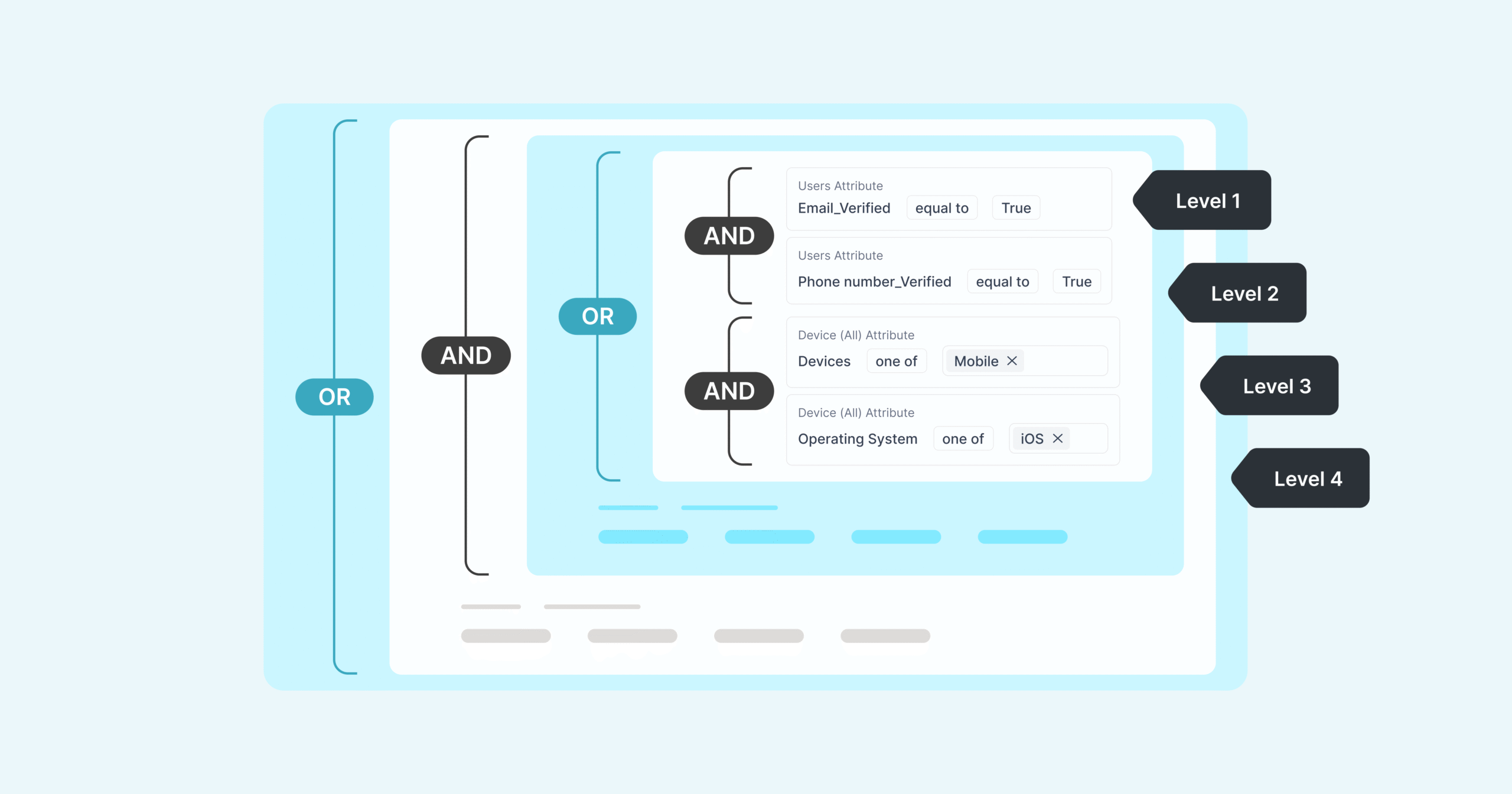
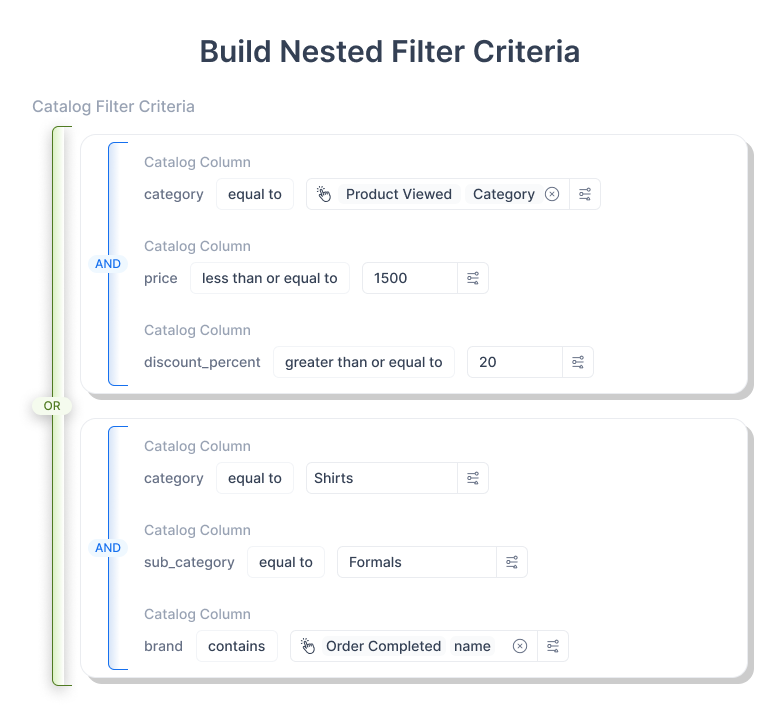
A smarter way to deliver contextual product recommendations using dynamic filters on your catalog. With the Criteria Builder, you can set up precise rules using AND/OR logic and nested conditions to target specific products. Filter and sort recommendations based on user attributes, events, and campaign inputs in real time. For example:
(Price < 500 AND Category = "Electronics") OR (Category = "Clothing" AND (Size = "Large" OR Color = "Blue")).
This helps create highly relevant product blocks tailored to each user. Coming soon: support for standard functions across data types for even more advanced rule-building. Click here to know more about how to use Collections.


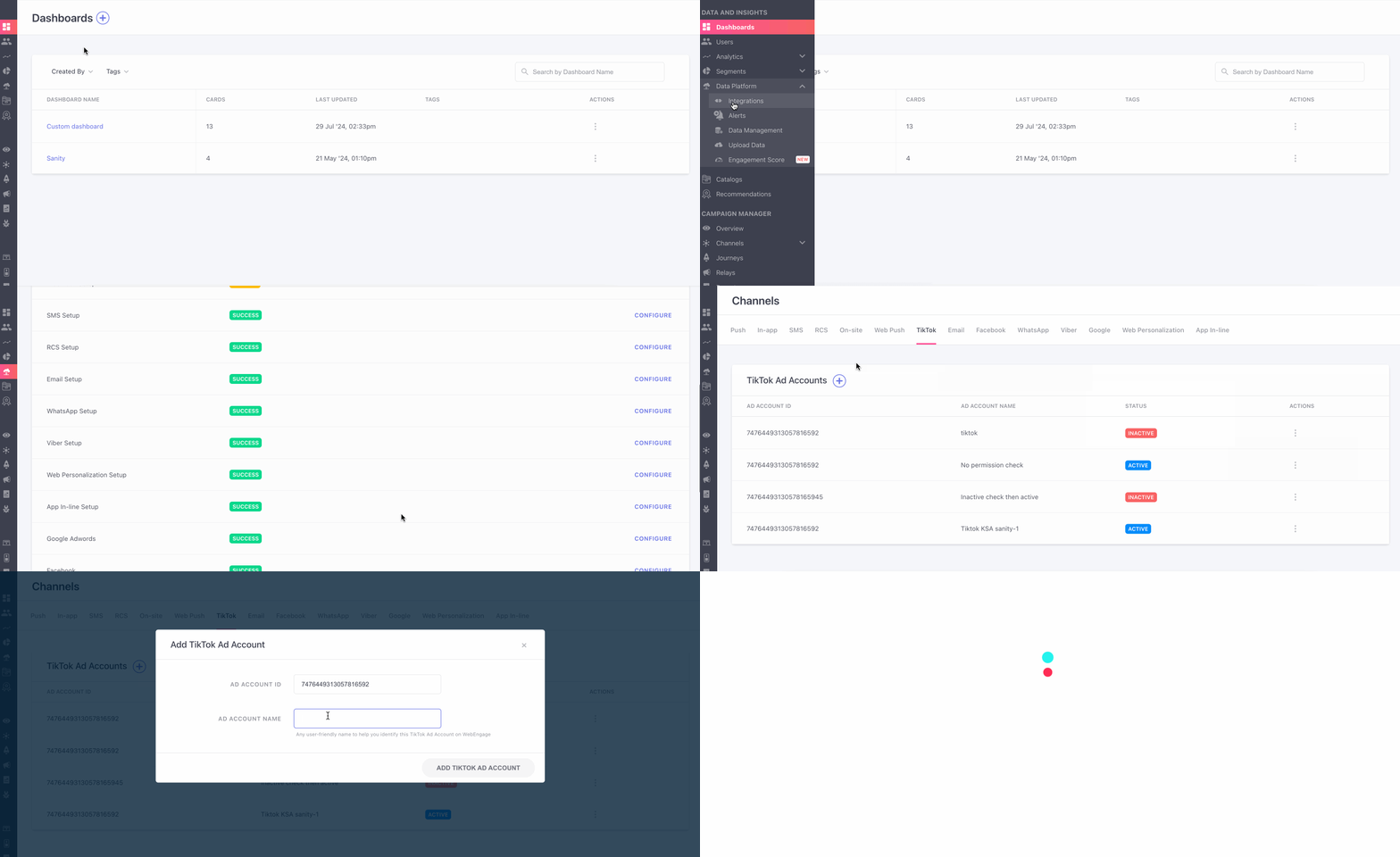
Export Segment to TikTok

WebEngage now integrates with TikTok Ads Manager for precise ad targeting, leveraging its vast and engaged user base, especially in key regions. This extends our ad ecosystem beyond Facebook and Google, offering benefits like direct segment syncing for personalized ads, improved performance via first-party data, and seamless automatic updates. Note: Access requires enabling the WE_TIKTOK_EXPORT flag (contact support) and referring to the KB documentation.

Maximize Your Analytics: Precise UTM Control is Here!

Unlock enhanced campaign insights with WebEngage’s latest feature: Restrict UTM to Specific Domains. Content publishers can now isolate engagement metrics for their owned properties (e.g., newsportal.com) in newsletters, ensuring clean attribution without impacting external link analytics. Similarly, travel and hospitality businesses running promotions with links to both their site (travelsite.com) and partners can now track their campaign performance accurately, leaving third-party data untouched. This granular control, a significant advantage over competitors’ limited offerings, complements WebEngage’s robust auto-add UTM across six channels. Configure this powerful feature under UTM > UTM Setup > Domains to Include for UTM Parameters (currently live for Email, with broader channel support on the horizon). Discover more ways to optimize your analytics – refer to the KB documentation for detailed implementation.

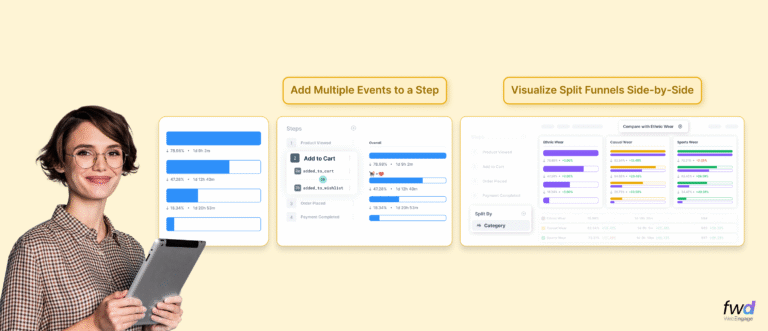
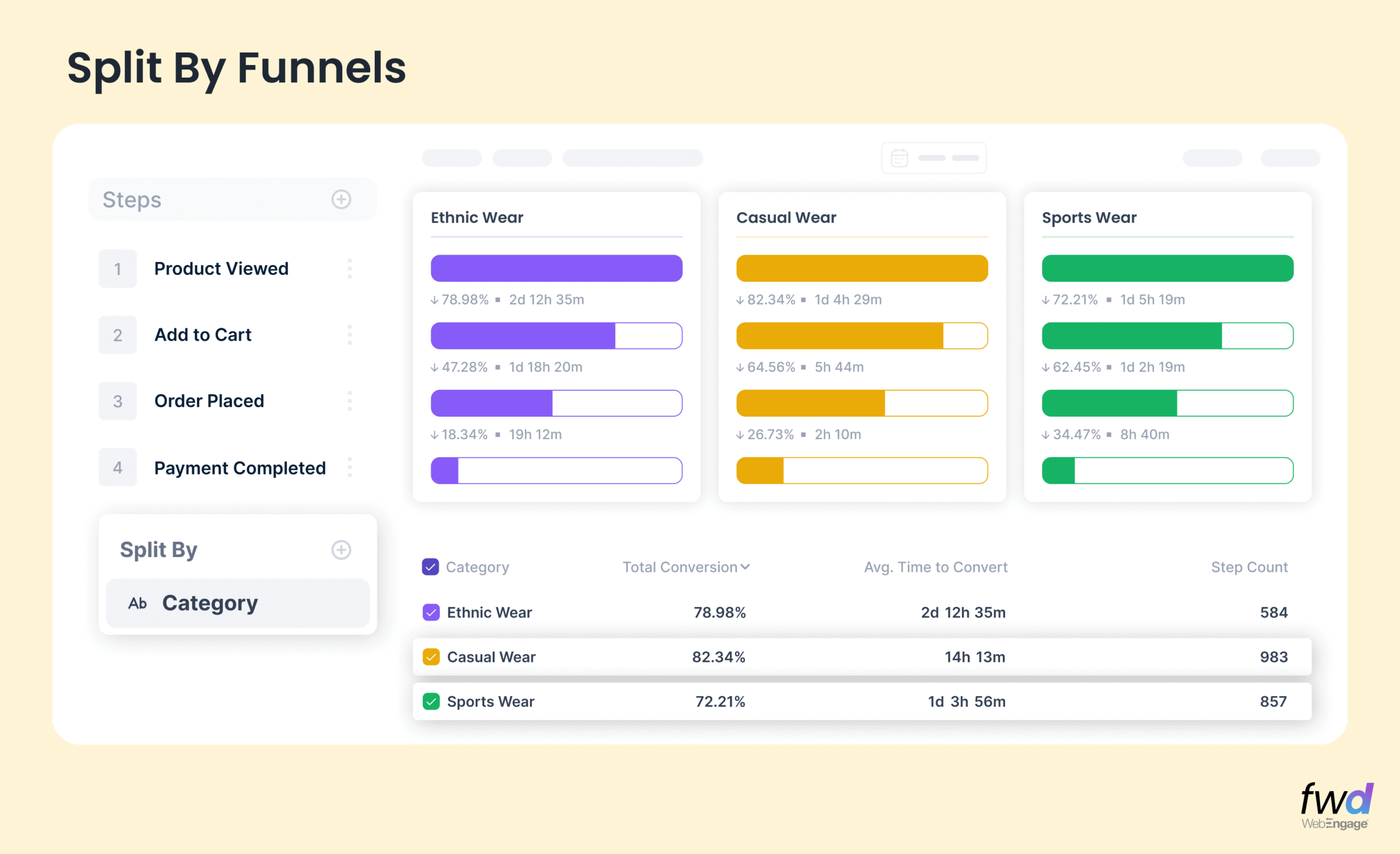
Introducing the New Funnel UI Upgrades

The new Funnels UI is here—easier to use, smarter with insights, and faster to act on.

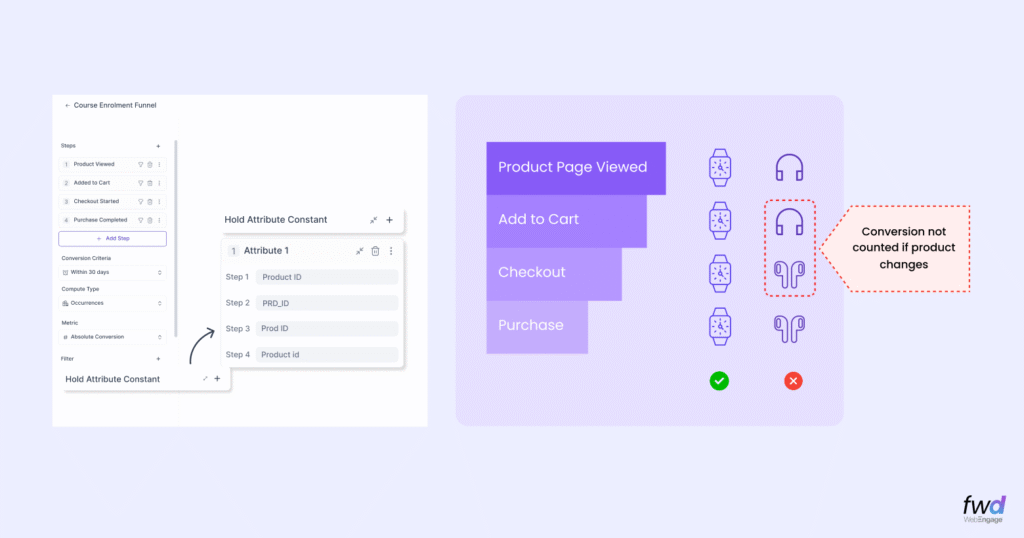
  • Revamped Funnel Cards for Quicker Edits – Easily add, rename, delete, or duplicate steps with intuitive quick actions— all in one place.
  • Visualize Conversion Time Like Never Before – Track how long users take to convert with flexible time ranges and percentile views for smarter optimization.
  • Advanced Filtering for Deeper Analysis – Slice and dice your funnel by user attributes, segments, and control groups to uncover high-impact insights.

Click here to learn more.

Catalog-Based Relays – Custom Setup is Now Live !

Last month, we launched catalog-triggered relays for key use cases like Back in Stock, Low on Stock, and Price Drop. Now, we’re taking it further with custom catalog-based relays to deliver even more personalized user experiences.

  • Leverage user attributes (e.g., pin codes) for hyper-relevant updates like location-based weather alerts.
  • Trigger tailored offers based on past purchases to drive engagement and loyalty.

This upgrade lets you map catalog columns to user or event attributes, making your campaigns sharper and more impactful. The year may have ended, but smarter, more effective campaigns are just beginning!

Pick Your Conversion Goals

You can now select your preferred conversion metric for campaign analysis, which will appear in the Campaign, Channel, and Engagement Overviews, while other metrics remain available in the ‘Download Report’ option. To configure, go to Data Platform > Data Management > Conversion Card Setting and choose: Sent-through Conversions (Default), tracking users who converted after receiving the campaign; Open-through Conversions, tracking those who converted after viewing it; or Click-through Conversions, tracking conversions after clicking the campaign’s CTA URL. This feature helps tailor insights to your goals for more relevant performance tracking.

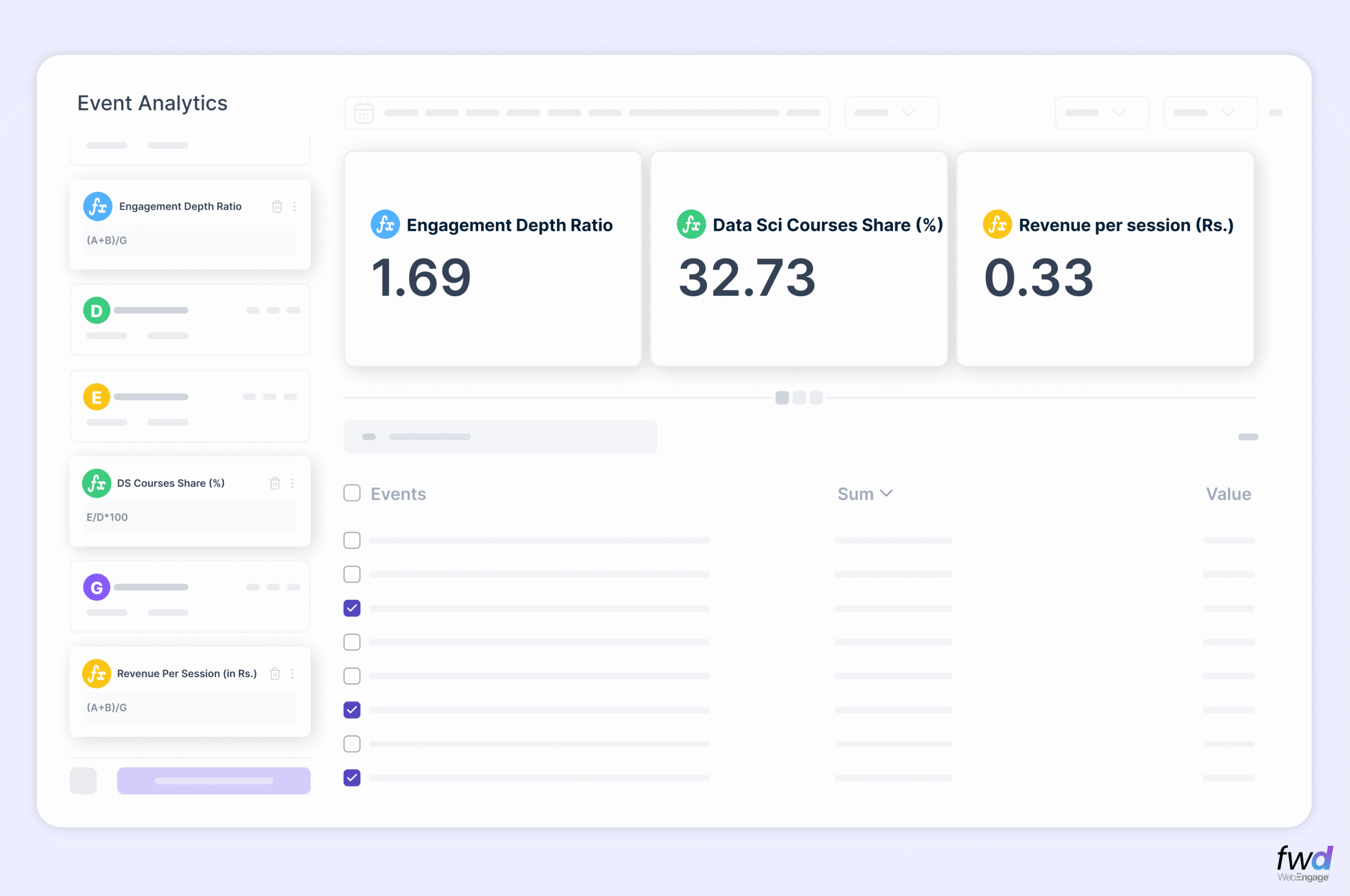
Introducing the New UI for Event Analytics!

Enjoy deeper insights, smoother navigation, and more flexibility—analyzing events has never been easier!

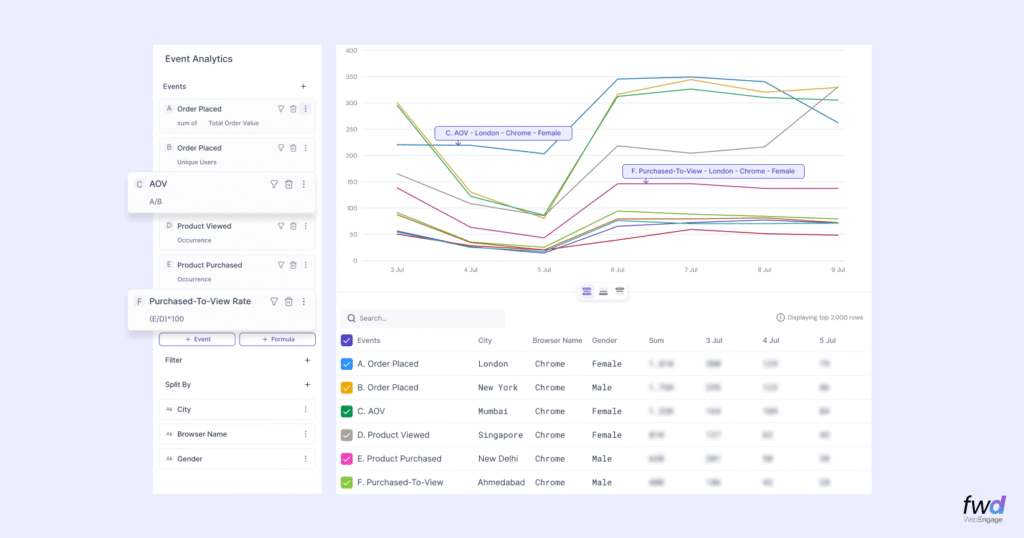
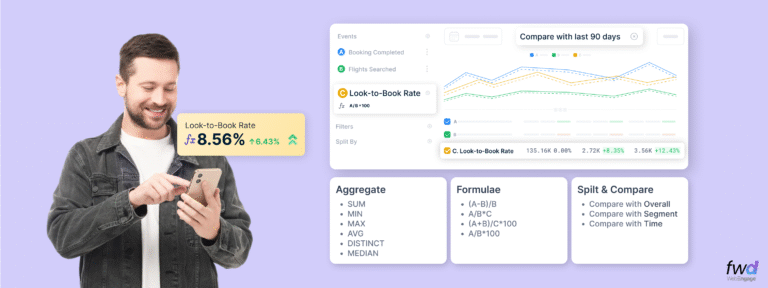
  • Unlock More Data Series for Enhanced Plotting – Gain deeper insights with expanded data series options, allowing for more detailed and customizable visualizations.
  • User-Friendly Design for a Seamless Experience – Navigate effortlessly with a cleaner, more intuitive interface designed to make data analysis smoother and more efficient.
  • Discover Our New Calendar with Enhanced Flexibility – Easily explore trends over time with an improved calendar, offering greater control over date ranges and event filtering.

Click here to know more.

Hourly Interval for Batch Relays

We are pleased to announce the introduction of the Hourly interval option for batched relays, enabling actions on business events every hour. This enhancement allows you to promptly notify users of time-sensitive updates, such as changes in lecture schedules, or execute short-term, high-impact campaigns with precise timing. By utilizing this feature, you can ensure more timely and relevant communication, enhancing efficiency and user engagement.

Enhanced Re-entry for Catalog-Based Relays

We are pleased to introduce an enhancement that gives you complete control over re-entry timing in catalog-based relays. While these relays have been highly effective, the inability to re-enter for the same duration as the look-back period has been limiting. Now, you can define how long users must wait before re-entering a relay, or set the value to 0 for unrestricted re-entry. This flexibility is crucial for protecting your campaigns from excessive triggers—for instance, in price drop campaigns, where repeated qualifications without new context can occur. With this update, you can ensure your campaigns remain relevant, precise, and impactful.

Trigger journeys by Refreshing CSV Lists

We’re excited to introduce a new feature in journey management: using refreshing CSV files as dynamic triggers. CSV lists updated via API are now automatically refreshed, enabling journeys to start or exit based on real-time data changes. This ensures seamless and automated activation of journeys in response to external updates.

View and download the ‘List of Users’ for both Static and Refreshing Lists

We’ve introduced a “List of Users” view for both Static and Refreshing Lists, similar to Live Segments. You can now directly view users in each list along with their attributes. Key features include selecting custom attributes to display, sorting rows for better organization, and a search function to quickly find specific users. This update simplifies list analysis and makes managing user data more efficient.

UTM Parameters Auto-Enabled for Campaign Links

We’ve launched auto-enabled UTM parameters for campaign links across multiple channels like Email, Web Push, and WhatsApp. Configure 2–8 UTM parameters in Configuration > UTM, with options for static or dynamic values. Once set, UTMs apply automatically to new campaigns but require manual activation for existing ones. Users can customize settings at the campaign level for flexibility. Click here to know more.

Improved Personalization Token Experience

We’ve enhanced the personalization token experience by simplifying the process of adding fallback values and capitalizing words directly in the personalization modal, eliminating the need for complex Nunjucks syntax.
This update streamlines workflows, making advanced personalization easier and more accessible.

No more posts to show
Scroll to Top

Talk to the Partner Team

Supercharge Your Startup's Growth

Supercharge Your Startup's Growth

Book a free consultation

Supercharge Your Startup's Growth

The Program helped us scale our business faster and bring down acquisition costs with time.

ankit-agarwal-testimonial

Ankit Agarwal

Founder, PHOOL

Become a Partner

Grab your copy