


Product Releases

What’s new on WebEngage?

Explore the latest feature rollouts, product enhancements, SDK updates, UI/UX improvements and other critical updates designed to make your goals more achievable and your journey with WebEngage smoother than ever!

Release Categories

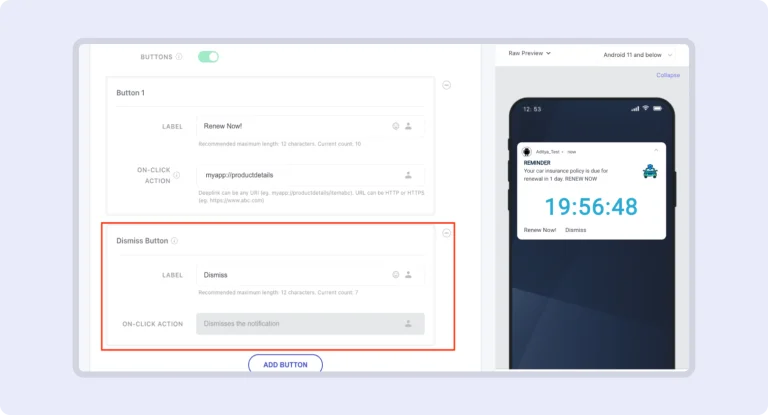
Dismiss Button For Push Notifications on Android

No more dealing with key-value pairs or custom solutions. This feature offers an intuitive way to dismiss sticky notifications that can’t be swiped away. Users can now easily remove persistent notifications with a simple tap, enhancing user experience and reducing frustration in app interactions.

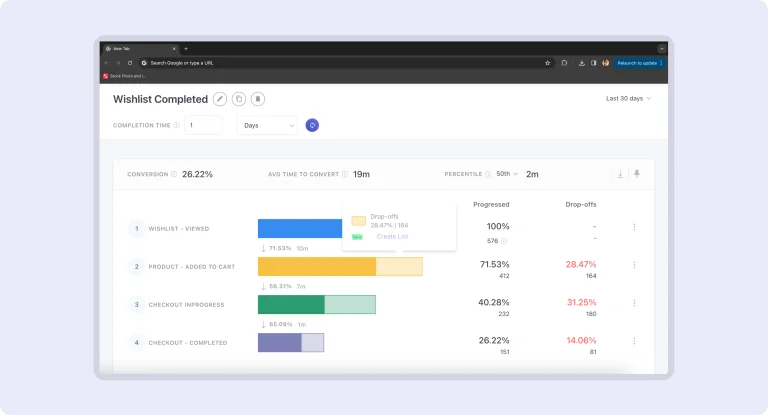
Funnel Analytics: Export to Static List

Export your Funnel Analytics data into Static Lists to allow deeper analysis and execute targeted campaigns. Convert insights into actionable lists for more precise and effective marketing efforts.

Funnel Analytics: Custom User Attributes and Common Filter

Fine-tune your user data with filters, refine your funnel analysis and enable more precise insights. As a result, you can make informed and strategic decisions tailored to your business needs.

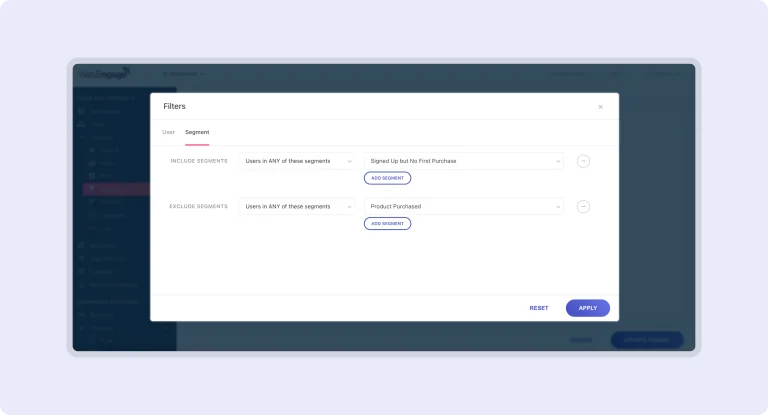
Funnel Analytics: Segment/Static List Filter

Enhance your Funnel Analytics experience by slicing and dicing user data effortlessly. Create highly targeted segments based on user attributes or behaviors to unlock the power of customized campaigns and maximize conversions with precision.

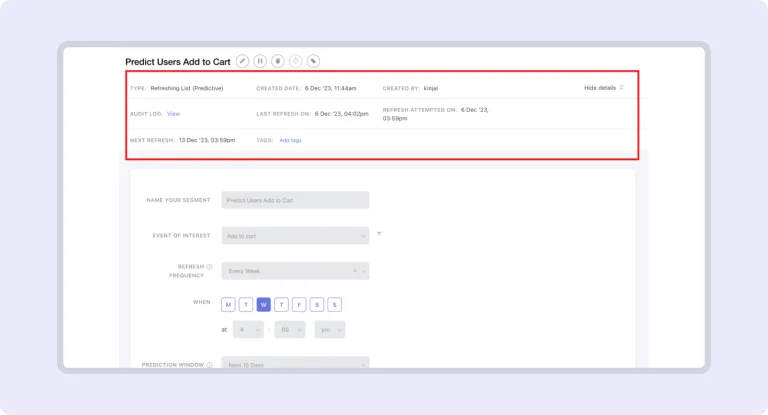
Predictive Segments: Pause / Delete, Details Section

Gain greater control and valuable insights with the latest updates:

  • Pause / Delete: Pause auto-refresh to hold onto a set of users in the list or delete predictive segments when campaigns are not dependent on them.
  • Details Section: Dive deep into predictive segment metadata with data points such as created date, last refresh date, and scheduled next refresh date.

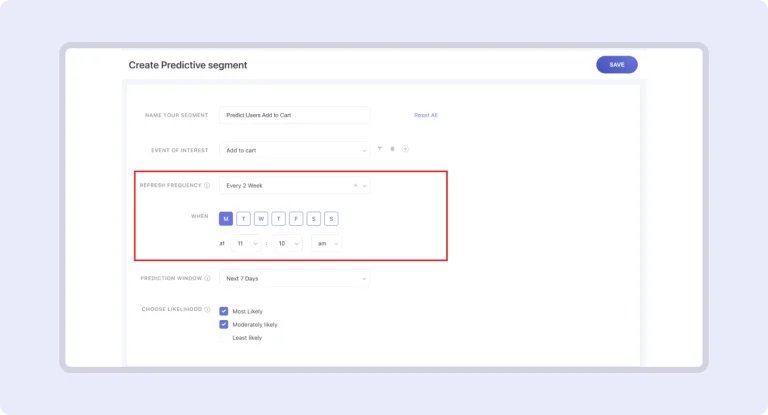
Predictive Segments: On-Demand Refresh

Take control of your Predictive Segments with the new On-Demand Refresh feature. Now, you can manually refresh your segments anytime, just like the existing List Refresh option.

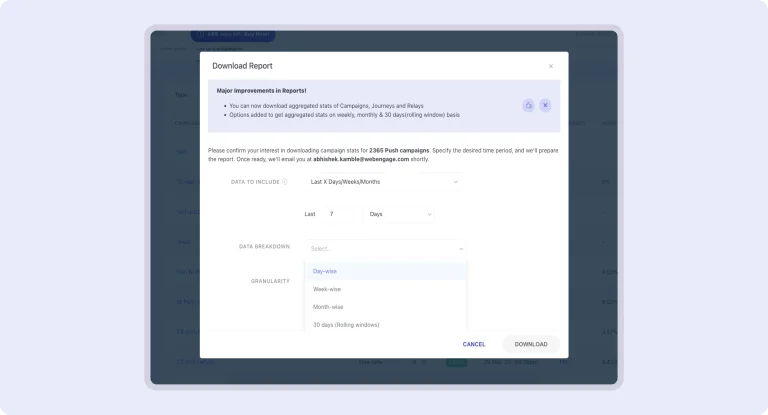
Summarized Reports for Campaigns, Journeys & Relays

Now enjoy a more streamlined reporting experience with comprehensive, aggregated reports:

  • Flexible Timeframes: Download reports broken down by day, week, month, or a rolling 30-day window, for more insight into your campaigns and journeys. This makes it easier to track and compare data, especially for ‘Unique’ metrics.
  • Revamped Reporting Columns and Metrics: We’ve removed redundant columns and added essential metrics to give you a clearer, more complete performance overview.

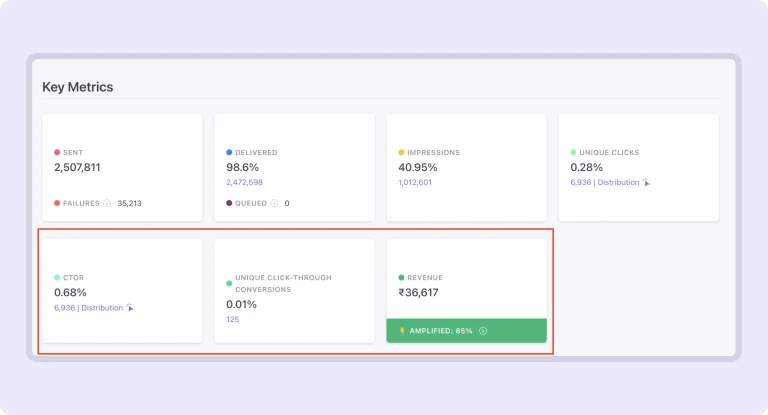
Mobile Push: New Top Card Metrics

We have added 2 new key metrics to help you quickly assess your Mobile Push campaigns:

  • CTOR (Clicks to Impression Ratio): Offers instant insights into campaign effectiveness.
  • Click-through Conversions & Revenue:
  • Now available on the Top Cards for a more visible performance overview.
    You can also enable Open-through Conversions and Revenue in the Key Metrics section for even deeper insights.

Campaign Lifecycle

Campaign-Lifecycle

This enhancement builds on the previous ‘Max Limit’ feature, providing precise control over the frequency and recurrence of in-app notifications. It allows for more targeted delivery, ensuring users receive notifications at optimal intervals without overwhelming them. This upgrade enhances user experience by balancing engagement with minimal disruption.

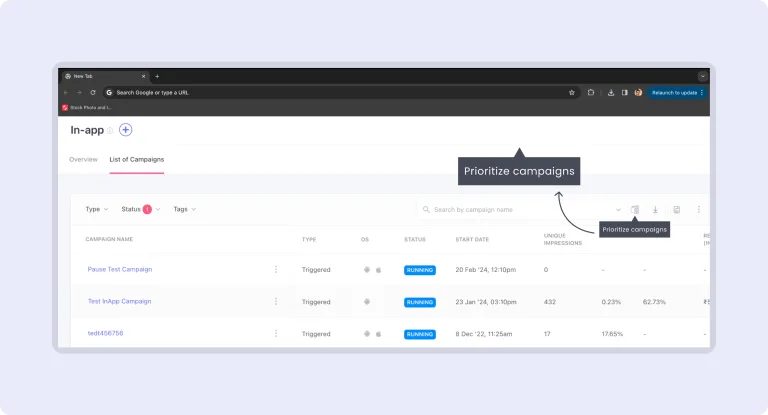
Campaign Prioritization

Effectively manage multiple campaigns targeting the same audience by strategically prioritizing them. This approach ensures users receive the most relevant content, optimizing engagement and minimizing overlap. Prioritization helps deliver tailored messages at the right time, enhancing user experience and maximizing the impact of each campaign.

Frequency Capping for In-app Campaigns

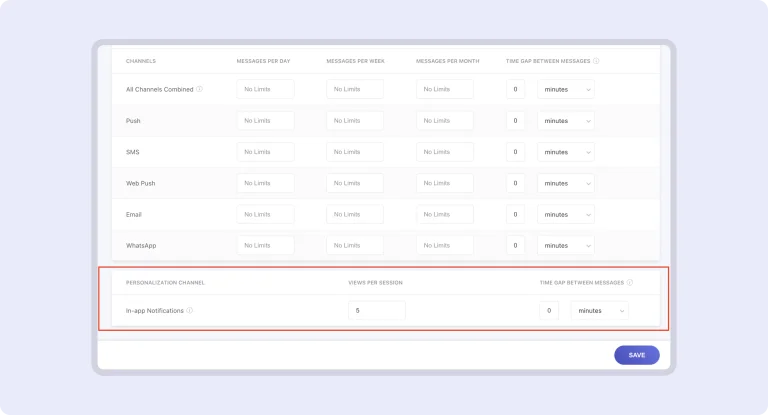
Now, you can control the number of In-app notifications shown per session and set a time gap between them to avoid back-to-back notifications. This prevents overwhelming users with multiple notifications in one session. This feature requires SDK updates: Android v4.6.0, iOS v6.5.0.

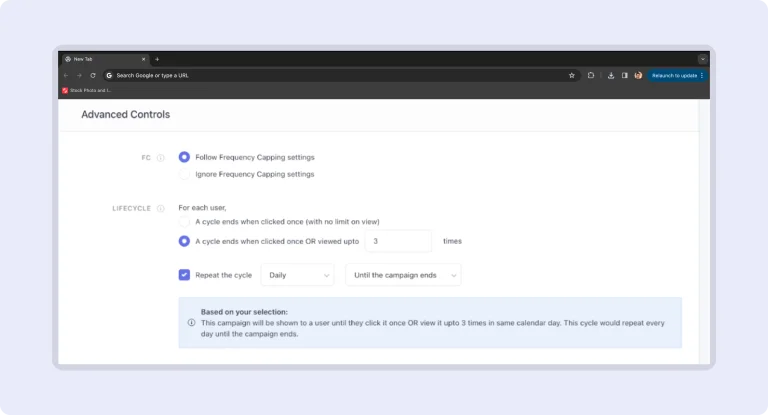
Lifecycle for In-App Campaigns

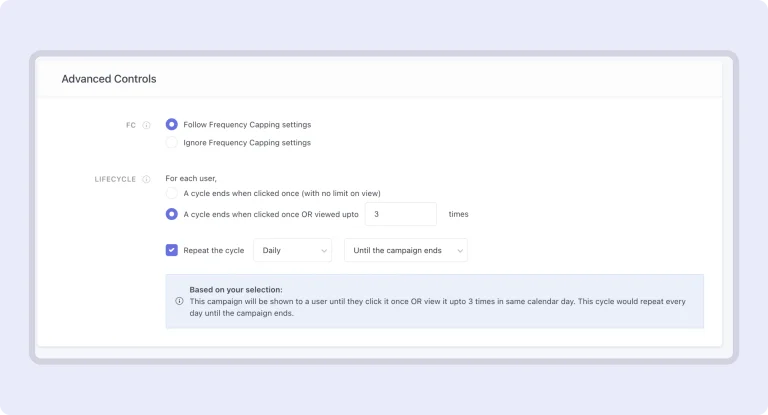
With this update, configure how many times a campaign should be displayed until clicked and set it to recur on a schedule (hourly, daily, weekly, or monthly). You can also specify how many times the cycle should repeat or let it run until the campaign ends. This feature requires SDK updates: Android v4.6.0, iOS v6.5.0.

[Premium Feature] API for User’s Campaign History

Introducing a new API that lets clients fetch all communications (with personalized values) sent to a specific user. Whether for internal audits or customer support, this feature helps you:
– Keep a record of all user communications.
– Enable support teams to access and resolve issues faster with complete campaign history, including status updates.

New Channel: Viber

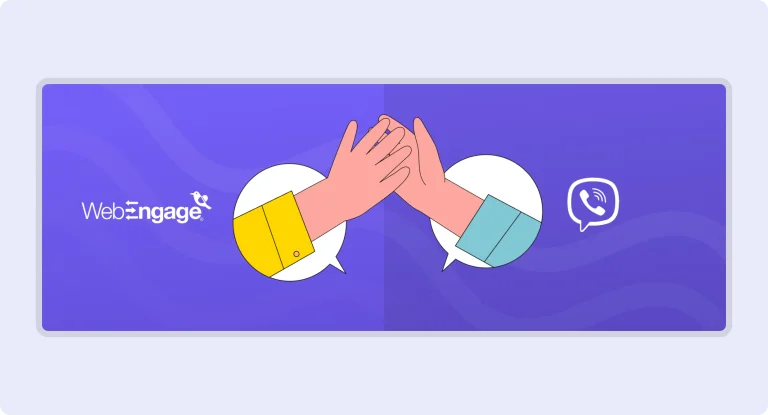
We’re excited to introduce Viber to WebEngage’s channel suite, especially useful for clients in the SEA region, including the Philippines. With Viber, you can send rich media messages, including images, videos, docs, and text with a button.

Catalog and Recommendation: Introducing Loop Support

We’re excited to announce Loop Support, a powerful upgrade for your personalization strategies:
Loop Across Items: Effortlessly navigate through all items within a recommendation and combine multiple item-item recommendations into one.
Loop Across Array Attributes: Now, you can integrate catalog details by looping through array attributes for seamless personalization.

Amplitude Integration: Cohorts Export

We’re thrilled to announce that Amplitude users can now effortlessly export cohorts to WebEngage! This integration empowers you to harness WebEngage’s campaign capabilities, unlocking new opportunities for targeted and effective campaigns.

Custom Date Range: Channel Overview & Engagement Overview pages

Experience greater flexibility and insight into your campaign performance:
Choose Your Date Range: You can now select any 30-day period within the past year, moving beyond the previous options of yesterday, last 7 days, and last 30 days.
Real-Time Stats: View current day’s stats refreshed hourly, plus CSV reports will now include the latest data for the current day.

Reuse Custom View Templates For Your Inline In-app Campaigns

Easily save and import Custom View templates, allowing you to reuse them across multiple campaigns. This means no more starting from scratch with key-values for each campaign! Additionally, you can add images to your templates for quicker identification.

Send One-Time Campaigns Instantly Without Waiting For Segments To Brew

You can now send one-time campaigns without waiting for segment brewing! This enhancement allows you to launch campaigns via email, SMS, WhatsApp, web push, or Mobile Push even when the targeted segment is in the “In Progress” state.

Shopify Plugin: Auto Sync Catalog and Past Order/Customer Data

When a new store installs the plugin, we automatically sync all order, customer, and product catalog data, eliminating the need for manual entry.
Historical Data Sync: This feature is available for new stores that haven’t connected to a WebEngage account yet, preventing data duplication.
Hourly Catalog Updates: Your product catalog will refresh every hour by default, ensuring your information is always up to date.
Order Tracking: Past orders will be captured as an “Order created” event, with historical data reflecting on the dashboard within 24 hours.

No more posts to show
Scroll to Top

Talk to the Partner Team

Supercharge Your Startup's Growth

Supercharge Your Startup's Growth

Book a free consultation

Supercharge Your Startup's Growth

The Program helped us scale our business faster and bring down acquisition costs with time.

ankit-agarwal-testimonial

Ankit Agarwal

Founder, PHOOL

Become a Partner

Grab your copy