







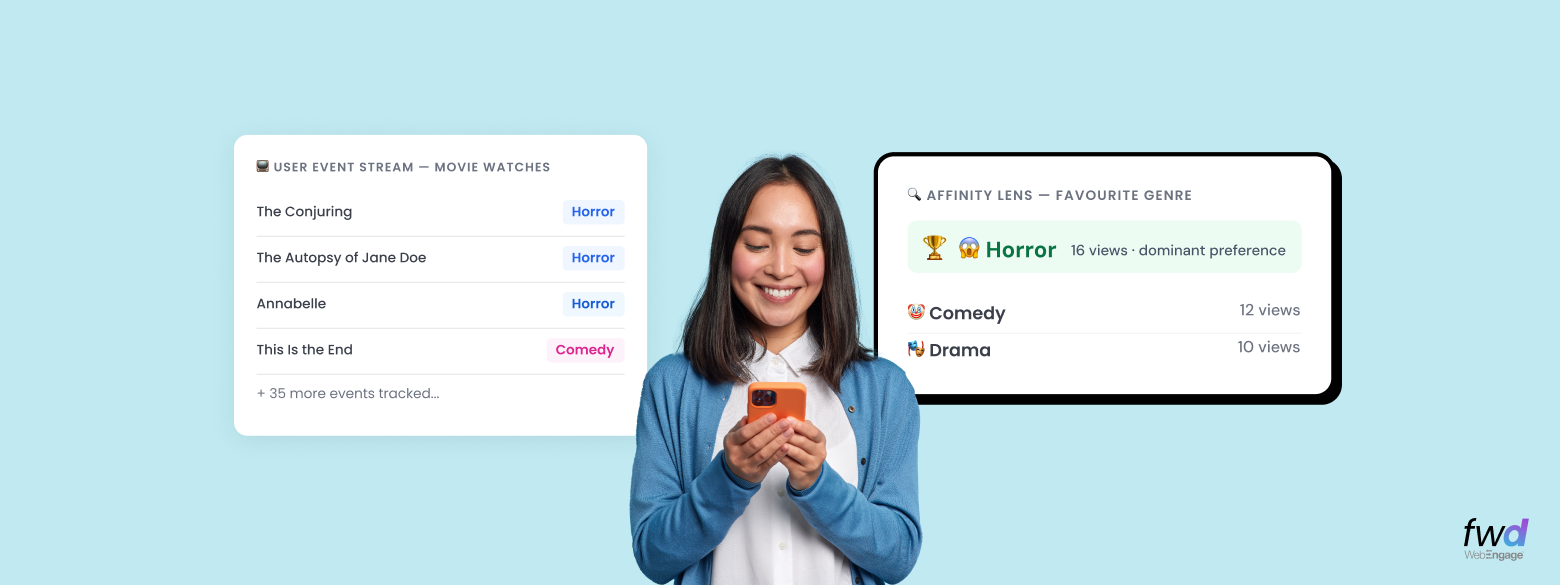
Every user has preferences. The movie genre they always come back to. The product category they browse unprompted. The cuisine they default to when they’re ordering for themselves. As a growth marketer, you’ve always known these preferences in the form of user intent (aka affinity) exist, and you’ve always wanted to act on them. Yet, you had to wage wars to even get remotely close to doing it right. Suffer no more. We are stoked to unveil WebEngage’s legendary Affinity function!
Let me demystify this vis-a-vis the affinity-based segmentation. A lot of new-age CDP/CEPs (including WebEngage) lets you create affinity-based segments e.g. you can build an audience of “users who predominantly watch Thrillers” or “users who mostly order Italian“. While such segmentation is useful in its own way, it is still a cluster of users. You can launch a campaign for such users or analyze them in a certain way. You won’t be able to run 1:1 personalization based on the intent. Your user profiles still stay the same, without getting enriched with user behavior over time.
Our Affinity function creates, stores, and refreshes a new set of Derived Attributes in User Profiles to fill this gap.
Where Affinity fits in
If you haven’t used Derived Attributes before, the short version is: they’re pre-computed user attributes built using existing user profile and behaviour data. These attributes are persisted and constantly refreshed. You need no ETL, no data pipelines, and no data dumps to activate these user intent based profile enrichement.
Want the full picture? How Derived Attributes work, what each computation method does, and how to bring in data from your warehouse?
Read: Create Complex Derived Attributes In User Profiles On The Go →Affinity joins our growing list of aggregation functions in Derived Attributes such as Sum, Average, Max, Min, Count, which all operate on numeric data. They can tell you how much someone spent, how often they opened the app, or what their highest single order value was. But none of them can tell you what a user PREFERS. That requires a different kind of capability, and that’s exactly what Affinity is built for.
How it works: a step-by-step guide to gauging User Intent with examples
Let’s say you run a streaming platform. You want to create a Derived Attribute called Favourite Genre for each user, computed from their movie watch history over the past 30 days. The same logic applies to any industry. Just swap the activity(movie watch) and attribute (favorite genre) you want to track.
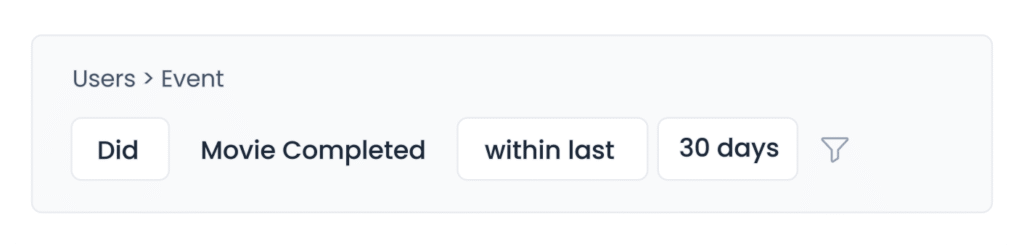
1. Tell WebEngage what activity to look at, and how far back
Pick the user action you want to analyse which in this case is ‘movie completed’, and then set a time window, say 30 days.
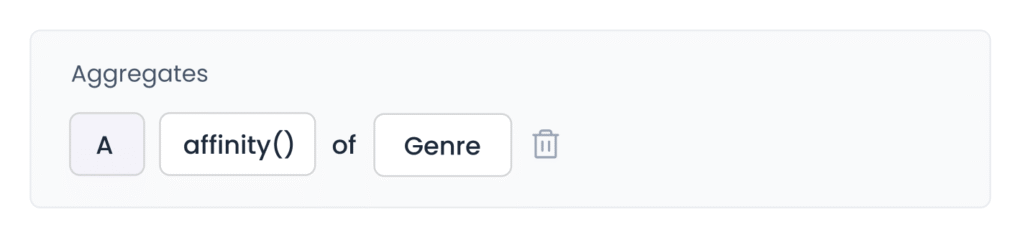
2. Pick Affinity as your computation method and choose what to measure it on
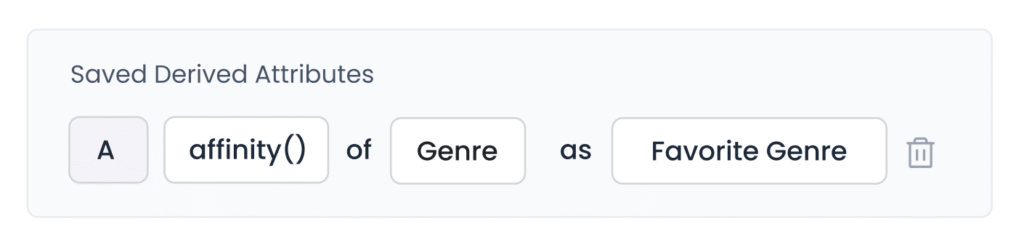
In the dropdown, choose affinity() as the function, select the event property(Genre) to analyse.
3. Save it. WebEngage does the rest
Save the attribute. WebEngage will now compute Favourite Genre for every user automatically and keep it updated as their behaviour changes. No manual refresh needed. (If this simplistic rundown didn’t sit well, feel free to refer to our user guide to get the longer version of this process.)
How can you use Affinity attributes
Once the Favourite Genre (or any affinity-based attribute) is computed, it lives in the user profile and is available across the entire platform.
1. Profile Enrichment
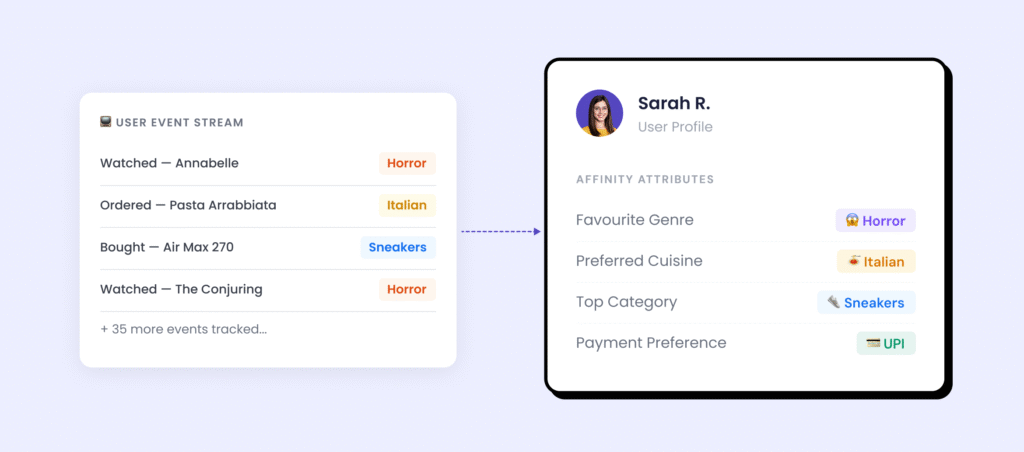
Every user profile now carries a richer, truer picture of who they are. Instead of raw activity logs, you have a computed understanding: this user prefers Italian cuisine, this user is a sneakers buyer, this user watches Horror. These attributes update automatically as behaviour changes; no manual refresh, no stale data.
2. Segmentation
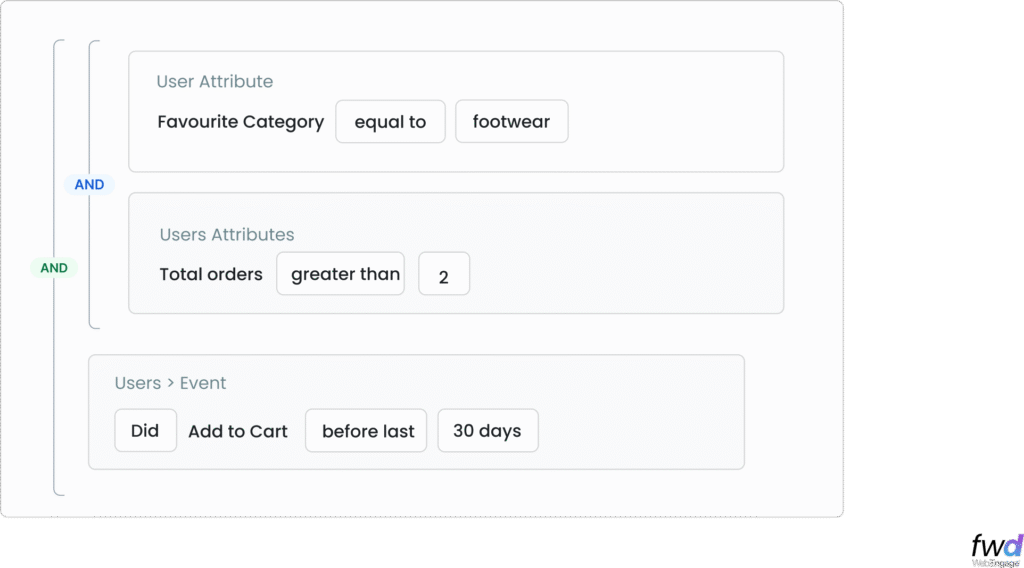
You can use the Affinity function based derviced attributes in your Lists rule builder alongside other conditions like behavioural, demographic, or anything custom. You’d be able to build audiences like “list of users whose favourite category is Footwear, who have ordered more than twice, but haven’t purchased in the last 30 days” That’s a segment that knows what they like, knows they’ve bought before, but have been quiet lately
3. Personalization
The simplest application: use the Affinity attribute as a personalisation variable in your campaigns. A push notification that says “New arrivals in Sneakers, just for you” where “Sneakers” is pulled from Brody’s Favourite Category attribute, not a manually curated list. Every user gets a message that’s specific to them, with no extra work per campaign.
Take it a level further with Collections. Plug the Affinity function based attributes directly into our Collection filter, and your entire product catalogue becomes self-sorting. Every user sees the slice most relevant to them, computed fresh at the moment of delivery. Not a segment deciding what a group sees. Each person’s own preference decides what they see.
Not familiar with Collections? Quick context: Using Collections (a Catalog & Recommedations feature) you can dynamically fetch a personalised set of items for each user in real-time. Read more about it here.
4. Analytics
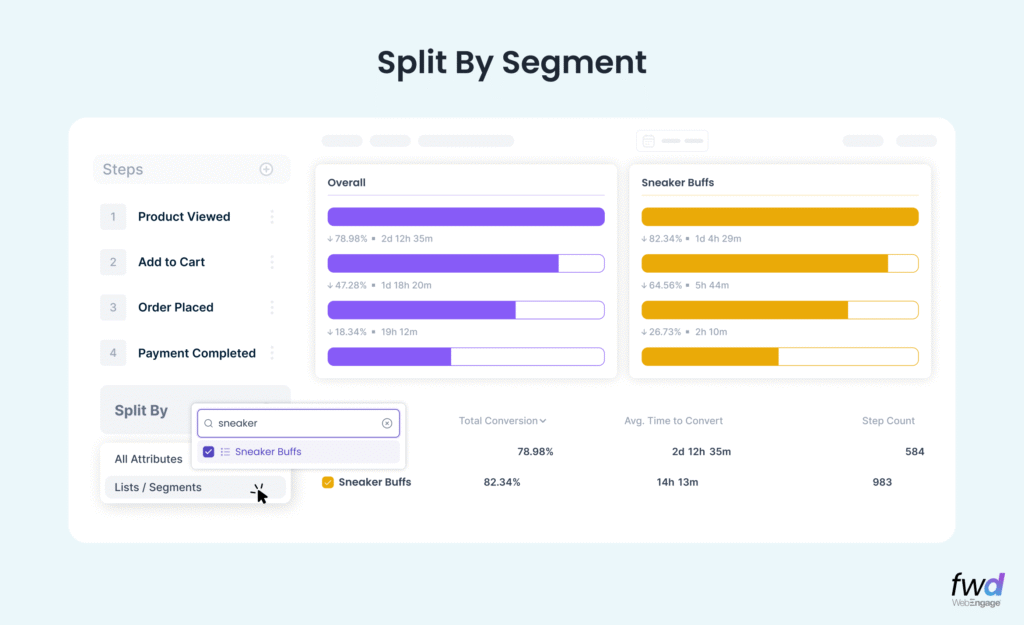
Use Affinity-based Segments (lists) to filter or split your analytics views, and start seeing behaviour through the lens of preference. Do users with a Horror affinity have longer watch sessions than the ones with Romance affinity? Do Sneakers-affinity users (Sneaker buffs) convert faster than others? These are the kinds of questions you can answer without any custom reporting.
What does this mean for you?
Most teams use Affinity function based attributes to launch better personalised campaigns and that’s great. But the best teams use it to shape how users experience your product.
Affinity can be computed across any dimension of preference: favourite category, preferred price range, go-to payment method, most-used app module. When these preferences are stored as live attributes on the user profile, you can make your product feel like it already knows the person. The user who always watches Horror doesn’t land on the Romance banner. The user who mostly orders vegetarian never sees a meat-first homepage. The user who pays by card every single time doesn’t see a “choose payment method” screen.
Put enough of these together and you stop having users. You start having people; each with a known taste, a known habit, a known preference. A complete persona, not assigned to them, but built by them. Quietly. From everything they did.
As mentioned above, you can use Affinity function based derived attributes in the new WebEngage Segmentation Engine
Coupled with a flexible criteria builder, the brand new Affinity function and an iconic new user experience, WebEngage Segmentation now unlocks campaign activation like never before. With our Segment AI Agent, you don’t need to build these segments manually either. Just chat with our Segment Agent and you are good to go!
Affinity function is available inside our Derived Attributes section in the dashboard. You’ll need to buy one of our Derived Attributes Packs to get this activated. Please reach out to your Account Manager or Growth Consultant for any assistance.



 Manoj Chawda
 Harshita Lal

 Amit Shinde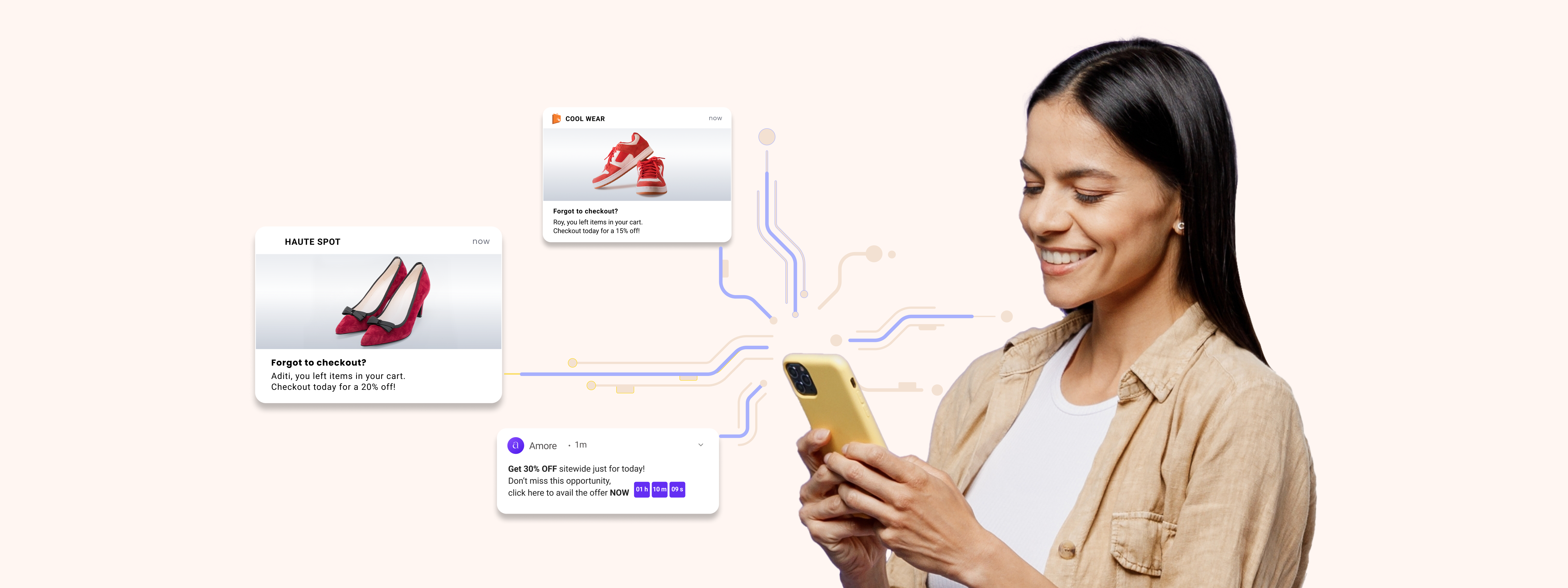
 Abhijat Shukla