
We have made a bunch of additions to WebEngage in August. Here’s a consolidated list below:
Transactional Campaigns
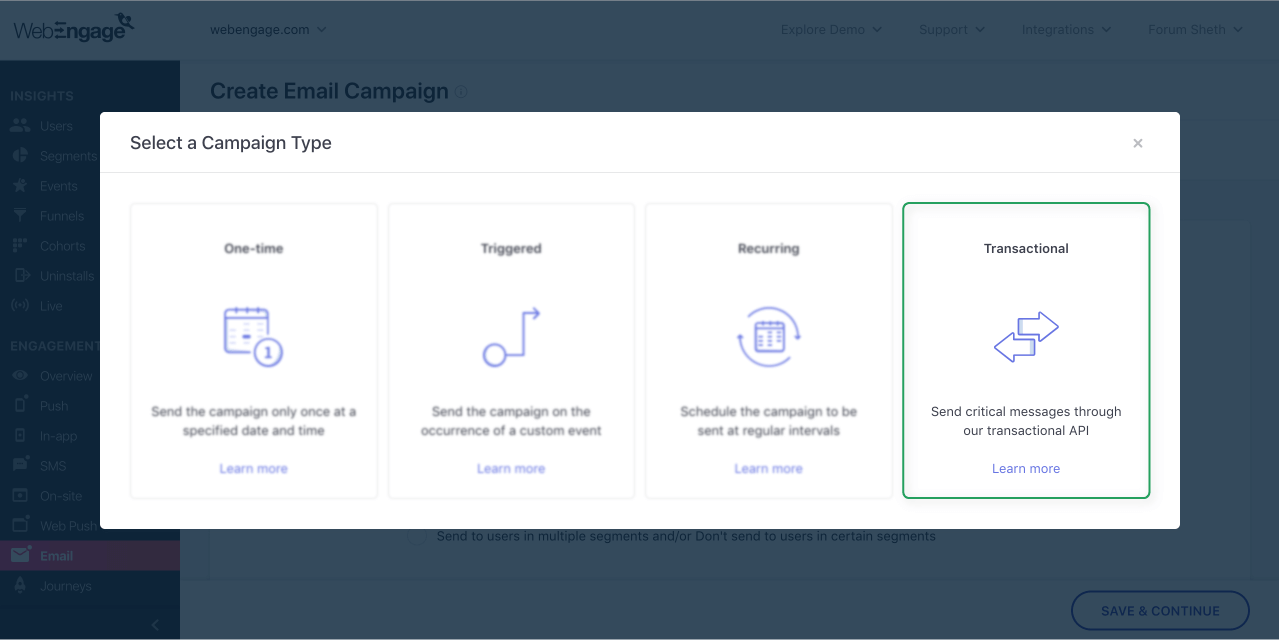
You can now send those time-sensitive critical transactional messages like order confirmations, OTP requests etc. through WebEngage itself. You can then track the campaign stats for these transactional messages on your WebEngage dashboard. More details in our blog post here.
Impact of Amplification Engine for Push Notifications
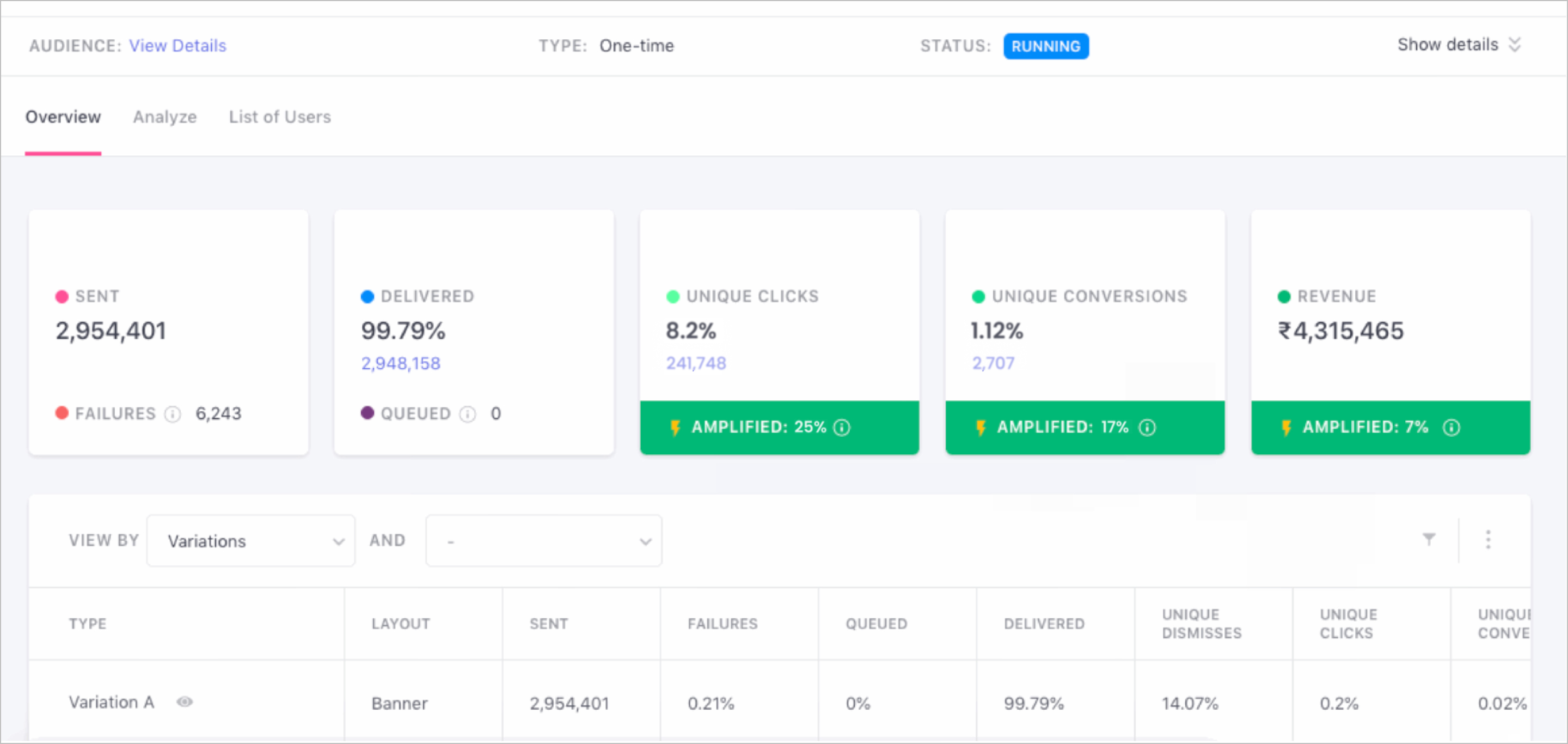
You can see the impact of our amplification engine on clicks and conversions for your Push campaigns on the WebEngage dashboard. Just head to the Campaign Overview section of any Push campaign to view the impact. More details here.
Support for AMP Pages
We’ve built support for tracking of users and events on AMP pages. You can now also enable your users to opt in to your web push notifications on your AMP pages (this is a very useful feature to reach those unknown users who visit your AMP pages through Google search etc. and then drop-off). More details here.
Download Campaign Stats for Individual Campaigns & List of Campaigns
You can download campaign stats for a single campaign or for a list of campaigns directly from the WebEngage dashboard. The campaign stats can be downloaded for a particular time period or for the last X days/weeks/months. Just click on the download icon in the List of Campaigns section to download stats for a list of campaigns or click on the download icon/action for an individual campaign to download stats for only that campaign.
SDK Updates
There were multiple updates to our Android, iOS and React Native SDK in August. More details in our changelog for Android, iOS and React Native.
Other Changes
– Audience Size of Segments Exported to Facebook: For any segment exported from WebEngage to Facebook, we now also show the size of this segment as available in Facebook. You can see this under Settings > Facebook > Segments Exported to Facebook section.
– Changes in Journey > Event Trigger Block: We’ve removed the option to trigger a journey based on the date attribute of an event . Eg. You can now only trigger the journey on Flight Booked event and not on Departure Date attribute of the Flight Booked event. The workaround for this is that you can trigger the journey on Flight Booked event and add a Wait for Date block that says wait for Departure Date in order to send campaign on the departure date and not on flight booked date. In addition, we have also removed the option to trigger the journey After x minutes, hours etc. of the occurrence of event (journeys can now only be triggered immediately on occurrence of the event). The workaround for this is that you can add the Wait for Some Time block to wait for X minutes, hours etc. before the user can proceed further. These changes have been made for technical optimization purposes. None of your existing journeys have been affected. We have deployed the changes at the backend seamlessly to add the wait blocks to the relevant journeys wherever applicable.