








Dear User Journey practitioners,
This feature is dedicated to you 🙏
For decades, user journey builders everywhere have had to live with one fundamental constraint in all Customer Engagement Platforms worldwide – did you know that a user can enter an active journey only ONCE at a time? The only time they can re-enter that journey is when they have exited from the current one and NOT BEFORE THAT.
Well, it’s very likely that you weren’t even aware of this. There is NO such thing as “this journey will concurrently run for a given user every time they performed the event which is set up as the journey trigger“.
We decided to change this. Say hello to “Contextual Journeys”, a feature unique to WebEngage ✌️
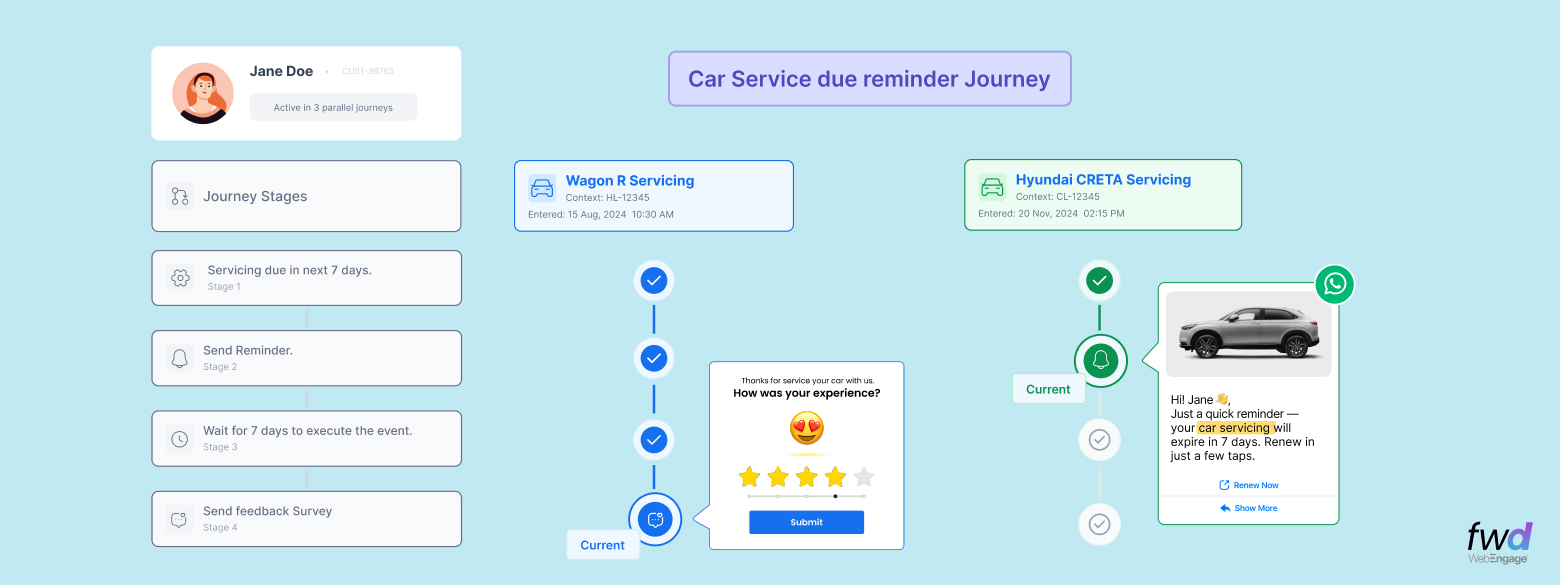
WebEngage is the ONLY full-stack CDP-cum-Customer Engagement Platform (CEP) that lets you run multiple, parallel “trips” of the same journey for the same user at the same time, each tied to its own context. What does this mean for you?
- A banking customer may have three loan application journeys running at the same time.
- An insurance policyholder may have multiple active journeys for policies under renewal at the same time.
- An online shopper may browse four categories simultaneously — fashion, electronics, beauty, home – and be in four different instances for the same browse abandonment journey at the same time.
A Contextual Journey is a user journey that is set up to trigger itself for a user based on a combination of events + a unique attribute of that event (this combination is called “context”). Needless to say, when you don’t need context as the trigger, you can always stick with the good old event triggers. Here’s a short video explaining Contextual Journeys..
A context could be any pre-defined attribute, such as:
- Product ID
- Loan ID
- Policy ID
- Category Viewed
- Subscription Type
- Vehicle Number
- etc etc
Creating Contextual Journey in WebEngage
| Step 1 | Create a Journey Trigger
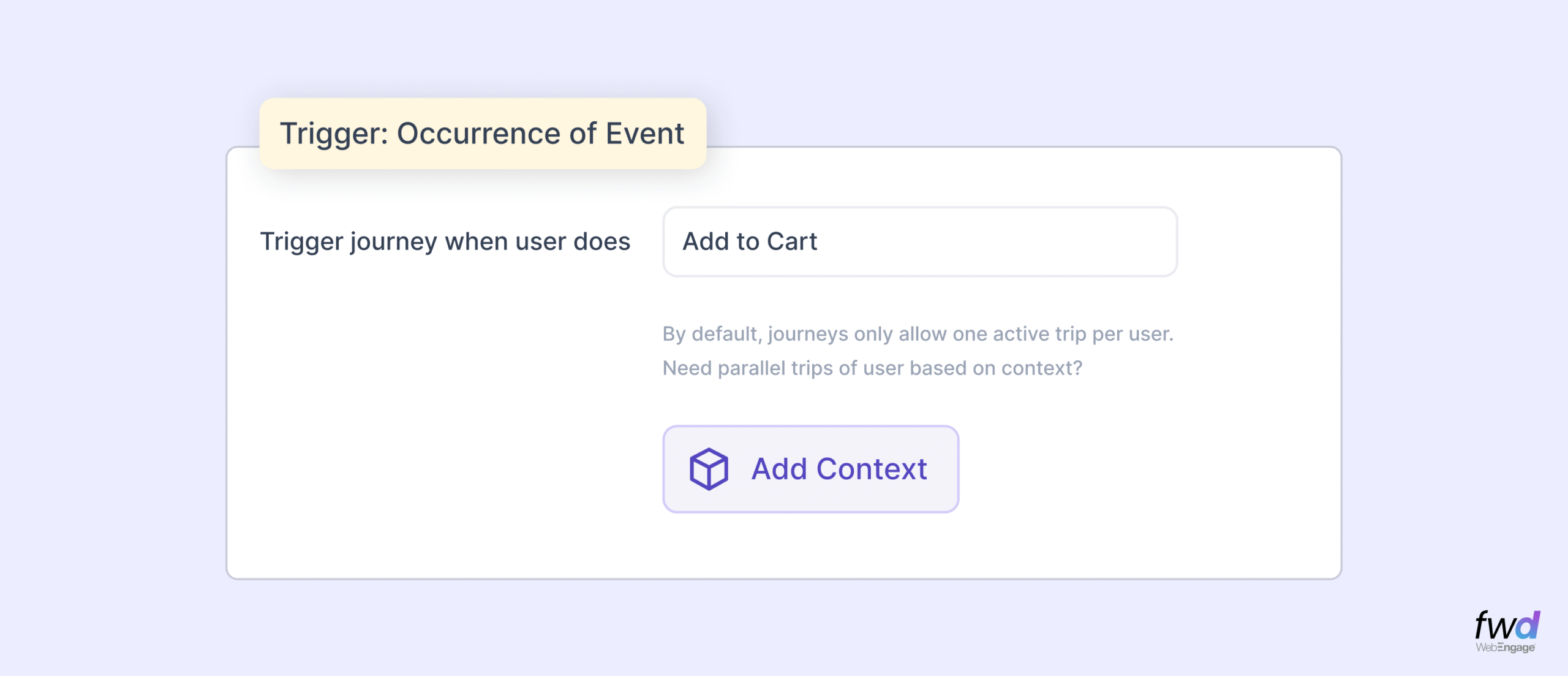
While creating a new user journey, select Occurrence of an Event as your entry trigger. |
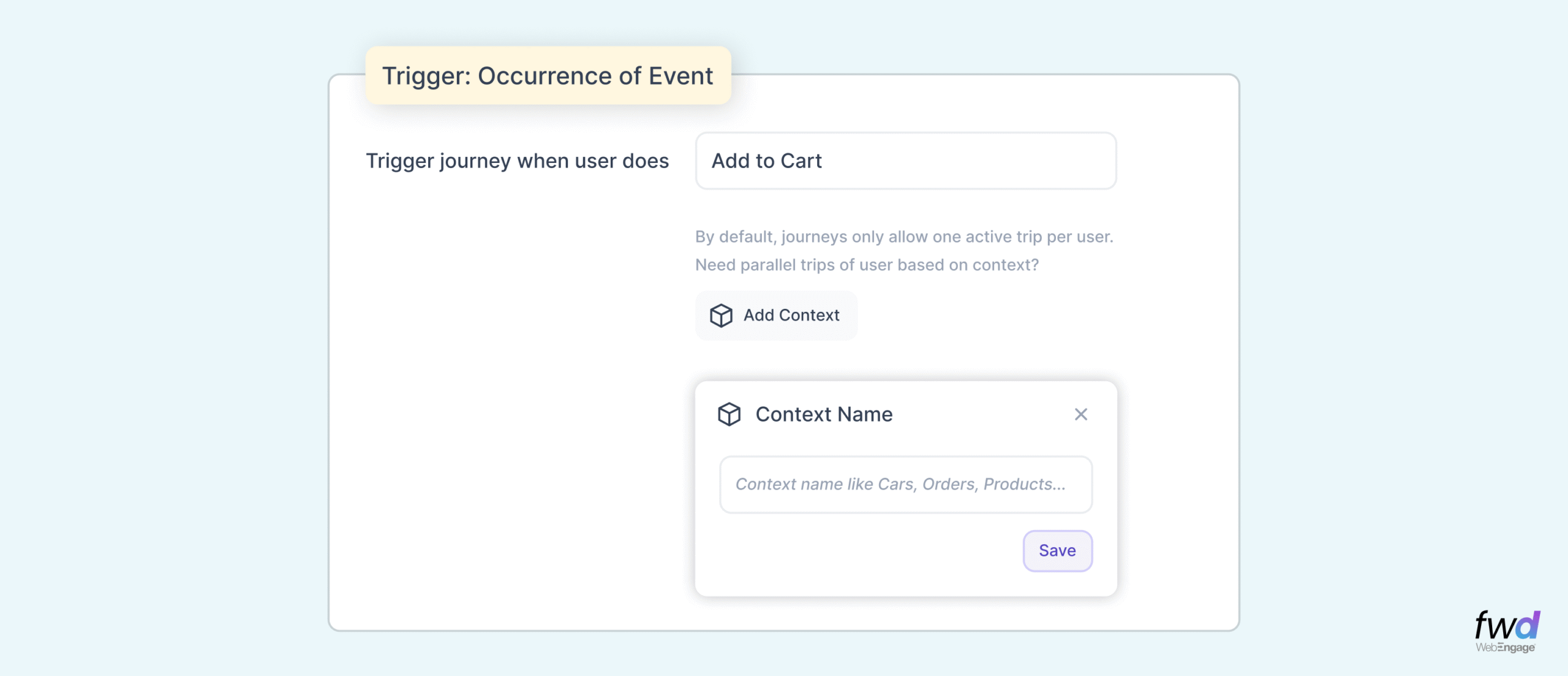
| Step 2 | Add Context to the Trigger
Just below the trigger settings, you’ll see a new option to enter a Context Name (e.g., “Loan Context”, “Product Viewed Context”, “Policy ID Context”). You can use the “context” name further in this Journey’s steps and also for your future journeys.
|
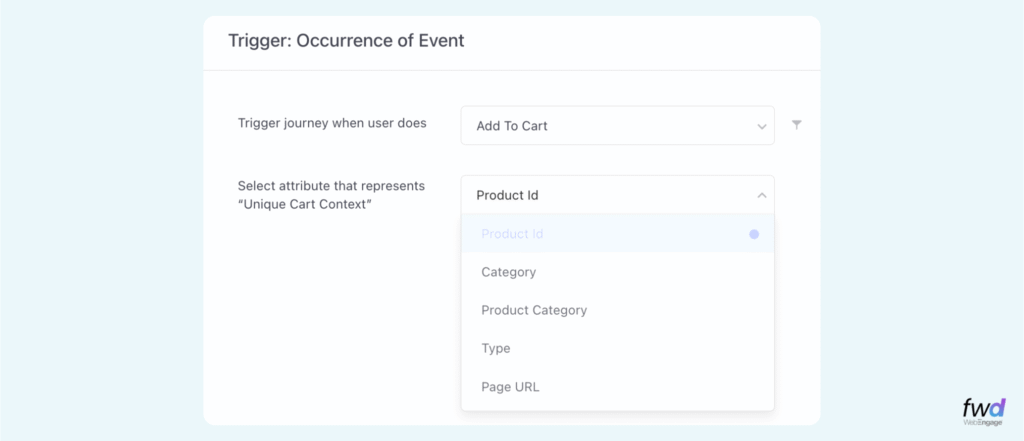
| Step 3 |
Select an Attribute representing the Context Upon saving the name as shown below, you get to choose the event attribute that represents your context (e.g., Product ID, Loan ID, Category ID, Policy ID etc). These is basically the attribute mapping on which our entire “context binding” works.
|
 Voila! You just created a Contextual Journey
As long as you have a common attribute (even with a different attribute name) being passed along in events required for a journey, you’d be able to stitch together a super simple Contextual Journey which can then..
Run parallel “trips” (or, instances) of the same journey, for the same user, at the same time, but will different contexts!
Ain’t this the coolest thing ever? 🙂
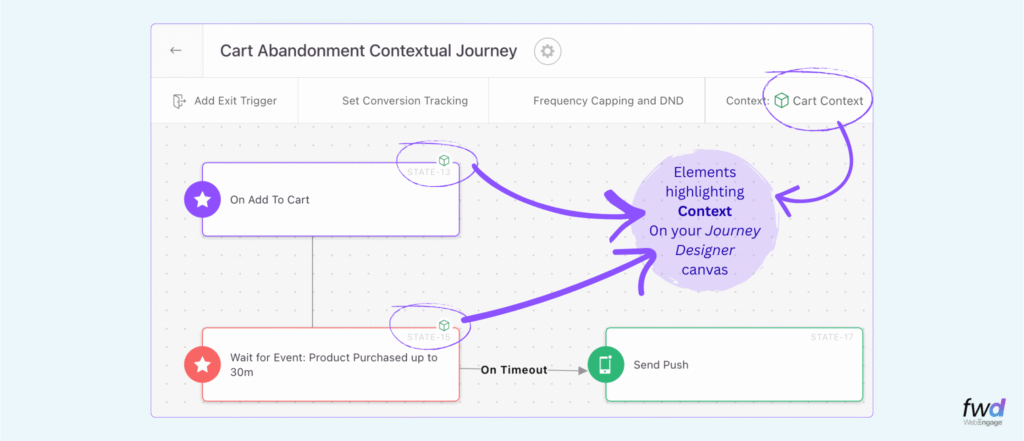
Wait, it is not just the entry triggers that have Context…
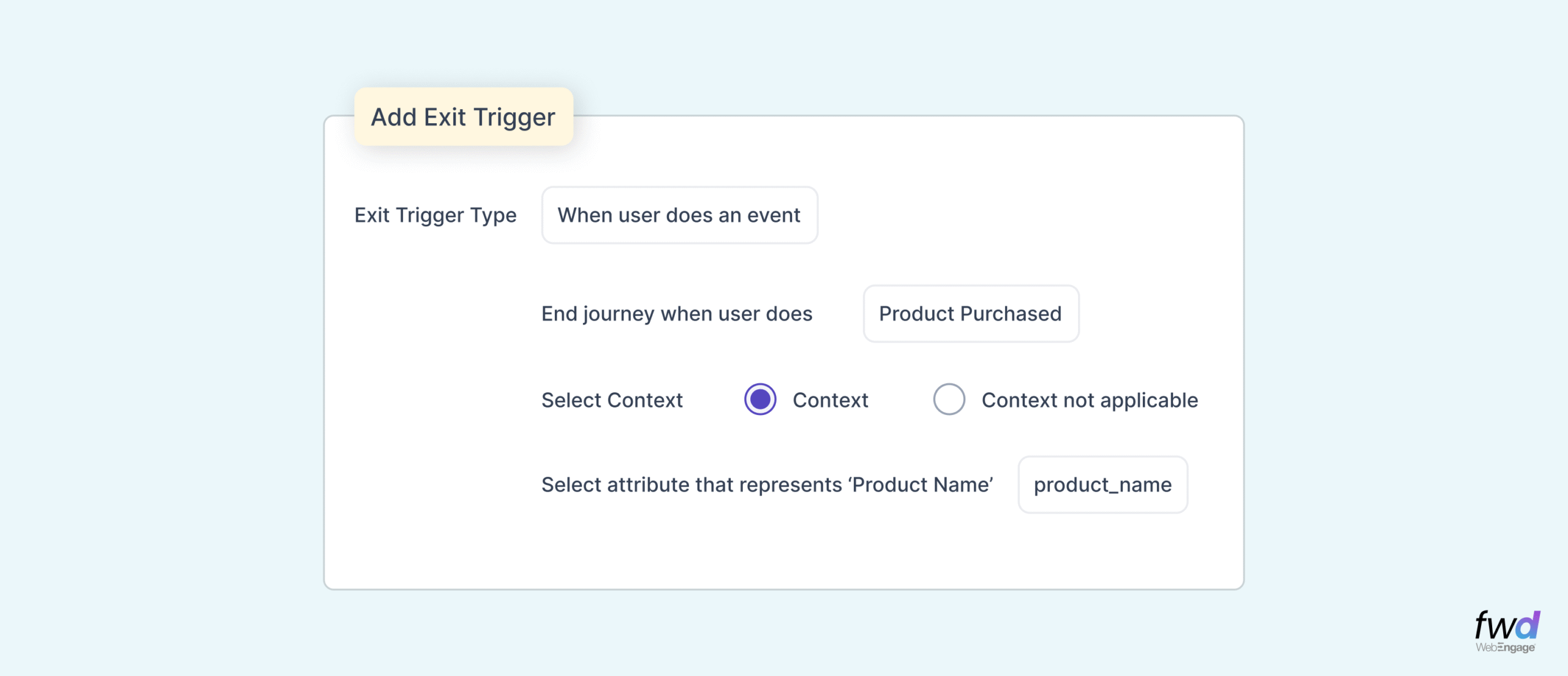
You can also set context-specific rules inside multiple blocks in the journey to move the context along the journey. You can apply the same Context To “Wait for Event” and “Exit Trigger” Blocks in your Journey. This way, you can carry forward the context throughout your Journey and make the campaigns contextual too. A sample to set up context in the Exit Trigger is show below.
Contextual Journeys are a game changer
WebEngage was the first new age Customer Engagement Platform to offer a visual, DIY, Drag-n-Drop Journey Designer tool in the hand of growth marketers about a decade ago. Every other tool in the category eventually copied that experience, and we are glad about that. Today, we set a new standard in the Journey Canvas – don’t just run journeys, now run “trips” of each journey multiple time for the same user concurrently.
At the end of the day, it’s all about the CONTEXT. WE understand you 🙂
Contextual Journeys are now available for general use. You can request your account managers to get it unlocked for your account or raise a request from within your dashboard.

 Inioluwa Ademuwagun
 Priyam Jha
 Ajit Singh
 Ananya Nigam
 Diksha Dwivedi
