









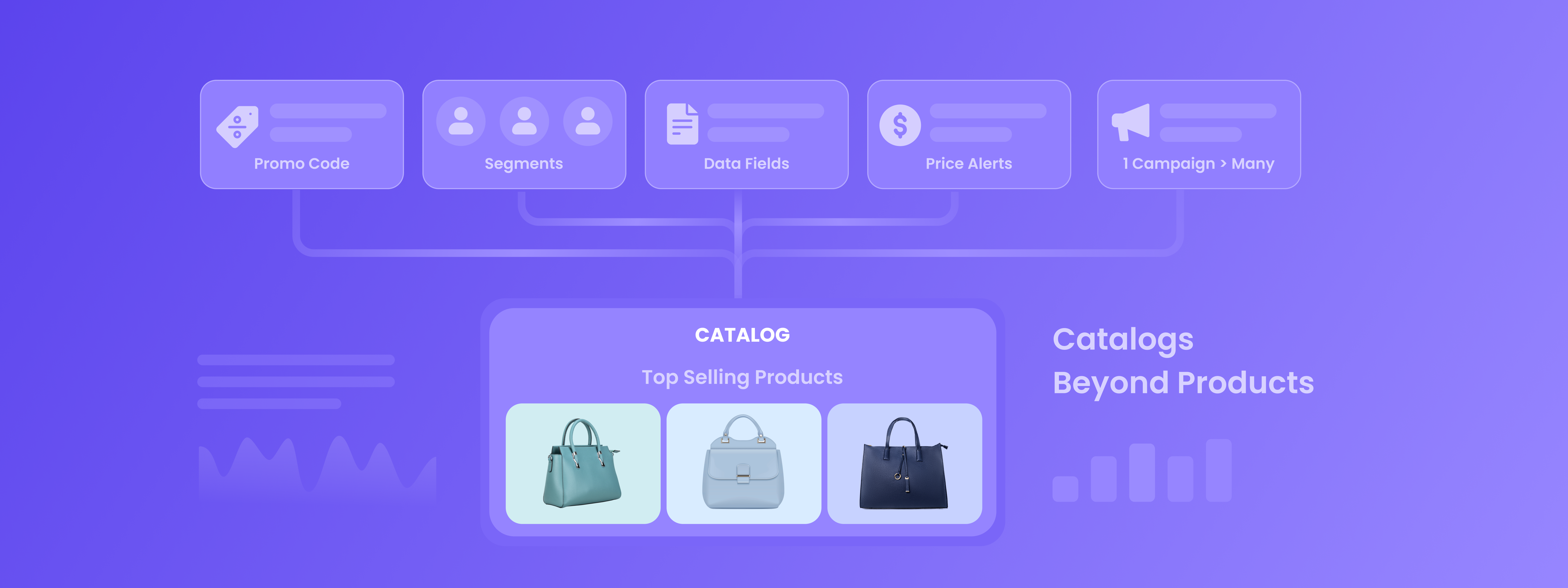
When most marketers hear “catalogs”, they immediately think of one thing: products.
Upload product details -> use them in recommendations -> personalize campaigns. Simple, effective, and standard.
But what if catalogs could do much more than just hold product information?
Think of catalogs as a flexible data source for your campaigns. A place where you can store structured data and pull it into messages exactly when you need it, without complicated setups or engineering help.
Once you start thinking this way, catalogs become less of a product database and more of a personalization engine.
Let’s look at a few fun and practical ways to use them.
1. The “No More Promo Code Chaos” Trick
Need to send different promo codes to different users?
Many teams solve this by creating multiple campaigns or manually inserting codes. That works… until someone copies the wrong code or sends the same one twice.
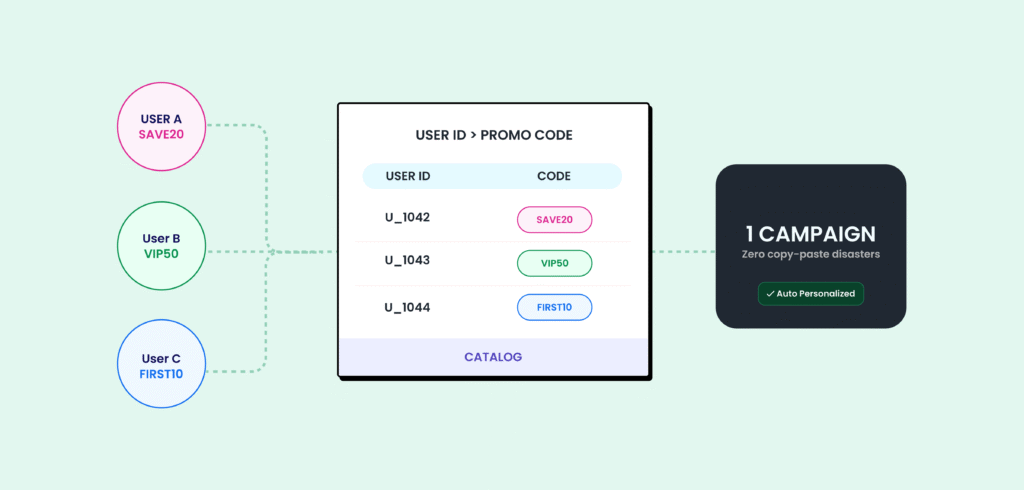
Catalogs make this painless.
Here’s the trick:
- Upload a catalog containing: User ID and assigned promo code
- Create your campaign.
- Insert the promo code in Personalization → Catalog, then match it with the user ID.
And just like that, every user receives their own code, automatically.
One campaign. Zero copy-paste disasters. No extra expensive tools.
2. One Campaign, Many Audiences
Sometimes you want to send different content to different user groups.
For example:
- Each company/team receives its own app-behavior insights
- Each region sees different best-selling items
- Each user segment gets tailored recommendations.
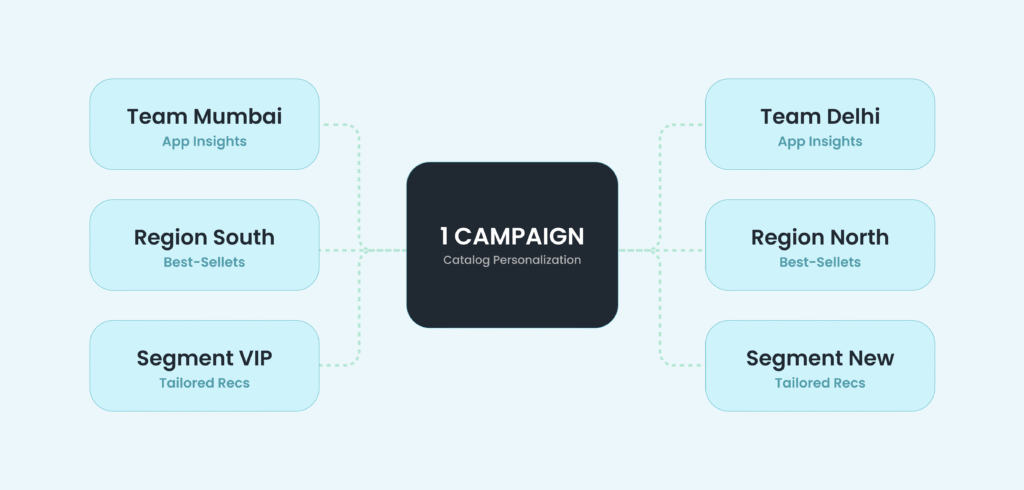
The usual solution? Create multiple campaigns. But catalogs let you do something smarter.
Upload a catalog containing: Group/team ID, the items, insights, or recommendations for that group
Then let personalization pull the right content for each user.
And Voila! One campaign that behaves like many.
Your campaigns stay clean, scalable, and much easier to manage.
3. The “Data Patch” Hack
Reality check: user data isn’t always perfect.
Sometimes important fields live in other systems. Sometimes data arrives late. Sometimes the profile just… doesn’t have it.
Instead of waiting for a full engineering integration, catalogs can act as a quick data patch.
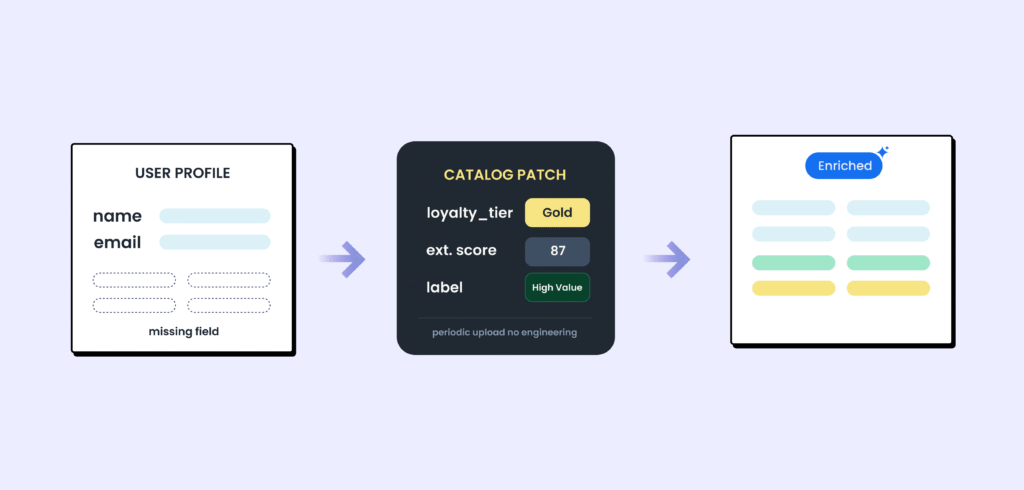
Here’s how:
- Upload a periodic catalog containing: User ID, the missing data fields (loyalty tier, external score, labels, etc.)
- Use those fields directly in your campaigns through catalog personalization.
Now your campaigns can use external data instantly, without waiting weeks for backend changes.
Fast, flexible, and surprisingly powerful.
4. The “Never Miss a Change” Play
Keeping users updated on price drops or stock availability often requires complex setups or engineering dependencies.
Catalogs simplify this dramatically.
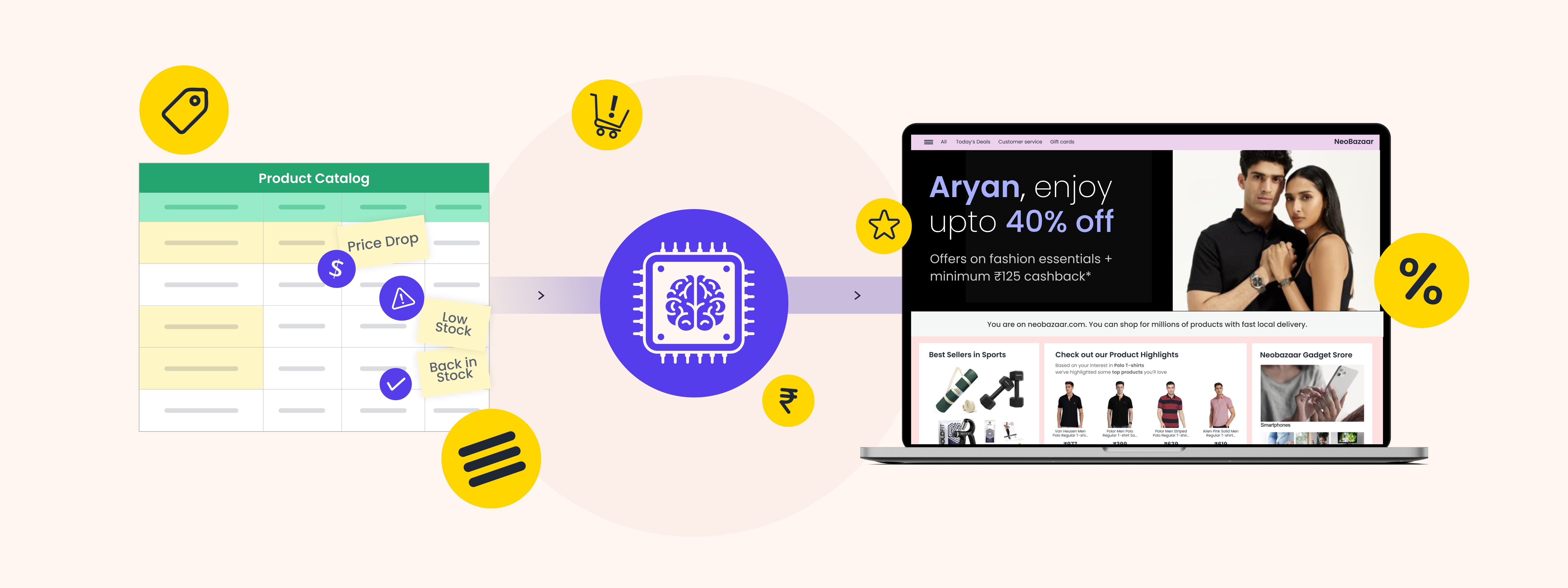
Just inject price & stock info into your catalog, then use catalog-based relay campaigns to automatically retarget users who showed interest in those products.
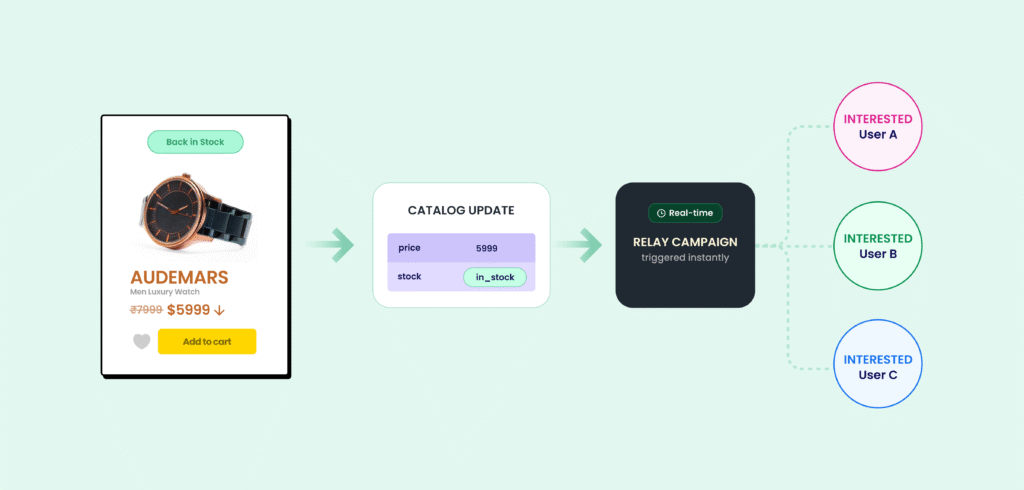
Now, whenever the price or stock changes, the interested users get notified instantly.


 Manoj Chawda
 Diksha Dwivedi
 Ananya Nigam

 Harshita Lal